GoodCall is a phone-focused AI receptionist built for small businesses that want to stop missing calls. It handles inbound calls 24/7, routes inquiries, books appointments, and collects lead info — without a human at the desk. That part works well. What trips people up is the pricing model.
Unlike most tools that charge per minute, GoodCall charges by unique customers per month. That means your bill is determined by how many different people call you — not how long they talk. For a business with a loyal, returning customer base, that's efficient. For a business with high-volume, one-time callers, it gets expensive fast.
This guide breaks down every GoodCall pricing tier, how the per-agent billing structure works, what features each plan unlocks, and where costs tend to surprise people.
TL;DR
Cheapest plan | $79/month per agent (Starter, 100 unique customers) |
Most popular plan | $129/month per agent (Growth, 250 unique customers) |
Annual discount | 15% off monthly price |
Free plan | No — 14-day free trial only |
Overage cost | $0.50 per additional unique customer |
Pricing model | Per agent (each phone line = one agent) |
Channels covered | Phone only |
GoodCall AI Receptionist Pricing Plans (2026)
GoodCall offers three self-serve paid tiers plus a custom Enterprise option. All plans charge per agent — each separate AI receptionist instance tied to a phone number counts as one agent. The core differentiators between tiers are unique customer volume, workflow depth (forms and logic flows), and team size.
Plan | Monthly (per agent) | Annual (per agent) | Unique Customers/mo | Forms | Logic Flows | Directory Contacts | Team Members | Call History |
Starter | $79 | $66 | 100 | 1 | 1 | 3 | 3 | 7 days |
Growth | $129 | $108 | 250 | 3 | 3 | 25 | 9 | 30 days |
Scale | $249 | $208 | 500 | 25 | 25 | 500 | 50 | Unlimited |
Enterprise | Custom | Custom | Custom | Custom | Custom | Custom | Custom | Custom |
Overage: Any unique customer beyond your plan limit costs $0.50 each. On the Starter plan, 130 unique callers in a month instead of 100 adds $15 to the base fee.
What "per agent" means for your total bill
This is the most commonly missed cost driver. GoodCall's $79 Starter price is per agent — not per account. Each agent is tied to one phone number, typically one location or one line.
- One location, one phone line → 1 agent → $79/month
- Two locations with separate numbers → 2 agents → $158/month (Starter tier)
- A main line plus a separate after-hours line → 2 agents
If you're comparing GoodCall against a competitor's headline price, always confirm whether that price covers multiple phone lines or just one. A three-location business on Starter isn't paying $79 — it's paying $237.
GoodCall has no limit on the number of agents you can build. For businesses running more than ten agents, their sales team can assist with volume options.
What "unique customers" actually means in practice
A "unique customer" is a distinct phone number that calls and actually interacts with your agent — meaning the caller says something to the AI rather than hanging up immediately. Robocalls, blocked numbers, and quick hangups never count toward your monthly allowance.
If the same customer calls you eight times in a month, that's one unique customer. This makes the model genuinely efficient for repeat-caller businesses: a dental practice where patients call back multiple times pays the same as if those patients called once.
It works poorly for businesses running ad campaigns or seasonal promotions that generate waves of first-time callers. A single campaign could push a Starter-tier business 30–50% over the 100-caller cap without warning, triggering overage charges that weren't in the budget.
What's included in every GoodCall plan
Regardless of tier, all GoodCall plans include:
- Unlimited minutes and AI tokens — no per-call, per-minute, or per-token billing
- 24/7 availability — the agent answers any time, including after hours and holidays
- Zero-code setup — configure entirely through the dashboard
- Multiple voice options — choose from different AI voice profiles
- Skills — train the agent on FAQs, business hours, policies, and custom responses
- Zapier integration — natively built into the dashboard for CRM and tool connections
- Google Voice compatibility — verify a Google Voice number and the agent answers calls on it
- Conditional call forwarding support — route calls from your existing business number to GoodCall
The unlimited-minutes model is one of GoodCall's genuine strengths. Some AI receptionist competitors charge by the minute, which creates unpredictability when a caller needs extended help. With GoodCall, a 30-minute edge-case call costs exactly the same as a 2-minute call.
Forms, logic flows, and skills — how they work together
GoodCall organizes agent behavior into three layered tools:
Skills are the foundation — you configure what the agent knows and how it responds to common questions. Think of this as the agent's knowledge base: business hours, pricing, location, FAQs.
Forms add structured data collection. The agent asks callers a defined sequence of questions — name, phone number, service needed — and captures that intake data. Starter includes 1 form; Growth includes 3; Scale includes 25.
Logic flows add conditional routing. The agent branches differently based on caller answers: routes a new lead one way, a returning client another; escalates if a caller selects "urgent." Starter includes 1 logic flow; Growth includes 3; Scale includes 25.
Linking all three together creates powerful workflows. A typical small business setup: Skills handle FAQ responses → a Form captures lead info → a Logic flow routes VIP clients to direct transfer and everyone else to voicemail. That's achievable on the Starter plan. More complex multi-branch, multi-department workflows need Growth or Scale.
Directory contacts, team members, and access levels
These two features are often confused:
Directory contacts are people the AI can transfer calls to or alert when a caller leaves a message. They don't have dashboard access — they just receive call transfers or notifications based on the logic flow you've set up. Scale allows 500 directory contacts, which accommodates multi-location businesses, agencies, or franchises.
Team members are dashboard users. At the lowest permission level ("performance viewer"), a team member can see analytics, call recordings, and customer history — but can't edit the agent's behavior. This is useful for agencies giving clients read-only access to their agent's performance without handing over control.
Plan | Directory Contacts | Team Members | Call History |
Starter | 3 | 3 | 7 days |
Growth | 25 | 9 | 30 days |
Scale | 500 | 50 | Unlimited |
If your business has more than 3 people who need to receive call transfers or check the performance dashboard, the Starter plan's limits will push you to Growth by default.
Annual vs. monthly billing
GoodCall offers a 15% discount when you pay annually. The savings are applied per agent.
Plan | Monthly | Annual equivalent/month | Annual savings (per agent) |
Starter | $79 | $66 | ~$156/year |
Growth | $129 | $108 | ~$252/year |
Scale | $249 | $208 | ~$492/year |
A two-agent business on Growth running annual billing saves ~$504/year versus month-to-month. The 15% discount is worth taking if you're confident the plan fits — but given that some users have reported GoodCall price changes without prominent advance notice, confirm the terms before committing to a full year.
GoodCall Enterprise plan
For businesses that exceed Scale's limits (500 unique customers, 50 team members, 500 directory contacts), GoodCall offers a custom Enterprise tier. Enterprise includes:
- Custom unique customer limits and token allocations
- Custom number of forms, logic flows, and team members
- Dedicated account manager
- Custom API integrations (beyond the standard Zapier connection)
- SLA and priority support
- Enterprise-grade security protocols
- Custom onboarding and agent setup assistance
Enterprise pricing is negotiated directly with GoodCall's sales team. There are no published price floors. It's the only tier where GoodCall moves beyond the per-agent fixed formula.
Does GoodCall offer a free plan?
No. GoodCall does not have a permanent free plan. It offers a 14-day fully featured free trial — no credit card required — but after that you move to a paid tier or lose access entirely.
The trial is well-reviewed for giving a realistic sense of call quality and agent behavior. The limitation is that you can't run a long-term test before committing. Some competitors offer permanent free tiers that let you handle real calls with limited volume before you see a bill.
What real users say about GoodCall pricing
Reviews on G2 and small business forums surface two recurring frustrations:
- Unexpected price increases: A segment of users report discovering that GoodCall adjusted their pricing at billing time with limited advance notice. The value-for-money score on G2 reflects this — core call quality ratings are higher than billing satisfaction ratings.
- Overage surprises: Businesses that ran promotions or seasonal campaigns saw unique-customer counts spike well beyond plan limits. At $0.50/caller, a 200-caller overage on Starter adds $100 to that month's bill — an amount that erases the plan's apparent affordability.
The most common advice from experienced GoodCall users: set a calendar reminder to check your unique-customer count mid-month if you're running any campaigns.
Solvea as a GoodCall Alternative for Multichannel Coverage
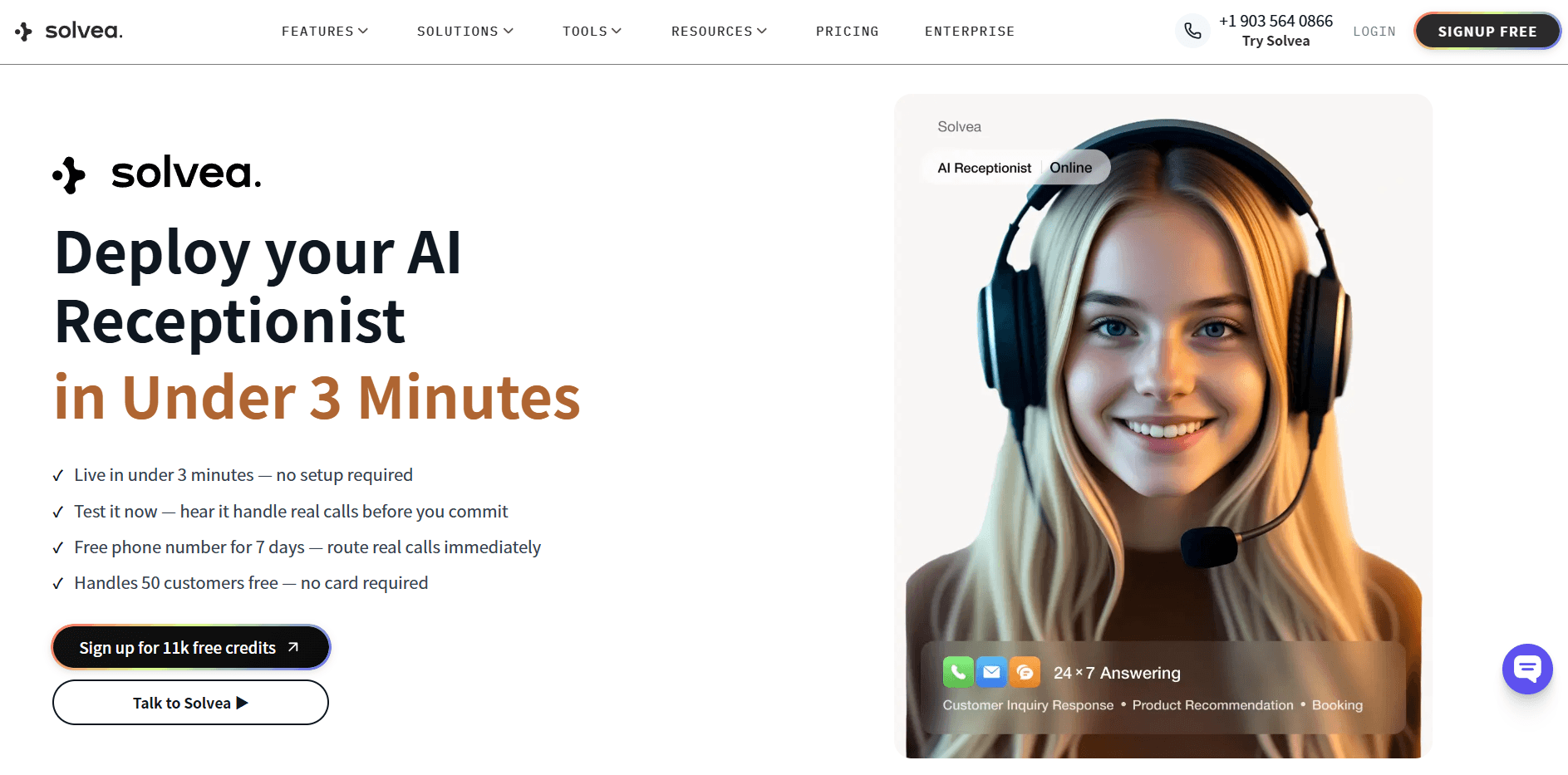
If your customers don't only call — they also email, chat on your website, and text — GoodCall's phone-only model leaves gaps. That's the specific gap Solvea was built to fill.
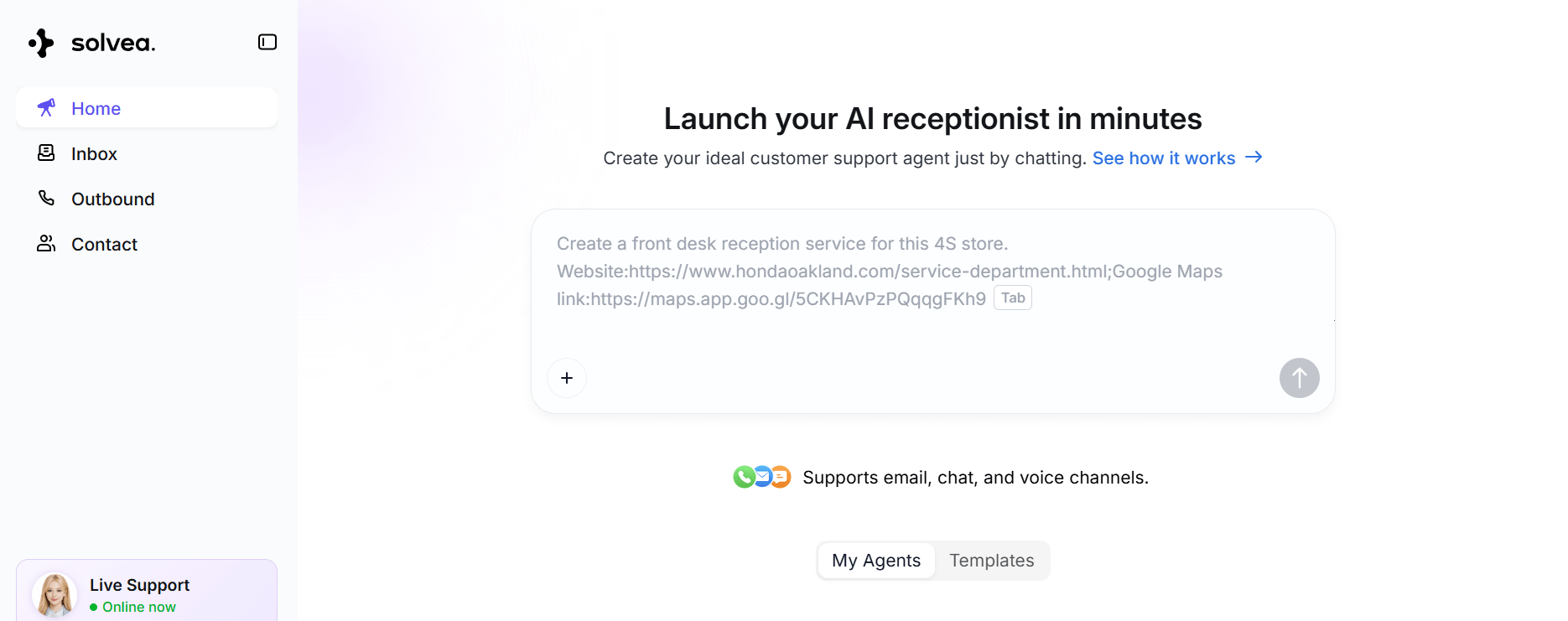
Solvea is an AI receptionist that handles phone, live chat, and email from a single platform. The setup takes under 3 minutes with no code required. Solvea's free plan covers 1,000 credits per month with 3 agents and a 7-day trial phone number — permanent access, not a trial countdown.
For businesses comparing the two on price:
Solvea Free | Solvea Basic ($30/mo) | GoodCall Starter ($79/mo per agent) | |
Channels | Phone + Chat + Email | Phone + Chat + Email | Phone only |
Free plan | ✅ Permanent | — | ❌ |
Annual discount | — | 20% off | 15% off |
Integrations | Shopify, HubSpot, Zendesk, Google Calendar | Same | Zapier, CRM |
Knowledge base | 50MB | 500MB | Form-based |
The operational difference worth noting: GoodCall uses form-based logic flows (you define what the AI does step by step), while Solvea uses a knowledge-base model where the AI reads documents, product pages, and support content to answer questions dynamically. That distinction matters for businesses with complex FAQs or large product catalogs.
Conclusion
GoodCall's pricing structure is predictable once you understand two things: the unique-customer cap and the per-agent billing model. The Starter plan at $79/month handles a single-location business with under 100 distinct callers per month. Growth at $129/month covers most small businesses without hitting overage. Scale at $249/month suits multi-department operations with complex call routing needs.
Where costs escalate is on scale-out: each additional location adds a full agent fee, and overage at $0.50/caller compounds quickly during campaigns. If your call volume is steady and your business runs on a single line, GoodCall's unlimited-minutes model delivers genuine value. If you need multichannel coverage, a free starting tier, or a knowledge-base-driven AI rather than logic flows, there are options worth testing before committing to annual billing.
Your AI Receptionist, Live in Minutes.
Scale your front desk with an AI that never sleeps. Solvea handles unlimited multi-channel inquiries, books appointments into your calendar automatically, and ensures zero missed opportunities around the clock.
GoodCall AI Receptionist Pricing: Common Questions
What is the cheapest GoodCall pricing plan?
The Starter plan costs $79/month per agent (or $66/month billed annually). It includes 100 unique customers per month, 1 logic flow, 1 form, 3 directory contacts, 3 team members, and 7-day call history. Overage is $0.50 per additional unique customer beyond 100.
Does GoodCall have a free plan?
No. GoodCall offers a 14-day free trial with full features and no credit card required, but there is no permanent free plan. Once the trial ends, you need a paid subscription to continue using the service.
How does GoodCall's unique customer pricing model work?
GoodCall counts each distinct phone number that calls and actually speaks with your AI agent as one "unique customer." Repeat calls from the same number in the same month don't add to your count. Robocalls and quick hangups don't count either. Once your unique customer volume exceeds your plan's monthly limit, you pay $0.50 for each additional caller.
What is the difference between a GoodCall directory contact and a team member?
Team members can log into the GoodCall dashboard to view analytics, call recordings, and agent performance — with permission levels ranging from view-only to full editor access. Directory contacts cannot access the dashboard; they only receive transferred calls or notifications when a caller's flow involves them. Scale allows 500 directory contacts and 50 team members.
What's included in all GoodCall pricing plans?
All plans include unlimited call minutes, unlimited AI tokens, 24/7 availability, zero-code setup, multiple voice options, Skills configuration, Zapier integration, and Google Voice compatibility. The differences between plans are the number of unique customers allowed per month, forms, logic flows, directory contacts, team members, and call history retention.
Does GoodCall have an Enterprise plan?
Yes. The Enterprise tier is custom-priced and includes a dedicated account manager, custom API integrations beyond Zapier, SLA-backed priority support, enterprise-grade security, and custom onboarding. Contact GoodCall's sales team directly for pricing.