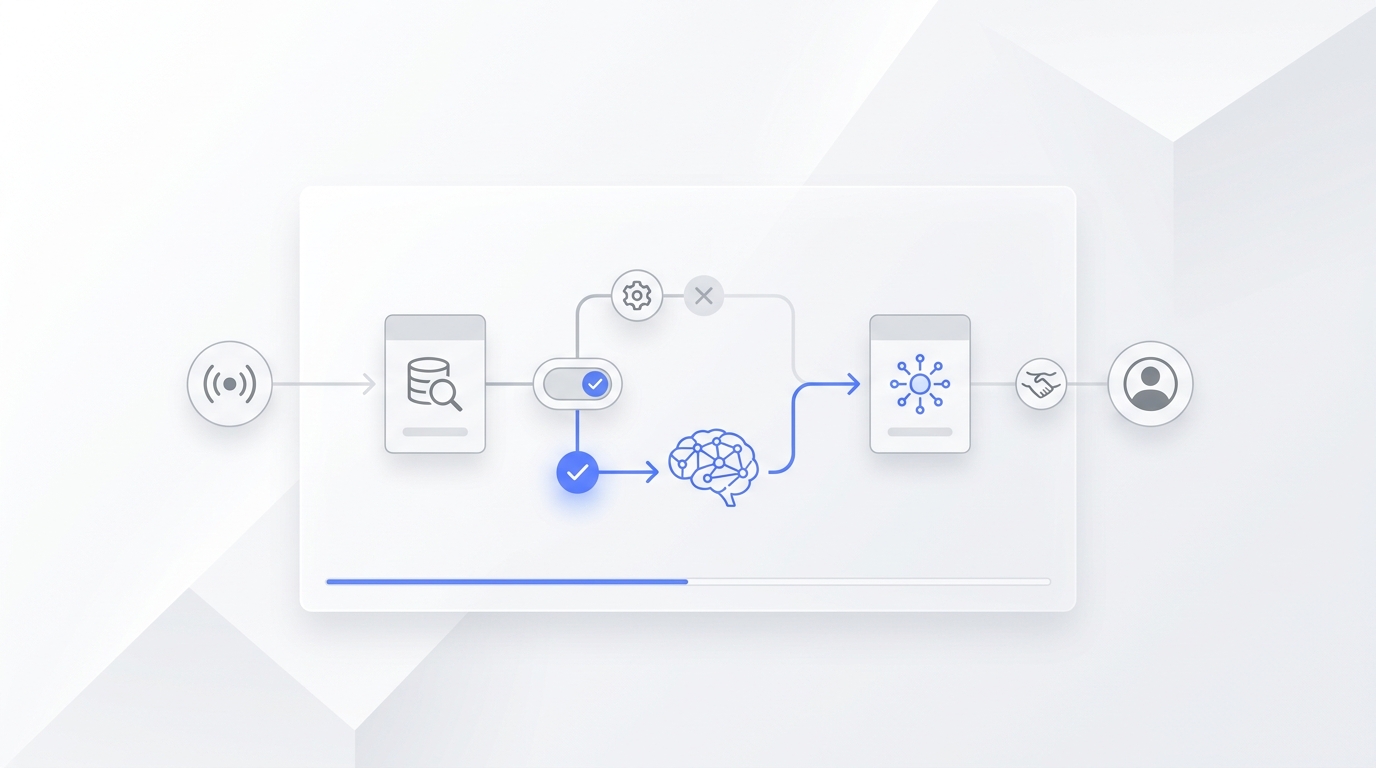
A knowledge base is a structured collection of information that lets people find answers without asking someone directly. That might be customers looking up your return policy, employees checking a process they run once a quarter, or support agents referencing how to handle a specific complaint type.
The core value is the same regardless of audience: someone has a question, and instead of waiting for a person to answer it, they can find the answer themselves. The organization saves the time it would have spent answering. The reader gets the answer faster.
Building one well is less about the platform you choose and more about the content you write. The platform determines where information lives. The content determines whether people can actually find and use it. This guide covers both: how to define scope, choose a format, write content that works, publish it, and keep it accurate over time.
TL;DR
What it is | A structured, searchable collection of articles, FAQs, and process docs |
Two main types | External (customer-facing) and internal (employee-facing) |
Platform options | Notion, Confluence, Google Drive, Document360, Solvea KB editor |
Time to build | 2–4 hours for core content; 30 min for technical setup |
Maintenance | Monthly review; immediate update for any policy or price change |
Who it's for | CS managers, team leads, operations staff, SMB owners |
What Is a Knowledge Base?
A knowledge base is a self-service library of organized information. Most organizations run two types:
- External (customer-facing): answers to common questions about your product, pricing, policies, and support — accessible to customers without contacting your team
- Internal (employee-facing): process documentation, onboarding guides, policy references, and how-tos for your team
Many organizations have both. A customer-facing knowledge base handles the questions your support inbox receives repeatedly. An internal one handles the questions new hires ask their managers and the processes senior employees carry around in their heads.
Both fail for the same reasons: vague content, poor organization, and infrequent updates. The steps to build them are nearly identical — the audience determines what content gets written.
Why Build a Knowledge Base?
Self-service is what customers increasingly expect. According to Tidio's customer service research, the vast majority of customers prefer finding answers on their own over contacting support. Teams without a self-service option push every question into email, chat, and phone — answered one at a time, by a person, every time.
The internal case is equally straightforward. Employees spend a meaningful portion of the workweek searching for information that exists somewhere in the organization but isn't findable. An internal knowledge base reclaims that time and reduces the interruptions from "quick questions" that disrupt both the asker and the person being asked.
The outcome in both cases: fewer repeated questions handled by humans, faster onboarding, and fewer errors from people guessing at processes they can't find documented.
How to Build a Knowledge Base: Step-by-Step
Step 1: Define Your Purpose and Audience
Before writing a single article, answer two questions:
Who is this for? Customers, employees, or both. The answer determines tone (conversational vs. formal), depth (brief summary vs. detailed process), and platform (public-facing tool vs. internal wiki).
What questions should it answer? Start with the highest-volume questions your team currently handles manually. For customer-facing knowledge bases, check your support inbox and note every question that came in more than twice last month. For internal knowledge bases, ask your newest team member what they had to ask a person to find out in their first week.
Solvea's free AI FAQ generator auto-extracts the questions customers actually ask from any document or URL.
Before you start building, document your scope:
- Primary audience: customers, employees, or both
- Topics in scope: what the KB will cover
- Topics out of scope: what it won't cover — equally important to define
- Owner: who maintains it, who can edit it
A knowledge base without defined scope grows into an unmaintained document dump. One with clear scope stays manageable.
Step 2: Choose Your Platform
The right platform depends on your audience, your team's existing tools, and how the KB will be used.
Platform | Best for | Main limitation |
Notion | Teams that already use Notion; internal + external | Free plan limited; public pages lack structure |
Confluence | Engineering and ops teams; structured internal docs | Expensive for small teams; setup overhead |
Google Drive + Docs | Teams already in Google Workspace; internal use | No built-in customer search; not designed for public-facing |
Document360 | Customer-facing KBs with search and analytics | Paid-only; more than most small teams need |
Solvea KB editor | Teams connecting their KB to an AI for customer answers | Optimized for customer-facing, not internal wikis |
Help Scout / Intercom Docs | Teams already running support through these platforms | Best when you're already using the support tool |
For customer-facing knowledge bases at small businesses, a tool that combines content management with a public help center beats a shared Google Doc. For internal knowledge bases, the tool your team already uses wins over the best-designed platform they won't open.
If you don't have a strong preference, start simple. A well-organized Google Doc folder works. You can always migrate to a dedicated platform later — the content is the hard part, not the migration.
Step 3: Organize Your Content Structure
Structure is what determines whether people can find things. A knowledge base without a clear structure forces readers to search for everything — and when search fails, they leave.
A standard customer-facing knowledge base structure:
Category | What goes here |
Getting Started | How the product or service works; onboarding steps |
Products / Services | What you offer, specs, inclusions, exclusions |
Pricing & Plans | Current rates, what each plan includes, billing |
Account & Settings | Update info, manage subscription, reset password |
Shipping & Delivery | Timelines, carriers, tracking, international availability |
Returns & Refunds | Policy terms, how to initiate, timelines, exceptions |
Troubleshooting | Common problems and step-by-step solutions |
Contact & Escalation | When and how to reach a human |
A standard internal knowledge base structure:
Category | What goes here |
Onboarding | First-week checklist, system access, who to contact |
Processes | Step-by-step instructions for recurring tasks |
Policies | HR, expense, time-off, travel policies |
Tools & Systems | How to use the tools your team depends on |
Templates | Standard docs, email templates, report formats |
Escalation | Who handles what; org chart; emergency contacts |
Build the full skeleton — all categories and subcategories — before writing any content. A 30-minute skeleton saves hours of reorganization later.
Your AI Receptionist, Live in Minutes.
Scale your front desk with an AI that never sleeps. Solvea handles unlimited multi-channel inquiries, books appointments into your calendar automatically, and ensures zero missed opportunities around the clock.
Step 4: Write Your Articles and FAQ Answers
Content quality determines whether a knowledge base is useful or ignored. The most common failure is vague writing — answers that technically touch a topic but don't tell the reader what they need to know.
The rule: every answer should contain a specific value, not a placeholder.
❌ What not to write | ✓ What to write instead |
"Prices vary by package." | "Starter plan is $29/month. Pro plan is $79/month. See full comparison at [link]." |
"We have a return policy." | "We accept returns within 30 days of purchase with a receipt. Items must be unused and in original packaging." |
"Delivery time depends on location." | "Standard shipping takes 3–5 business days. Expedited takes 1–2 days. Alaska and Hawaii add 2 business days." |
"Contact support for details." | "For custom orders over $500, email orders@yourcompany.com. We respond within one business day." |
Vague answers are unhelpful when a person reads them. When an AI retrieves from a vague knowledge base, the problem compounds — it either invents a specific answer or returns the same vague non-answer to every variation of the question.
Structure each article the same way:
- One-sentence direct answer at the top
- Conditions, exceptions, and supporting detail in the body
- A link or contact method at the bottom for edge cases
According to Forrester research on self-service support, customers who find accurate answers in a self-service channel have measurably higher satisfaction than those who had to contact support for the same question. The quality of the KB content matters more than the existence of a help center.
Step 5: Publish and Make It Accessible
A knowledge base that no one can find solves nothing. Publishing the content is only half of this step — the other half is making sure your audience knows it exists and reaches for it first.
For customer-facing knowledge bases:
- Add a "Help Center" or "FAQs" link in your main navigation
- Link to relevant KB articles from product pages, checkout flows, and error messages
- Set up your support email auto-reply to direct customers to the KB first
- Make the KB URL indexable by search engines (no noindex tag)
For internal knowledge bases:
- Add the KB link to your onboarding checklist and first-week email
- Pin the link in your team's Slack or Teams workspace
- When someone asks a question the KB covers, reply with the KB link — not just the answer
- Include it in your standard tool list for new employees
The behavioral goal in both cases: when a question comes up, the first instinct should be "check the KB" rather than "ask a person." That default takes time to build, and it starts with how you introduce it.
Step 6: Build a Maintenance Routine
A knowledge base that's accurate in month one becomes unreliable in month six without maintenance. Prices change, policies evolve, products get updated, and the KB falls out of sync.
Minimum maintenance schedule:
- Immediately: Any time pricing, hours, policies, or products change
- Monthly: Review questions that went unanswered or prompted escalations — from support logs or AI conversation logs — and update the relevant articles
- Quarterly: Full content audit — read every article and verify it against current information
How to find what needs updating:
Most support tools show what customers searched for and didn't find. Most AI tools show conversation logs where questions went unanswered or prompted a handoff. Both are your maintenance queue — work through them monthly rather than waiting for a customer to surface an error.
Assign ownership. A knowledge base with no designated owner gets updated when someone remembers, and degrades the rest of the time. One person responsible for the monthly review, with clear permission to update content, extends the useful life of a knowledge base by years.
Knowledge Base Best Practices
Keep articles short and specific. Readers scan. Write for the fastest possible path from question to answer. If an article is getting long, split it: one for the common case, one for the edge cases. A 60-word answer with a link to the full policy beats a 400-word policy block that readers abandon halfway through.
Document what you don't do, not just what you do. Most knowledge bases cover products, policies, and hours. The high-performing ones also document what's out of scope — services you don't offer, areas you don't ship to, questions that require a human. Without explicit "no" answers, readers hit a dead end and call anyway.
Use consistent formatting. Same header position, answer-first structure, consistent link style. Readers adapt to your format after the first article. If the format varies, they spend cognitive effort on structure instead of content.
Write for the question, not the topic. "Return Policy" is a topic. "How do I return something I bought online?" is a question. Readers search with questions. Structure your articles around the questions people actually ask, not the categories they belong to.
Don't let the KB grow without pruning. More articles isn't better. An accurate 40-article knowledge base outperforms a 300-article one with stale or overlapping content. Add articles when new questions emerge. Merge or remove articles that duplicate each other or go out of date.
Common Mistakes When Building a Knowledge Base
Starting with the platform instead of the content. Teams spend days evaluating tools before writing a word. The platform decision takes 30 minutes once you've defined your audience and scope. The content takes weeks. Do the hard part first.
Writing from the company's perspective instead of the reader's. "Our quality-assured process delivers excellent outcomes" tells a reader nothing. "Each order is inspected before shipping, and returns are accepted within 30 days" tells them what they need to know. Write from the reader's perspective at every point.
No clear owner. A knowledge base owned by "the team" is maintained by no one. Assign one person as primary owner, set recurring calendar reminders for monthly reviews, and give them permission to update content without a committee. This single structural decision is worth more than any content strategy.
Ignoring what users can't find. What are people searching for in your KB that returns no results? What articles do they visit and immediately abandon? These signals tell you what to write next and what to fix. Check them monthly.
Publishing and forgetting. The most common knowledge base failure is treating it as a one-time project. Teams that build once and skip maintenance are back to answering the same questions manually within a few months. Build the review cycle into the process from day one.
Solvea: Put Your Knowledge Base to Work With AI
Once your knowledge base is built, the next step for customer-facing teams is putting it to work automatically — not just as a reference page, but as the foundation for an AI that answers customer questions in real time, across every channel.
Solvea connects your existing knowledge base — whether that's an uploaded document, a Google Drive folder, a Notion page, or your website — to an AI receptionist that handles inbound questions via phone, email, SMS, and live chat. The knowledge base you built becomes the source of truth; the AI retrieves from it and responds in your voice, 24/7.
What the setup looks like in practice:
- Connect your existing content: Upload PDFs, link a Google Drive folder, add website URLs, or connect Notion pages. Solvea indexes your content and starts using it immediately.
- Set scope and escalation rules: Tell the AI which topics it handles, what information to collect before responding, and when to route to a human agent.
- Goes live across all channels: Phone, chat, email, and SMS — one setup, consistent behavior across every channel, no extra configuration.
- Shows you what the KB is missing: Solvea's conversation logs identify questions the AI couldn't answer well, giving you a ready-made list of articles to write or update next.
For teams focused on how to improve AI receptionist accuracy, the knowledge base is the highest-leverage starting point — better source content produces better AI answers faster than any other adjustment.
Solvea's free plan handles up to 50 customers with no card required. Paid plans start at $30/month.
FAQ
What is the difference between a knowledge base and an FAQ page?
An FAQ page is a single page with a list of questions and answers, typically short and unstructured. A knowledge base is a searchable, categorized library that can include FAQs alongside process docs, guides, and policy references. FAQ pages work for simple products; knowledge bases scale to complex ones.
Do I need a special tool to build a knowledge base?
No. A well-organized Google Drive folder with clearly named documents qualifies as a knowledge base. Dedicated tools add search, analytics, and structure that become valuable as the KB grows — but you can start with tools you already have and migrate to a purpose-built platform later.
How long does it take to build a knowledge base?
Defining scope and building the content structure takes a few hours. Writing the core 20–30 articles for a customer-facing KB takes most teams one to two weeks, depending on how much source material already exists. The time is almost entirely in writing, not in technical setup.
What format should knowledge base articles be in?
Lead with the answer. One direct sentence, then supporting detail. Keep articles under 400 words unless the topic requires more. Use headers and bullet points so readers can scan quickly. Avoid dense paragraphs — most readers are scanning for a specific answer, not reading start to finish.
How many articles should a knowledge base have?
Start with enough to cover your most common questions — typically 20 to 40 articles for a customer-facing KB. Accuracy matters more than volume. A 30-article knowledge base that's current and specific beats a 200-article one with vague or outdated content.
How do I know if my knowledge base is working?
Track three signals: search queries that return no results (content gaps), articles that are visited and quickly abandoned (content quality issues), and support ticket volume over time (overall self-service success rate). If self-service rates stay flat while your KB grows, the problem is content quality or discoverability — not coverage.