According to Gartner, more than 50% of customer service organizations are expected to increase technology spending significantly in the coming years, often without reducing headcount.
When comparing a self-hosted AI receptionist with a managed solution, the real question is not which one is cheaper. It is which one matches how your business actually operates. Both approaches can work well. But they solve very different problems in practice.
Self-hosted AI receptionists run on your own stack, giving you full control over models, workflows, and data, but requiring you to handle deployment, monitoring, and ongoing operations. Managed AI receptionist solutions run on vendor-managed infrastructure with built-in integrations, maintenance, and SLA-backed reliability.
This guide breaks down where each option fits, so you can choose based on how your team actually works, not just feature lists or pricing.
TL;DR
Feature | Self-Hosted AI Voice Stack | Managed AI Receptionist |
Setup Time | Slower (Requires custom engineering) | Faster (Configuration only) |
Upfront Cost | High or variable (Developer salaries/contractors) | Low to moderate (Monthly subscription) |
Running Cost | API + infrastructure + engineering overhead | Flat-rate or bundled-minute pricing |
Maintenance | Constant (You fix broken API connections) | Low (Vendor handles infra, you handle logic & optimization) |
Best For | Teams needing control, customization, and internal engineering resources | Teams prioritizing speed, simplicity, and low operational overhead |
What is a Self-Hosted AI Voice Stack?
A self-hosted AI voice stack is a phone agent that you or your engineering team builds from scratch and hosts on your own servers or cloud infrastructure (like AWS or Azure). You own the code, you control the data, and you pay exclusively for the raw API usage of the components you select.
To build one, you have to connect several distinct technologies: a SIP trunk for the phone number (like Twilio), a Speech-to-Text (STT) engine to transcribe the caller directly (like Deepgram), a Large Language Model (LLM) to generate the response (like OpenAI or Anthropic), and a Text-to-Speech (TTS) engine to speak back to the customer (like ElevenLabs or Cartesia). Furthermore, you have to provision a Virtual Private Server (VPS) or cloud instance to run the orchestration layer that controls when the bot should listen and when it should interrupt.
Who is this for?
- Choose this if: You are an enterprise bank or a healthcare conglomerate that requires strict on-premise data compliance and cannot send raw caller audio to third-party SaaS vendors. You also need this if you have a dedicated DevOps team sitting idle, or if your core product is AI technology and you want to own your intellectual property.
- Skip this if: You are a local service business, an HVAC dispatcher, or an ecommerce brand that just wants your phones answered this week without hiring engineers or managing software updates.
Imagine a large insurance company building a custom HIPAA-compliant voice layer entirely inside its own data center. They have the budget for an extensive build cycle and a team of engineers to monitor the server logs every morning. That is where self-hosted excels.
What is a Managed AI Receptionist Platform?
A managed AI receptionist is a complete, out-of-the-box software platform (like Solvea) that handles all the technical plumbing for you. You do not buy separate APIs, you do not write server code, and you do not worry about latency tuning. You simply pay a predictable monthly subscription, upload your business FAQs, connect your calendar, and go live.
The managed provider has already negotiated the telephony, trained the voice models to sound human, and built the integration bridges to your CRM. You interact with a clean dashboard where you train the AI in plain English.
Who is this for?
- Choose this if: You are a growing business that needs 24/7 call answering, appointment booking, and lead qualification without any technical headaches. If you want to deploy a receptionist this week without distracting your team, this is your route.
- Skip this if: You need raw, unfiltered access to the underlying LLM weights, or if you refuse to use cloud-based software for compliance reasons.
Consider a local plumbing company with five vans in the field. When a pipe bursts at 11 PM, the owner is sleeping. With a managed AI receptionist setup, the system picks up, books the emergency slot on the calendar, and texts the on-call plumber. The owner did not write a single line of code or wire together APIs to make that happen.
Comprehensive Comparison: Self-Hosted vs. Managed AI Receptionists
The landscape of AI receptionist solutions presents a fundamental dichotomy between self-hosted and managed services. Each model offers distinct advantages and disadvantages across various operational and strategic dimensions. Understanding these differences is crucial for organizations to make an informed decision that aligns with their specific needs and resources.
Deployment and Control
- Self-Hosted: You build the stack from scratch using components like Twilio (SIP), Deepgram (STT), OpenAI (LLM), and ElevenLabs (TTS). This offers full ownership of code and data, ideal for organizations with unique customization or strict data residency needs.
- Managed: A complete platform handles the technical "plumbing." You simply configure your business logic and go live. The vendor manages telephony, voice model training, and CRM integrations, allowing you to focus on customer engagement.
Cost and Maintenance
- Self-Hosted: While raw API costs are lower, the total cost of ownership (TCO) is high due to developer salaries and infrastructure overhead. Maintenance is constant; your team must monitor logs and fix API breakages.
- Managed: Predictable subscription pricing covers all infrastructure and updates. The vendor handles troubleshooting and security, often resulting in lower operational costs for businesses without dedicated DevOps teams.
Security and Compliance
- Self-Hosted: Maximum data control, essential for highly regulated sectors (e.g., finance) requiring on-premise residency. However, you bear full responsibility for auditing and maintaining compliance.
- Managed: Vendors typically provide SOC 2 or HIPAA-compliant environments. Leveraging a provider’s established security posture is often more practical for businesses wanting high security without the audit burden.
Where Cost Really Differs
People often compare self-hosted and managed options too narrowly. They focus on platform price and ignore operating burden.
That usually leads to the wrong conclusion.
Self-hosted cost is lower when: you already have technical ability, existing infrastructure, and a workflow simple enough to maintain without much overhead.
Managed cost is lower when: your team values time, wants fewer moving parts, and would rather avoid maintaining the receptionist stack internally.
This is why cost can feel counterintuitive.
A self-hosted receptionist may look cheaper on paper, but become more expensive once you count the real work of setup, testing, maintenance, and iteration. A managed receptionist may look more expensive at first glance, but turn out to be cheaper operationally because it saves time and reduces technical burden.
Simple rule: software cost and total operating cost are not the same thing.
Use Cases: Which Approach Fits Your Situation?
The optimal choice between self-hosted and managed AI receptionists largely depends on an organization's specific context, resources, and strategic priorities. Here are various scenarios illustrating when each approach is most suitable:
Self-Hosted Scenarios
Large Enterprise with Strict Compliance: An enterprise bank or a healthcare conglomerate requiring strict on-premise data compliance and unable to send raw caller audio to third-party SaaS vendors. These organizations typically have dedicated DevOps teams and substantial budgets for extensive build cycles and continuous monitoring. The need for full data residency and control over sensitive information justifies the higher setup and maintenance costs.
Deep Customization and Integration: Organizations with highly unique operational workflows or legacy systems that require deep, bespoke integrations not offered by standard managed platforms. This often involves integrating with proprietary internal APIs or specialized hardware, where off-the-shelf solutions are insufficient.
Managed Scenarios
Small to Medium-sized Businesses (SMBs) Seeking Efficiency: A local plumbing company with five vans in the field, or a regional medspa with multiple locations, experiencing high call volumes and missed opportunities after hours. These businesses need 24/7 call answering, appointment booking, and lead qualification without the technical overhead of building and maintaining an AI system. Managed solutions offer rapid deployment and immediate value, often paying for themselves within weeks by capturing lost business.
Growing Businesses Prioritizing Speed and Low Overhead: Any growing business that needs to deploy an AI receptionist quickly (within days or weeks) without hiring additional engineers or diverting existing technical resources. They prioritize ease of use, predictable costs, and reliable performance, allowing them to focus on core business growth rather than IT management.
Businesses with Limited Technical Resources: Organizations that lack the in-house expertise or budget to develop, deploy, and maintain a complex AI voice stack. Managed solutions provide access to advanced AI capabilities without the need for specialized technical staff.
What Small Businesses Usually Get Wrong
A few mistakes show up often when businesses compare these two approaches.
Assuming self-hosted is automatically cheaper: it can be, but only if you already have the skill and time to run it well.
Ignoring maintenance time: the ongoing effort matters just as much as the initial setup.
Choosing managed without checking limits: a system that is easy to launch may still be a poor fit if it cannot support your workflow.
Forgetting escalation and fallback: no AI receptionist should be judged only by how it handles ideal conversations. The real test is what happens when it is uncertain, wrong, or dealing with a frustrated customer.
The best choice usually comes from matching the system to your actual operating style, not just to the cheapest-looking option.
Solvea: A Leading Managed AI Receptionist Solution
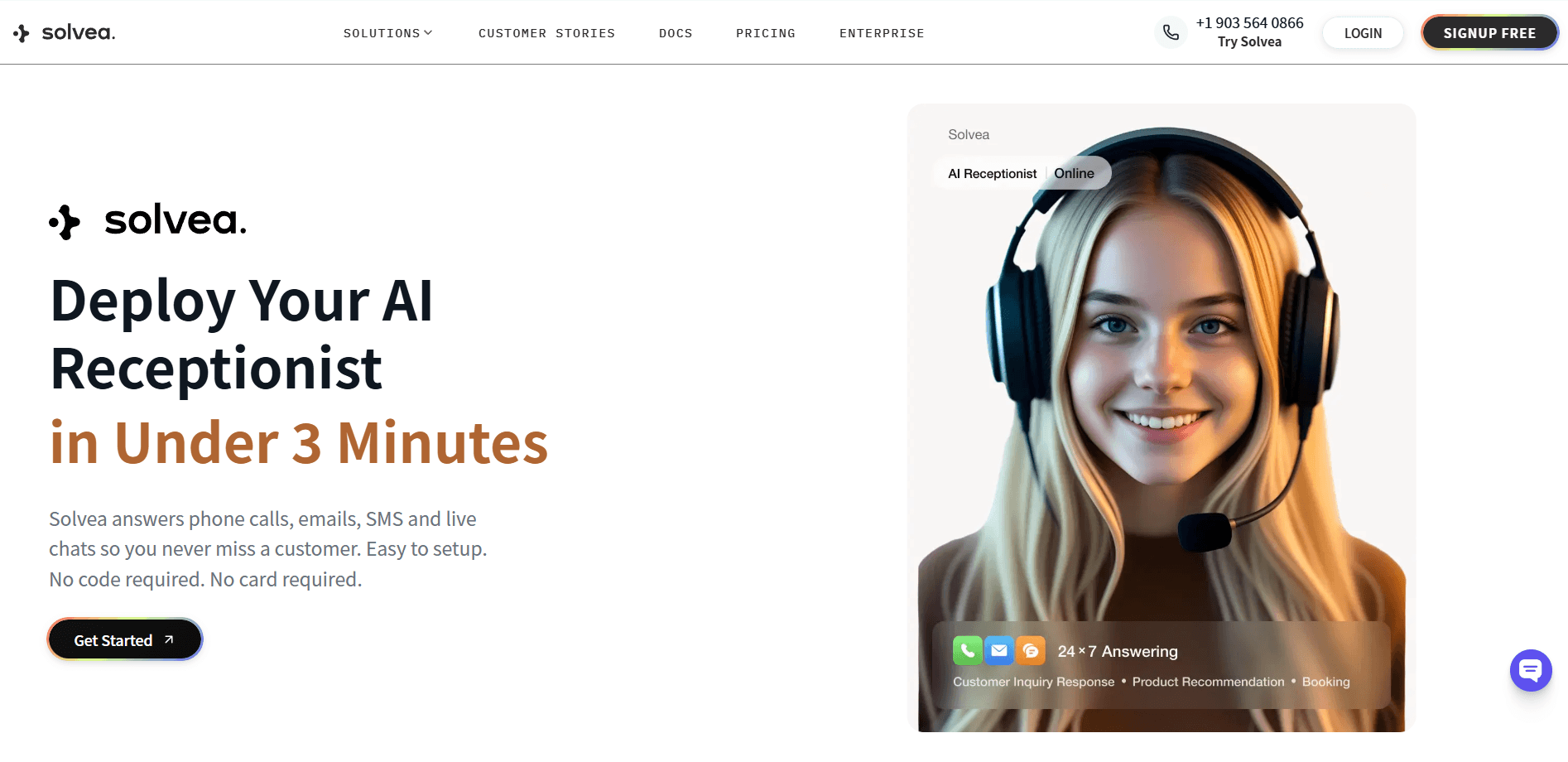
As a managed AI receptionist platform, Solvea offers an efficient and user-friendly solution for businesses seeking to automate and enhance their customer service operations. Solvea's core strength lies in its rapid deployment capability, allowing users to launch an AI receptionist in under 3 minutes without requiring complex setup or programming knowledge. This enables businesses to quickly adapt to market demands and significantly improve customer service efficiency.
Solvea provides 24/7 comprehensive support, capable of handling unlimited multi-channel inquiries across phone, SMS, and live chat. It also features seamless integration with existing business tools such as Google Calendar, Google Sheets, and HubSpot. It automatically synchronizes appointment bookings with your calendar, ensuring no business opportunities are missed.
The platform supports a diverse range of industries based on real use cases, including Retail, Hotel, Real Estate, Medspa, Software Companies, Barber Shops, Restaurants, Freelancers, Law Firms, and Home Services, offering tailored solutions to meet the unique demands of each sector.
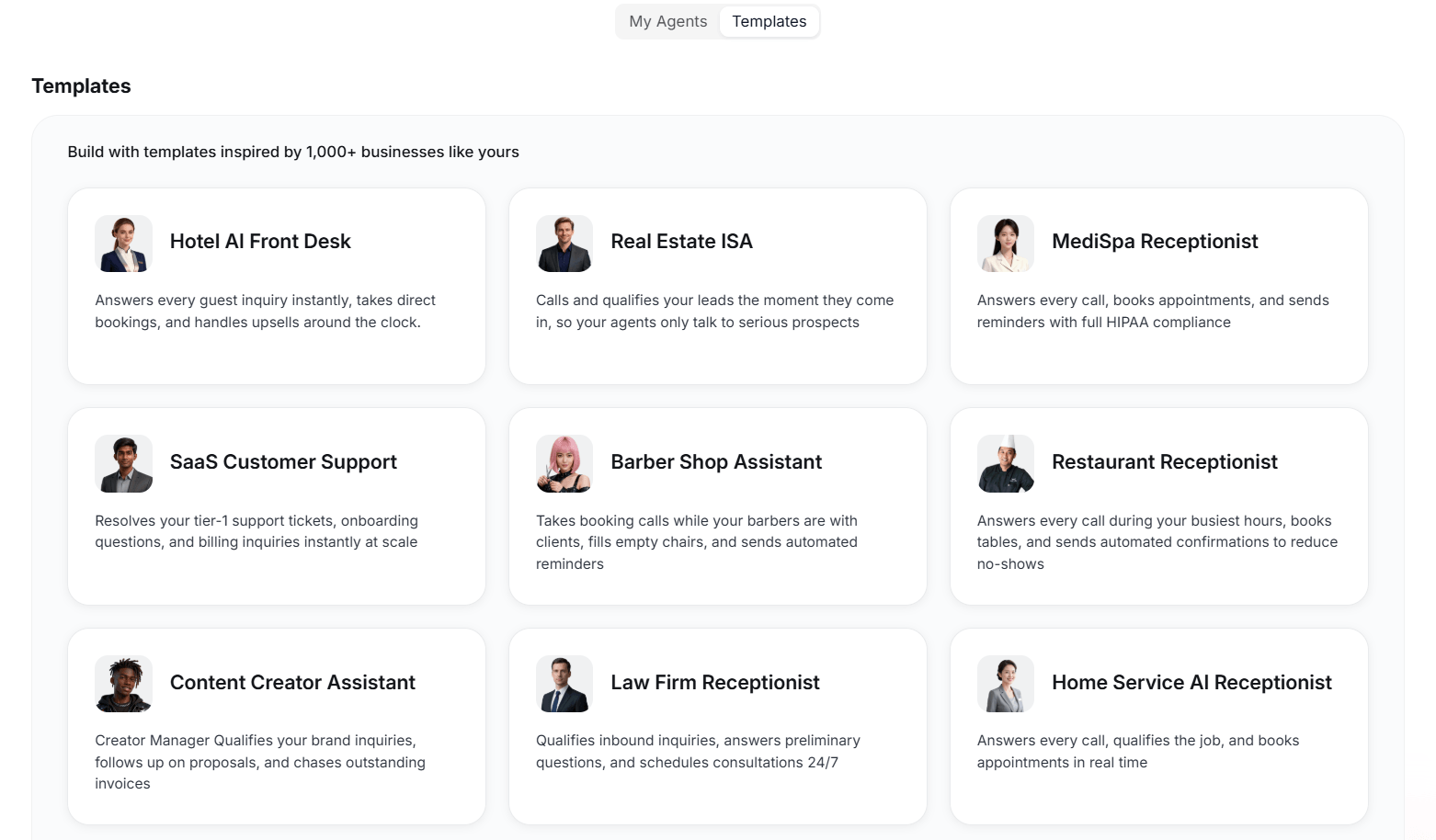
With these functions, Solvea's intelligent AI agents are meticulously trained to interact with customers in a natural and human-like manner, thereby elevating customer satisfaction. This ensures that the AI receptionist can automatically update systems, trigger workflows, and relay information across your tech stack, fostering automated and efficient business processes.
Conclusion
The choice between a self-hosted and a managed AI receptionist ultimately hinges on your organization’s technical maturity and strategic priorities.
Self-hosted solutions are the gold standard for enterprises requiring absolute data sovereignty and deep customization, though they demand significant engineering investment and ongoing maintenance. In contrast, managed platforms offer a high-performance, low-friction alternative that allows businesses to capture 24/7 opportunities without the technical overhead.
For most growing companies, the speed, reliability, and predictable ROI of a managed service provide the most direct path to scaling customer engagement and ensuring no lead ever goes unanswered.
Your AI Receptionist, Live in Minutes.
Scale your front desk with an AI that never sleeps. Solvea handles unlimited multi-channel inquiries, books appointments into your calendar automatically, and ensures zero missed opportunities around the clock.
FAQ
Is a self-hosted AI receptionist cheaper?
Sometimes. It can be cheaper in software or platform terms, but once you include maintenance time, testing, and operational overhead, the total cost may be higher than expected.
Is a managed AI receptionist easier to launch?
Yes, in most cases. Managed systems usually reduce setup work and maintenance, which makes them easier to launch quickly. You can set up your own AI receptionist easily on no-code platforms like Solvea.
Which is better for a small business?
A managed AI receptionist is often the easier starting point for a small business, while self-hosted makes more sense when the team wants deeper control and has the ability to maintain it.
How long does it take to set up each option?
A managed AI receptionist platform typically goes live in minutes: upload your FAQ, connect your calendar, configure escalation rules, and you're live. A self-hosted stack requires weeks to months depending on team capacity — building the integration layer, testing call quality, and handling edge cases all take sustained engineering time before the first production call.