A new support rep joins your team on Monday. By Thursday, they've given two customers different answers about your refund policy — because they got two different answers from two different colleagues, and one of those was wrong. On Friday, you're fielding an escalation that was entirely avoidable. This isn't a hiring problem or a training problem. It's a documentation problem: your business doesn't have a single, reliable place where the right answers live.
That's what a knowledge base solves. Not a folder of PDFs no one can find, not a Slack thread from eight months ago, and not the mental model in your most experienced employee's head. A knowledge base is a structured, searchable repository of everything your business needs to answer questions accurately — policies, pricing, product details, procedures, edge cases — written in one place that anyone (or any AI) can consult and trust.
This article breaks down what a knowledge base actually is, why its importance extends well beyond customer support, how it becomes critical infrastructure the moment you add AI to your workflow, what to put in one, and the five mistakes that consistently undermine even well-intentioned knowledge bases.
TL;DR
What it is | A centralized, searchable record of everything a customer, employee, or AI needs to accurately answer questions about your business |
Why it matters | Inconsistent answers, slow onboarding, and lost institutional knowledge all trace back to the same underlying problem |
What goes in | FAQs, product details, pricing, policies, hours, procedures, and explicit "no" answers |
Who benefits | Any business with more than one person — or AI — answering customer questions |
For AI tools | AI agents only retrieve from what you give them — a vague or missing knowledge base produces vague or wrong answers |
What Is a Knowledge Base?
A knowledge base is a centralized, searchable repository of everything a business knows — the single source of truth that anyone inside or outside the organization can consult to find a complete, accurate answer. Think of it like your company's internal encyclopedia: not a list of policies buried in a handbook that no one reads, but a living document that's actively maintained, organized by topic, and designed to be looked up.
The term gets conflated with other things most businesses already have:
Knowledge Base | FAQ Page | Help Center | |
What it is | Internal document store with all business information | Public Q&A list on your website | Customer-facing support portal |
Who reads it | Team members, AI tools, self-service customers | Customers browsing your site | Customers troubleshooting issues |
Who it's for | Anyone answering questions — human or AI | Customers who want quick answers | Customers with detailed support needs |
Format | Docs, policies, Q&A pairs, spreadsheets | Short Q&A list | Long-form guides and tutorials |
Best for | AI training, onboarding, team consistency | Quick customer reference | Detailed product support |
A knowledge base is upstream from all of these. Your FAQ page draws from it. Your help center articles are built on it. Your AI reads it. Improve the knowledge base once, and every downstream channel benefits.
What does one look like in practice? An e-commerce store's knowledge base might include: shipping carriers and timelines, the exact return window and process, accepted payment methods, and how to modify or cancel an order before it ships. A medical spa's might include: their service menu with contraindications, booking requirements, cancellation window, aftercare instructions per treatment, and answers to the questions that appear most often in front-desk calls. The format varies. The principle is always the same: every question a customer might reasonably ask, answered specifically enough that anyone can give a complete, accurate response without checking with someone else.
Why the Importance of a Knowledge Base Extends Across Your Business
Most people frame a knowledge base as a customer service tool. It is — but the same infrastructure that enables accurate customer answers also solves problems that reach across the entire organization.
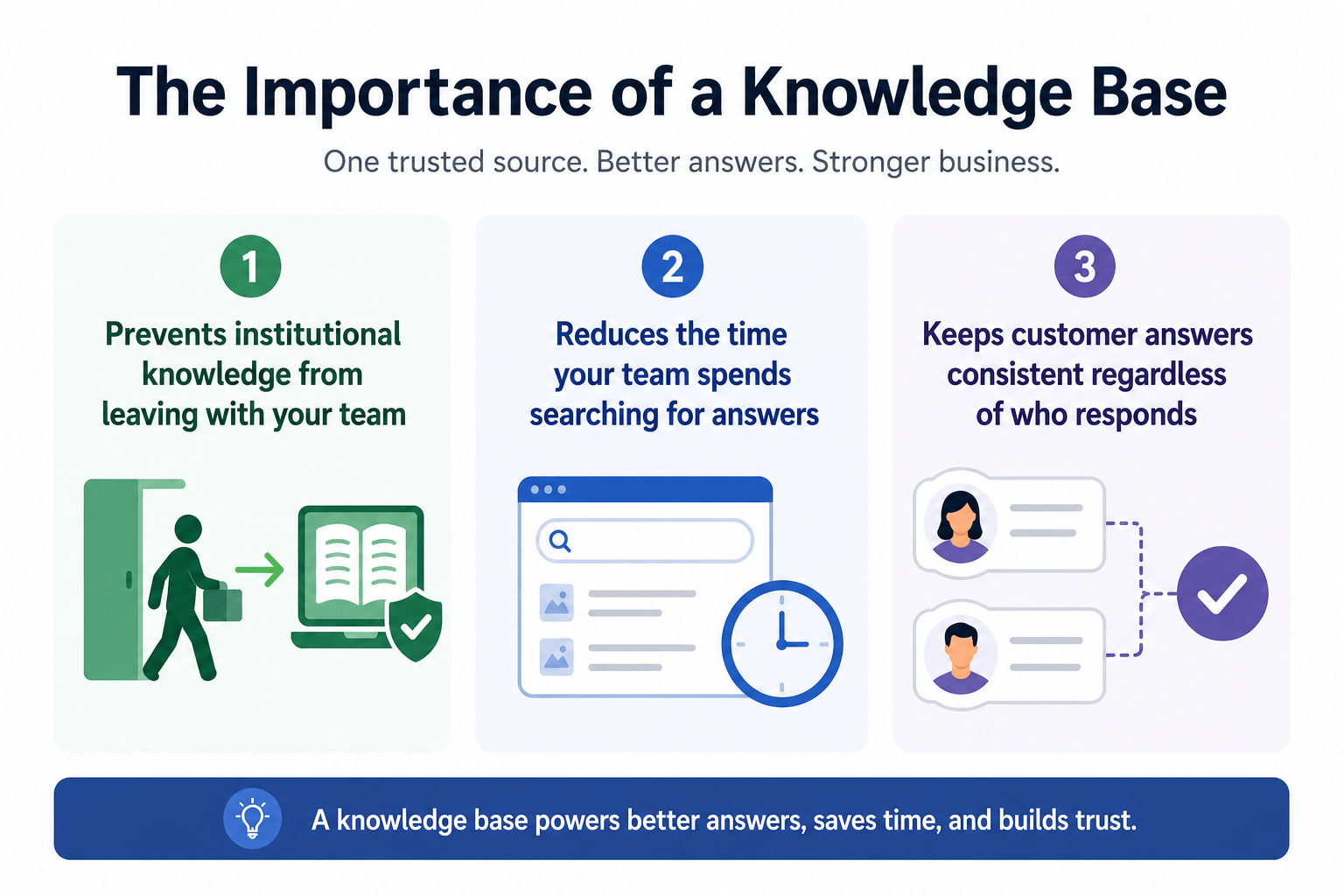
It prevents institutional knowledge from leaving with your team
Every business has a version of the same person: the one who knows everything. The colleague others go to when they can't find an answer — the one whose inbox fills up with questions every time they take a day off. The problem is that the knowledge in that person's head is invisible to everyone else. When they change roles or leave, it leaves with them.
A knowledge base makes institutional knowledge explicit and independent of any one person. New employees can look up policies on their first day without interrupting anyone. Experienced team members don't get pulled out of focus for questions that have clear documented answers. When someone moves on, the knowledge they carried doesn't disappear with them — because it was never only in their head to begin with.
This matters especially during high-turnover periods, seasonal hiring, or rapid growth. A business that can bring a new hire up to customer-facing accuracy in hours rather than weeks has a structural advantage over one that relies on tribal knowledge passed through shadowing and scattered messages.
It reduces the time your team spends searching for answers
According to McKinsey Global Institute research on knowledge worker productivity, knowledge workers spend an average of 1.8 hours per day — about 9.3 hours per week — searching for and gathering information. For a customer service team handling dozens of inquiries daily, a significant portion of that time is spent looking up answers that should be immediately accessible.
A well-organized knowledge base cuts that friction substantially. The answer to "what's our cancellation window?" is in the document, not in someone's sent folder from six months ago. The answer to "does this plan include X?" is in the product section, not locked in a colleague's memory while they're on another call. Multiply that saved time across even a small team, and the operational impact compounds fast.
It keeps customer answers consistent regardless of who responds
Think about what happens when three support agents each have a slightly different understanding of your return policy. One says 30 days, one says 14 business days, one says it depends on the product. Customers notice inconsistency — and when they do, trust in the entire interaction degrades.
According to PwC's Future of Customer Experience research, 73% of consumers say that a positive customer experience is a key factor in their purchasing decisions. A knowledge base that gives every team member the same reference point is one of the most direct ways to deliver that consistent experience at scale. The answer to "what is your return window?" is exactly what the document says — regardless of which agent responds, which channel the customer uses, or what time zone the inquiry comes in.
Why a Knowledge Base Is Essential for AI Agents
Here's where the importance of a knowledge base stops being strong advice and becomes a hard requirement. For a human support agent, a knowledge base is a resource to consult when they're unsure. For an AI agent, it is the only source of truth available.
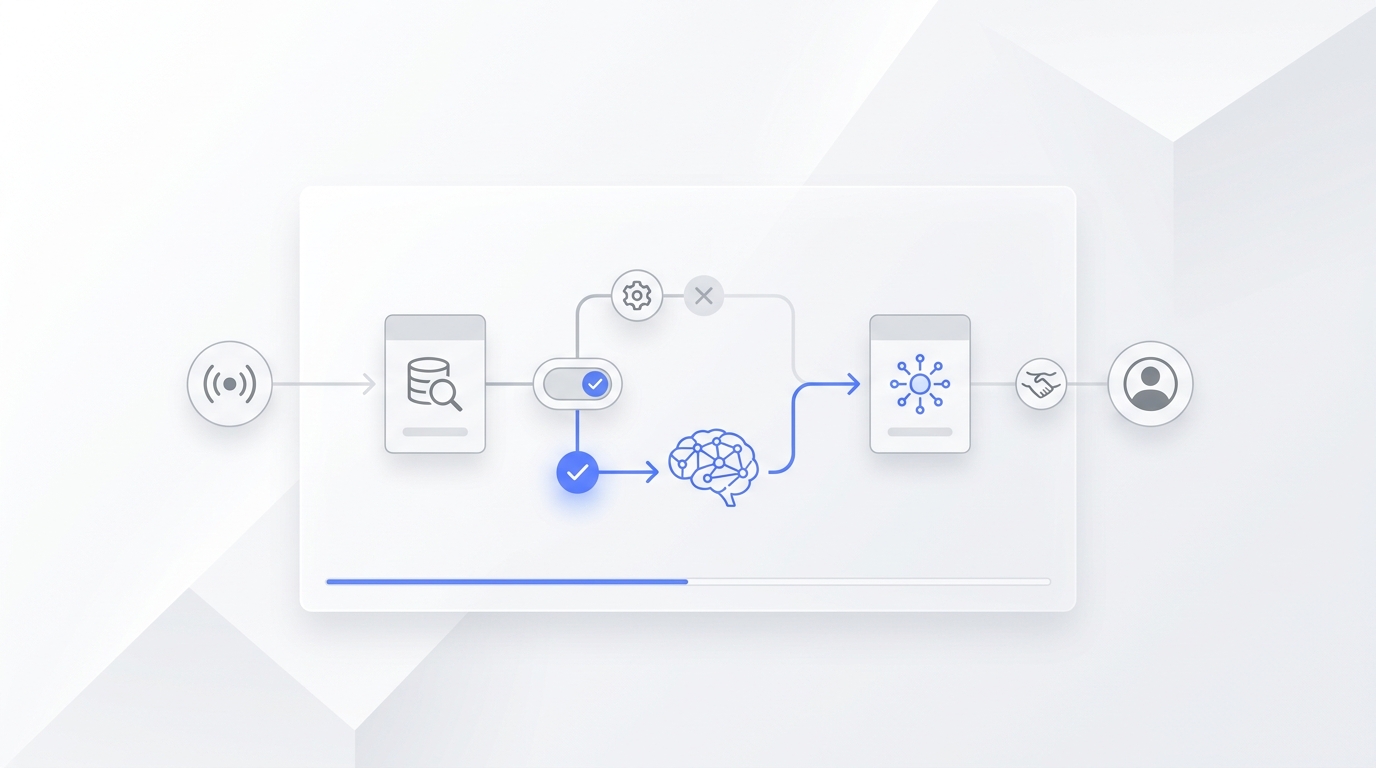
Modern AI customer support tools — chatbots, virtual assistants, AI receptionists — work by reading documents you provide and retrieving the best matching information in response to each question. This architecture (retrieval-augmented generation, or RAG) means the AI is not drawing on general internet knowledge to answer your customers. It is searching the knowledge base you gave it. If the answer isn't there, the AI does one of two things: declines to respond, or constructs a plausible-sounding answer from general training data — which is almost never accurate for your specific pricing, your specific policy, or your specific product.
Research from the IBM Institute for Business Value has consistently found that knowledge quality — not model sophistication — is the primary driver of accuracy in customer-facing AI applications. You can deploy the most advanced AI model available; it will still produce wrong answers if the underlying knowledge base is vague, outdated, or incomplete.
This is the model Solvea uses. Solvea is an AI receptionist that handles customer inquiries across phone, live chat, and email — 24/7, no code required.
You upload your knowledge base once (a document, PDF, Notion page, or Google Drive file) and Solvea reads it to answer customer questions accurately across every channel. When a question falls outside what the knowledge base covers, Solvea flags it rather than guessing — giving your team a real-time view of exactly where gaps exist so you can close them.
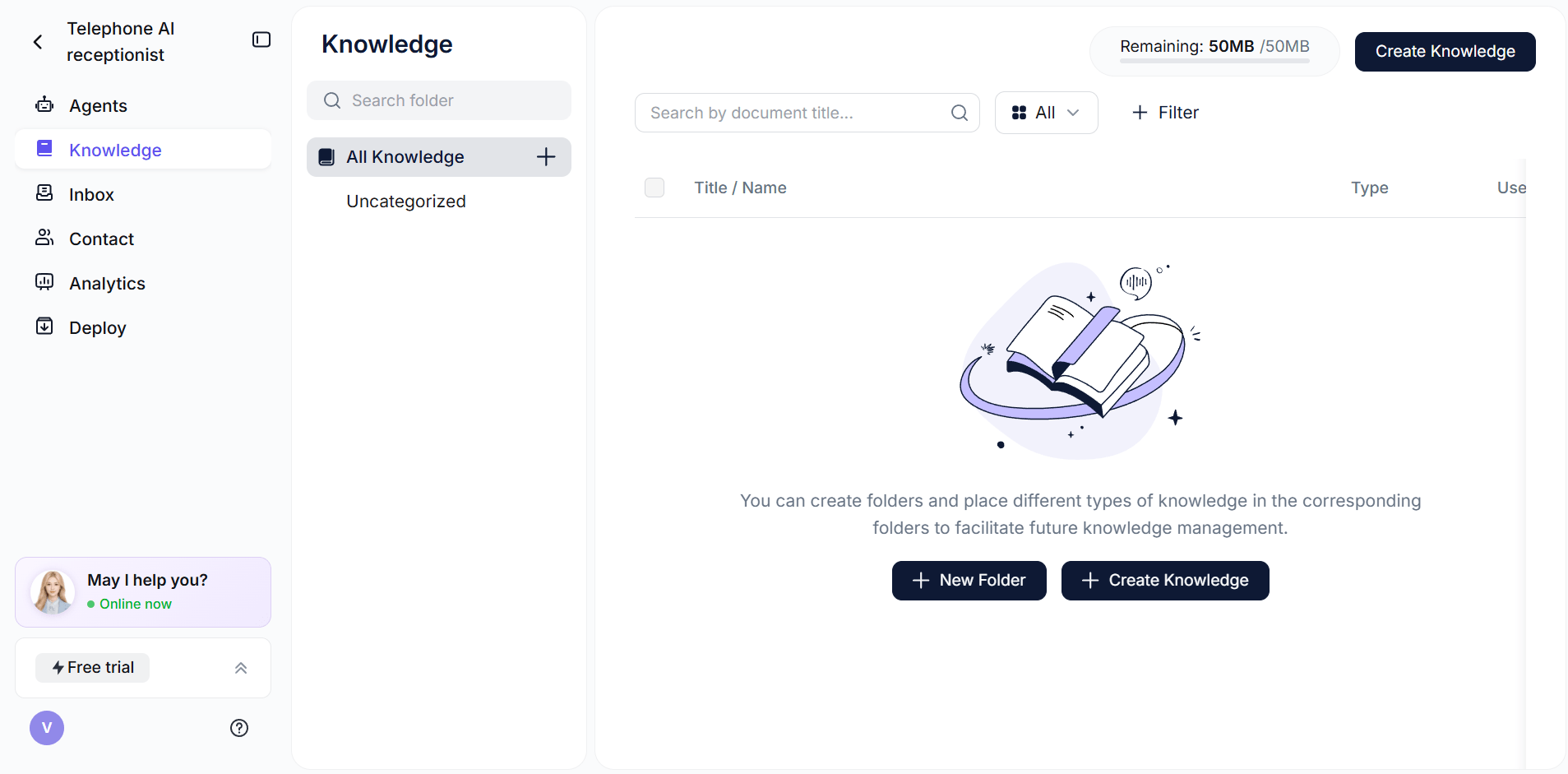
Solvea customers see the direct relationship between knowledge base quality and AI performance. The 80% resolution rate customers report — four out of five inquiries handled automatically without human involvement — depends on a knowledge base that actually covers what customers ask. When the knowledge base has gaps or vague entries, that number drops, and conversations that should be automatic end up in a human queue.
Speed this up with Solvea's AI-powered FAQ generator, which converts any URL or doc into a structured FAQ block.
What to Put in a Good Knowledge Base
A knowledge base doesn't need to be encyclopedic. It needs to be complete for the questions that come up most often, and specific enough that anyone — human or AI — can give a full, accurate answer from what's written.
Most businesses need to cover six areas:
- FAQs — the questions that appear repeatedly in your support inbox, live chat, and phone calls month after month
- Product or service details — what you offer, specifications, limitations, what's included and what isn't
- Pricing — real numbers with plan names and tiers, not "prices vary" or "contact us for a quote"
- Policies — returns, refunds, cancellations, warranties, shipping windows, payment terms
- Business logistics — hours, location, service area, accepted payment methods, all contact options
- Edge cases and "no" answers — what you don't offer, who you don't serve, the exceptions to standard policies
The single biggest difference between a useful entry and a useless one is precision:
What you write | What the AI (or agent) tells customers |
❌ "Returns handled case by case" | "Returns are handled case by case. Please contact support." |
✓ "Returns accepted within 30 days with receipt. Email returns@yourco.com for a prepaid label." | "We accept returns within 30 days. Email returns@yourco.com and we'll send a prepaid label." |
❌ "Prices vary by package" | "Prices vary. Please contact us for a quote." |
✓ "Starter: $99/month. Pro: $249/month. Enterprise: contact sales@yourco.com." | "Our Starter plan is $99/month and the Pro plan is $249/month." |
❌ "We're usually open during business hours" | "We're open during business hours." |
✓ "Mon–Fri 9am–6pm EST, Sat 10am–3pm, closed Sundays and federal holidays." | "We're open Monday through Friday, 9am–6pm Eastern, and Saturday 10am–3pm." |
Every vague entry is a future escalation. Every specific entry is one fewer call your team has to handle.
5 Knowledge Base Mistakes That Undermine the Whole Thing
1. Writing "contact us" instead of the actual answer
If the customer already knew how to reach you, they wouldn't be searching for the answer. "For pricing, please reach out to our team" is not a knowledge base entry — it's a redirect that leaves the original question unanswered. Write the real answer: the actual price, the actual policy, the actual hours.
2. Not documenting what you don't do
Your AI and your team can only answer what you've written. If you don't ship to certain regions, don't offer same-day availability, or don't accept returns after a specific window — write it down explicitly. Omitting negative cases forces your AI to either stay silent (unhelpful) or construct a policy you don't have (worse).
3. Writing in internal language instead of customer language
Your internal system might call it a "SHI-4302 shipment status inquiry." Your customers call it "where's my order?" Write your knowledge base in the words customers actually use. If they call your return process a "refund request," use that phrasing — not whatever label your back-office system applies to it. When customer vocabulary doesn't match the knowledge base vocabulary, retrieval fails.
4. Letting it go stale
A knowledge base reflects what was true when it was last updated. If your prices changed three months ago and the knowledge base wasn't touched, every AI answer about pricing since then has been wrong. Review after any price change, new product launch, policy update, or seasonal change in hours. For most businesses, a monthly 20-minute review catches the majority of accuracy issues before customers experience them.
5. Keeping it as one large, unformatted document
A 50-page PDF with no headers, no categories, and no logical structure is technically a knowledge base. In practice, neither a human nor an AI can navigate it efficiently. Organize content into clear categories — Products, Pricing, Shipping, Returns, Hours & Contact — and use descriptive headers within each one. The faster anyone can find the right section, the more useful the whole document becomes.
Conclusion
The importance of a knowledge base comes down to one principle: accurate, consistent answers don't happen by accident. They require a shared source of truth — structured, maintained, and accessible to whoever (or whatever) needs it.
Whether you're onboarding a new employee, enabling customers to find answers without calling, or powering an AI agent to handle support automatically, the knowledge base is what makes the difference between guessing and actually knowing. Start with your top 20 most common customer questions from the past 30 days. Write specific answers. Organize them into five or six logical categories. That foundation — typically a few hours of work — is enough to make a measurable difference across your team, your customers, and any AI tool you connect it to.
Your AI Receptionist, Live in Minutes.
Scale your front desk with an AI that never sleeps. Solvea handles unlimited multi-channel inquiries, books appointments into your calendar automatically, and ensures zero missed opportunities around the clock.
FAQ
What is the difference between a knowledge base and an FAQ page?
An FAQ page is a public-facing list of common questions that customers can browse on your website. A knowledge base is the internal source of truth that powers it — more complete, more structured, and designed for lookup rather than browsing. Think of the FAQ page as the storefront and the knowledge base as the stockroom it draws from.
Who benefits from a knowledge base?
Anyone who needs to give accurate, consistent answers: customer service agents, new employees during onboarding, customers looking for self-service options, and AI tools that handle support automatically. A single well-maintained knowledge base serves all four groups from one document.
How long does it take to build a knowledge base?
A functional first version covering your top 20–30 most common customer questions can be built in a few hours. The goal isn't a complete encyclopedia on day one — it's specific, accurate answers for the questions that actually come up. You expand from there as new question types emerge or gaps become visible.
How often should I update a knowledge base?
Update it after any price change, policy revision, new product or service launch, or seasonal change in hours. A monthly 20-minute review catches most accuracy issues before customers experience them. Tools like Solvea flag unanswered questions in real time, making it easier to spot gaps as they emerge rather than discovering them after the fact.
Can I use Notion or Google Drive as a knowledge base?
Yes. The format — Google Docs, Notion, PDF, Word — matters far less than the content. Clear headings, specific answers, and current information produce better results than a polished template full of vague language. Most AI tools, including Solvea, can read any of these formats directly.
What happens if my AI gives a wrong answer?
A wrong AI answer almost always traces back to the knowledge base: a missing entry, an outdated policy, or a vague answer that didn't give the AI enough detail. Update the relevant entry and re-test with the same question. Solvea flags low-confidence answers rather than guessing, which proactively reduces wrong answers and surfaces knowledge base gaps before customers experience them.