Artificial intelligence is becoming a practical tool for everyday work. Instead of just generating text, modern AI tools can automate tasks, assist with communication, and help teams manage information more efficiently.
In this guide, we explore practical ways to use AI at work, along with the tools and real use cases behind them. From email management and lead qualification to customer support, scheduling, reminders, and data analysis, these examples show how AI can streamline workflows and improve productivity across different teams.
TL;DR: How to Use AI at Work
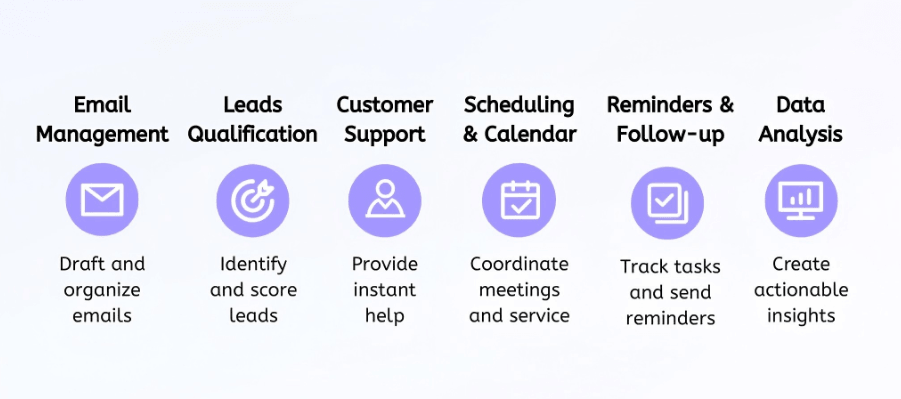
Email Writing and Management
When a large number of emails flood in, replying and processing them can become quite annoying. Managing a high volume of correspondence often consumes a significant portion of the workday, leaving little time for high-value strategic tasks. Like your email assistant, an AI-powered email tool can drastically reduce this burden by automating the drafting process and ensuring that important messages are prioritized correctly.
- Draft responses to routine emails: Faced with new emails, you can use AI to generate professional replies for standard inquiries or common requests to save time on repetitive typing.
- Summarize long email threads: It saves much time to leverage AI to extract key points and action items from lengthy conversations so you can get up to speed in seconds.
- Generate outreach or follow-up emails: Create personalized and persuasive outreach messages for sales or networking based on specific context provided to the AI.
- Categorize messages by priority: Keep your work ordered is important. Implement AI filters that automatically sort your inbox into categories like "Urgent," "Informational," or "Low Priority" based on the content of the message.
Use Cases:
- Sales follow-ups: After a product demo or meeting, AI can instantly draft personalized follow-up emails summarizing key points and next steps, helping sales teams maintain momentum with potential clients.
- Internal communication management: AI can summarize long internal email threads and highlight action items, allowing team members to quickly understand discussions without reading every message.
By adopting AI-powered email assistance, teams can significantly improve their communication efficiency and reclaim hours previously spent on manual inbox management. Popular tools include Grammarly, Lavender, and Solvea. These tools help refine writing quality, optimize sales outreach with AI-generated suggestions, and streamline inbox workflows with intelligent prioritization. As a result, professionals can respond faster, maintain a more consistent tone, and focus more on decision-making rather than routine communication.
Leads Qualification
For sales teams, the ability to distinguish between a casual browser and a serious prospect is critical for maintaining a healthy pipeline. AI systems can automatically capture visitor data and evaluate their potential, allowing your sales professionals to focus their energy on the most promising opportunities.
- Capture leads through chat or forms: Finding your customers is the base of a deal. Deploy AI-driven chatbots that engage visitors in real-time to collect contact information and intent data without human intervention.
- Ask automated qualification questions: Program your AI agent to ask specific questions about budget, timeline, and authority to determine if a lead meets your ideal customer profile.
- Score leads based on responses or behavior: It's very necessary to identify customers worthy to follow up. Use AI algorithms to assign a numerical value to each lead based on their interactions, ensuring the "hottest" leads are moved to the top of the list.
- Send qualified leads to sales teams: Set up automated triggers that instantly route high-scoring leads to the appropriate sales representative for immediate follow-up.
Use Cases:
- Website visitor qualification: An AI chatbot can interact with website visitors, ask qualification questions, and determine whether they match the company’s target customer profile before passing the lead to a sales representative.
- Automated lead scoring: AI can analyze visitor behavior—such as pages viewed, form responses, or interaction time—and automatically prioritize high-intent prospects for faster sales follow-up.
Integrating AI into the lead qualification process helps businesses respond to potential customers more quickly and prioritize the most valuable opportunities. Platforms such as Apollo.io, ZoomInfo, and Salesforce support lead discovery, enrichment, and intelligent scoring. By using these tools, sales teams can identify high-potential prospects earlier, reduce time spent on unqualified leads, and build a more efficient, data-driven sales pipeline.
Customer Support
Modern customers expect instant answers at any hour of the day, a demand that can be difficult for human teams to meet consistently. AI assistants serve as a scalable solution that handles common inquiries instantly, significantly reducing the pressure on your support staff.
- Answer frequently asked questions: Feed your knowledge base into an AI agent so it can provide immediate, accurate answers to common queries regarding pricing or features.
- Provide instant chat responses: Customers always want instant response, which is easy for AI to handle. Ensure that every customer feels heard by providing real-time interactions through AI-powered live chat modules.
- Guide users through troubleshooting: Use AI to walk customers through step-by-step technical solutions based on their specific error messages or issues.
- Escalate complex issues to human agents: Configure your AI to recognize when a problem requires a human touch and seamlessly hand over the conversation with a full transcript.
Use Cases:
- 24/7 customer inquiries: AI chat assistants can handle common questions about products, pricing, or account setup at any time, ensuring customers receive immediate support even outside business hours.
- Automated troubleshooting guidance: AI systems can guide users through common technical issues step by step, resolving simple problems without requiring direct support from human agents.
Utilizing AI in customer support improves response speed and ensures a consistent service experience across different channels. Platforms such as Solvea, Zendesk, and Intercom help automate responses, manage customer conversations, and route complex issues to human agents when needed. This allows support teams to handle higher volumes of requests while maintaining efficient and reliable customer service.
Scheduling and Calendar Management
The "back-and-forth" of finding a mutually convenient meeting time is one of the most common productivity drains in a professional environment. AI simplifies this coordination by looking across multiple calendars and managing the logistics of invitations automatically.
- Suggest available meeting slots: Allow AI to analyze your calendar and present the best available times to external partners or internal colleagues.
- Send calendar invitations: Automate the creation and delivery of calendar invites once a time has been agreed upon, including necessary video call links.
- Coordinate schedules across teams: It takes time to coordinate people's time. Use AI to find overlapping free time for large group meetings without checking every individual's schedule manually.
- Prevent scheduling conflicts: Enable AI to monitor your calendar in real-time to ensure that no double-bookings occur, even when last-minute changes happen.
Use Cases:
- Client meeting scheduling: AI tools can share available time slots with clients or partners and automatically generate meeting invitations once a time is selected.
- Team coordination: AI can analyze multiple team members’ calendars to quickly find a suitable meeting time for group discussions or project updates.
Automating the scheduling process reduces the administrative overhead of meeting coordination and prevents unnecessary delays in project timelines. Tools like Calendly, Doodle, and Microsoft Bookings leverage AI to streamline this process.
Reminder and Follow-Up
In a fast-paced work environment, it is easy for small tasks or follow-up commitments to slip through the cracks. AI acts as a persistent digital assistant that tracks every commitment and deadline, ensuring that nothing is ever forgotten.
- Send reminders for meetings or tasks: Set up automated alerts that notify you of upcoming deadlines or scheduled calls well in advance.
- Trigger follow-up emails after conversations: Use AI to detect when a promised follow-up hasn't occurred and automatically send a polite nudge to the relevant party.
- Track pending actions: Maintain a centralized list of action items extracted from meeting transcripts that the AI monitors for completion.
- Notify teams about deadlines: Implement group-wide AI notifications that keep everyone informed about approaching project milestones or expiring contracts.
Use Cases:
- Sales follow-up reminders: AI can automatically send follow-up emails if a prospect has not responded to a proposal or meeting invitation within a set timeframe.
- Project deadline tracking: AI systems can monitor upcoming milestones and notify team members about approaching deadlines to ensure projects stay on schedule.
Automated reminders and follow-ups help teams maintain consistent communication and reduce the risk of missed tasks or opportunities. Platforms such as Zapier, ActiveCampaign, and Solvea enable workflow automation, follow-up messaging, and task tracking across multiple tools. This allows teams to stay organized and respond to important commitments more reliably.
Data Analysis and Reporting
The sheer volume of data generated by modern businesses can be overwhelming for manual analysis. AI excels at processing these large datasets rapidly, identifying patterns and generating insights that might be missed by the human eye.
- Generate automated reports: Schedule AI to pull data from various sources and compile it into a clean, easy-to-read report on a weekly or monthly basis.
- Identify trends in sales or customer behavior: Use AI to spot emerging patterns in how customers interact with your product or which sales channels are becoming more effective.
- Monitor key performance metrics: Set up AI dashboards that track KPIs in real-time and alert you to any significant deviations from the norm.
- Summarize analytics insights: Ask AI to provide a high-level executive summary of complex data tables, highlighting the most important takeaways for leadership.
Use Cases:
- Marketing performance analysis: AI can analyze campaign data across multiple channels and identify which platforms or strategies are generating the highest return on investment.
- Sales trend monitoring: AI systems can track sales performance over time and highlight unusual changes or emerging trends that require attention.
AI-powered reporting enables teams to access business insights more quickly and make data-driven decisions with greater confidence. Tools such as Tableau and Google Analytics AI help visualize data, monitor key metrics, and generate actionable insights. By leveraging these platforms, organizations can better understand performance trends and respond more effectively to changing business conditions.
How to Automate Your Workflow with Solvea?
To truly harness the power of AI in the workplace, many organizations are adopting AI agent platforms like Solvea, which enable businesses to create customized digital workers capable of handling repetitive or complex operational tasks. Instead of relying on multiple disconnected tools, AI agents can orchestrate workflows across systems, helping teams automate processes while maintaining consistency and accuracy.
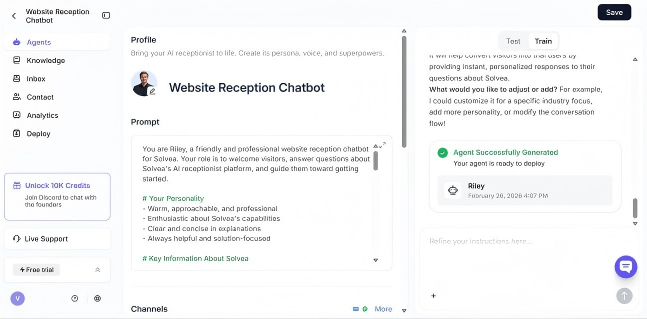
Build an AI Agent: Start by defining the specific role of your agent, whether it is responsible for lead qualification, customer support, workflow coordination, or internal task automation. You can build your own agents by writing prompts or revising templates.
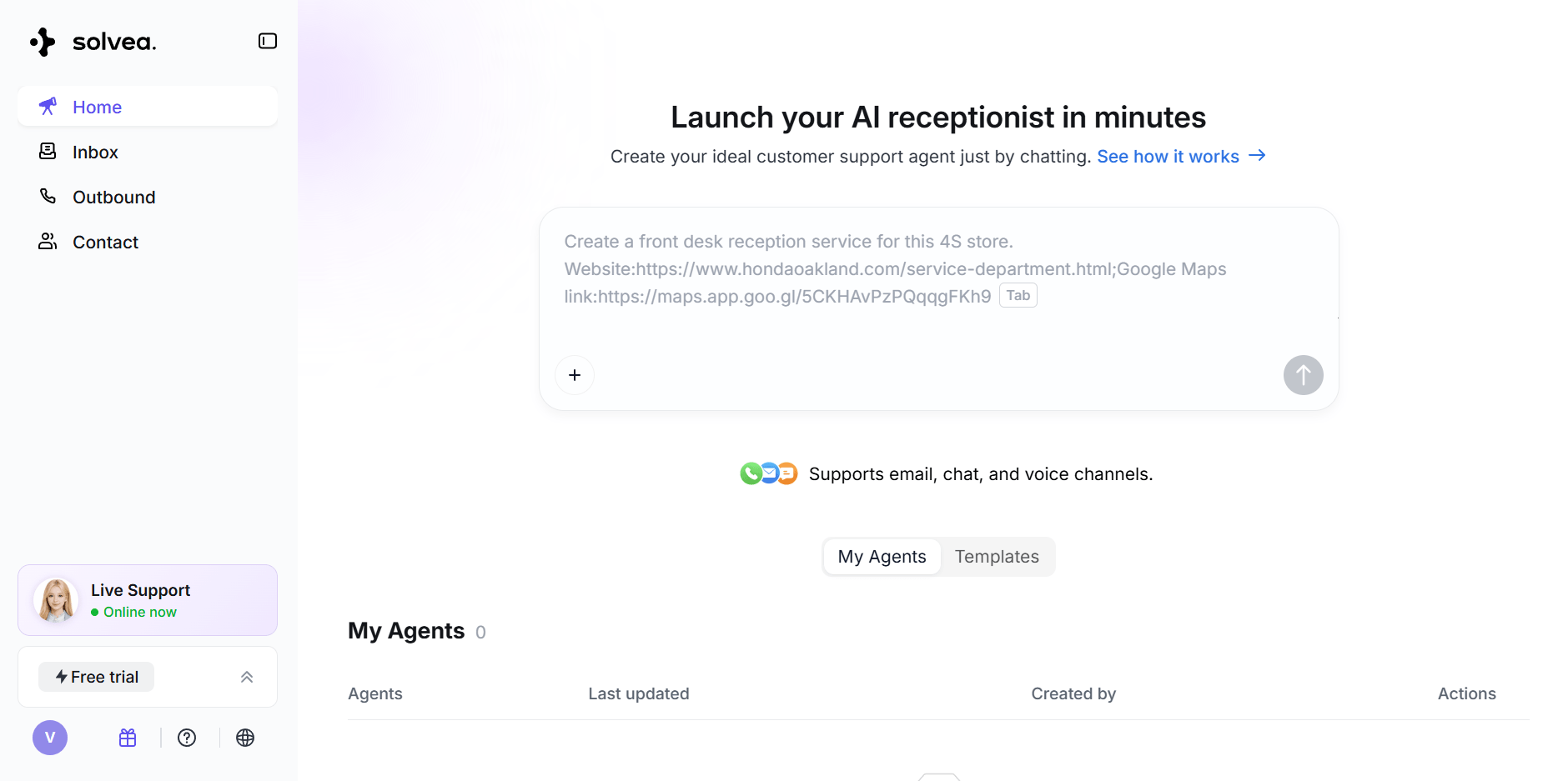
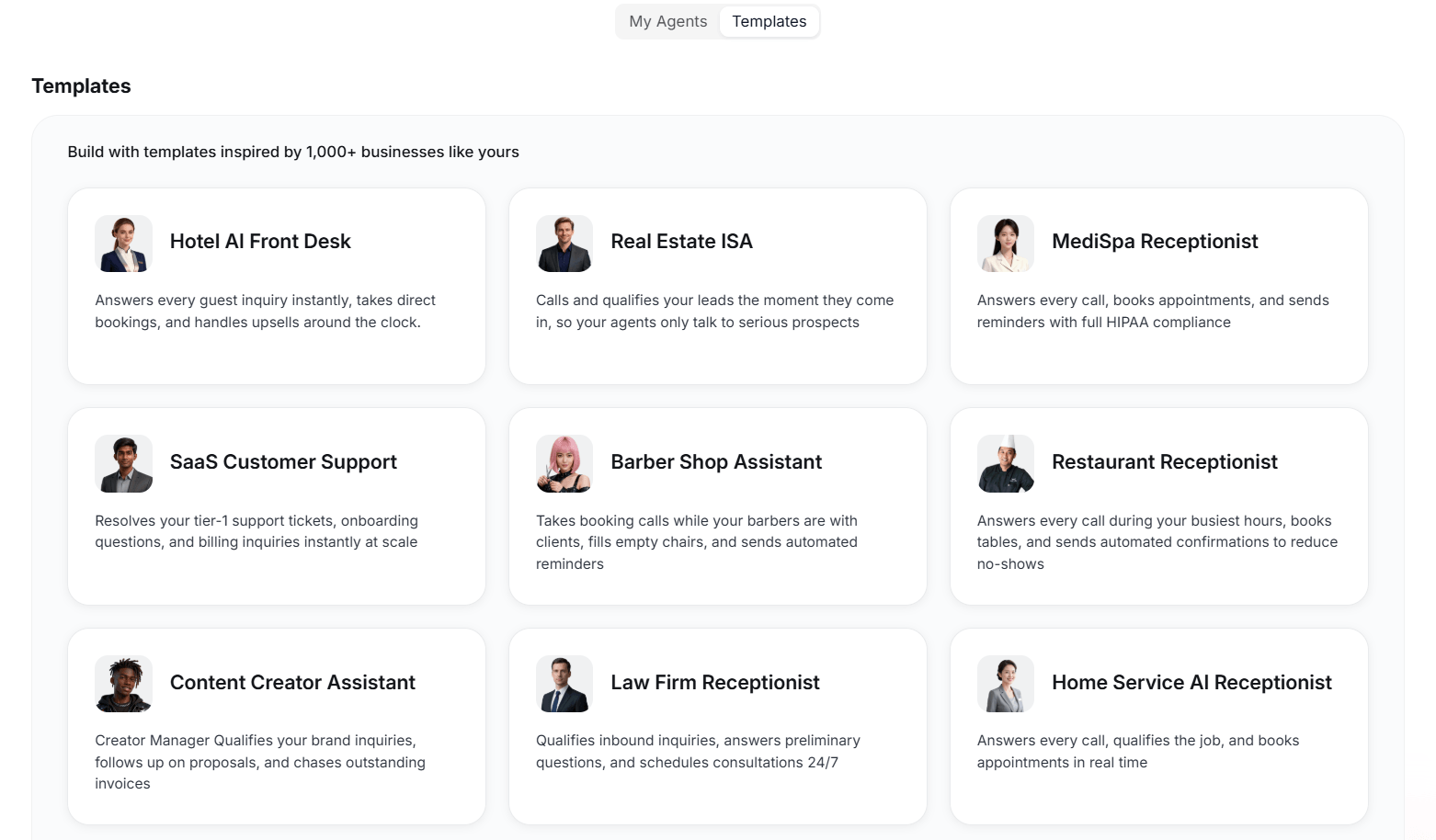
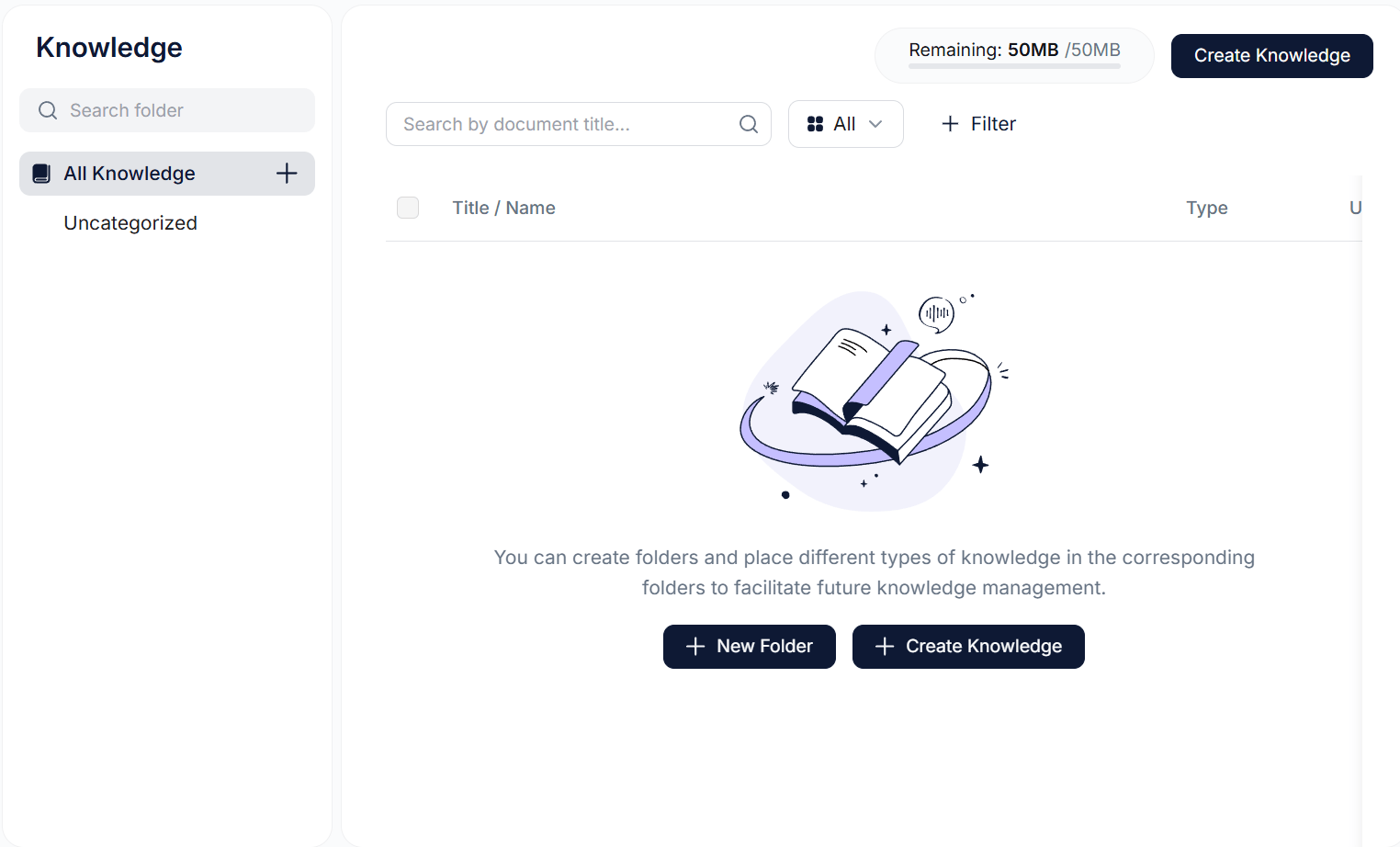
Add Knowledge Base and Integrations: Connect your Solvea agent to existing business systems such as CRM platforms, email services, and internal documentation so the agent has the context required to perform tasks intelligently.
Test and Configure: Run the agent through different scenarios to refine responses, adjust workflow logic, and ensure the automation behaves reliably across real business situations.
Deploy and Optimize: After deployment, monitor how the agent performs in real environments and continuously improve it using feedback and updated data sources.
One of the key advantages of using an AI agent platform is the ability to scale automation without increasing operational complexity. Instead of manually managing repetitive processes, businesses can rely on intelligent agents to coordinate tasks, respond to events, and maintain workflow continuity. As a result, teams can reduce administrative workload, respond faster to business needs, and focus more on strategic initiatives rather than routine operations.
Conclusion
AI is increasingly used to support everyday business operations. By applying the right tools to common tasks such as communication, scheduling, follow-ups, and recruiting, teams can reduce repetitive work and operate more efficiently.
Understanding the ways AI can be applied—and the tools that enable those workflows—helps businesses adopt AI more effectively. Platforms like Solvea make it easier to connect these capabilities into automated workflows, allowing teams to scale productivity without adding unnecessary complexity.
Your AI Receptionist, Live in Minutes.
Scale your front desk with an AI that never sleeps. Solvea handles unlimited multi-channel inquiries, books appointments into your calendar automatically, and ensures zero missed opportunities around the clock.
FAQ
How can AI be used at work?
AI can assist with many daily tasks such as writing emails, qualifying leads, supporting customers, scheduling meetings, sending reminders, and analyzing data. By automating repetitive processes, AI helps teams work more efficiently and focus on higher-value tasks.
What are common AI tools used at work?
Common AI tools include AI writing assistants, scheduling assistants, customer support chatbots, and workflow automation platforms. Some AI agent platforms can also connect multiple tools together to automate entire workflows.
What are real examples of AI use cases in the workplace?
Typical AI use cases include automatically drafting emails, qualifying incoming leads, answering customer inquiries, scheduling meetings, sending follow-up reminders, and generating reports from business data.
Do AI assistants require coding?
Not necessarily. Many modern AI platforms provide no-code or low-code interfaces that allow teams to create automations and workflows without programming knowledge.