Notion is a great place to start, but it can be a hard place to keep growing. Once your team's knowledge base passes a few hundred pages, search slows, navigation tangles, and onboarding new hires turns into a Notion archaeology dig — a complaint echoed across r/Notion threads from teams of every size.
That cost is bigger than it feels. A knowledge base that does not surface answers fast is not just frustrating; it is expensive — both in employee time and in the customer questions that never get a clear reply.
This guide reviews eight of the strongest Notion alternatives for building a real knowledge base in 2026 — from enterprise wikis to AI-powered tools. You will see what each one is best at, what it currently costs (every price linked to the official pricing page), and how to pick the right fit for your team.
TL;DR — Notion Alternatives at a Glance
Tool | Best For | Free Plan | Starting Price | Who It's For |
Enterprise wikis with strict permissions | ✓ ≤10 users | ~$6.40/user/mo (Standard) | Large orgs already on Atlassian/Jira | |
Verified knowledge for sales & CS | ✗ (nonprofit only) | Custom (sales) | Sales/CS teams in Slack | |
Lightweight team wiki | ✓ ≤50 items | $6/user/mo (annual) | Small product/design teams | |
Doc + database hybrid | ✓ | $10/maker/mo (annual Pro) | Teams that loved Notion's databases | |
Customer-facing public help center | 14-day trial | Custom (quote) | SaaS with public-facing docs | |
Personal markdown KB | ✓ Free forever | $4/user/mo (Sync add-on) | Researchers, solo writers, devs | |
Slack-first internal KB | 30-day trial | $8/user/mo (10-user min) | Slack-native teams of 10–100 | |
Auto-answer FAQs via AI on phone, chat & email | ✓ 1K credits | $30/mo (Basic) | SMBs with customer calls & chats |
Why Look for Notion Alternatives?
Notion is genuinely good — for individuals and small teams. The pain shows up later, in a few predictable shapes, and the same complaints repeat across r/Notion threads month after month.
“I can't find anything in our Notion.” Search returns pages, not answers. Once a workspace has hundreds of similarly-titled docs, the team spends more time hunting than reading. Notion has shipped AI search to ease this, but workspaces built before AI tagging often feel the problem is structural, not fixable.
“It gets slow once we passed a few hundred pages.” Linked databases, rollups, and synced blocks are powerful — until rendering takes five seconds and every internal link is a small tax on focus. For a daily-use KB, that latency compounds quickly.
“Onboarding new hires is a Notion archaeology dig.” When an org has been writing into Notion for two or three years without taxonomy discipline, new employees burn their first week reverse-engineering where the real answers live. The McKinsey Global Institute estimates that knowledge workers already spend close to a fifth of the workweek searching for and gathering information. A KB that does not surface answers fast turns that number worse, not better.
“We need a public help center, not just an internal wiki.” Notion is excellent for internal docs but weak as a customer-facing help center. There is no custom domain, no ticket deflection, no article analytics. Teams who outgrow Notion for this reason almost always switch to a purpose-built tool, not another general workspace.
The 8 Best Notion Alternatives for Knowledge Base
Before evaluating each alternative one by one, here's how the field looks at a glance on Capterra. Confluence has the deepest validation — 3,678 reviews — but the lowest average at 4.5 stars. Guru hits the strongest combination: 639 reviews at 4.8 stars — high satisfaction with a substantial sample. Document360 (290 reviews / 4.7), Nuclino (105 / 4.7), and Obsidian (44 / 4.8) follow in the high-satisfaction tier with smaller samples. Tettra has only 9 Capterra reviews and a 4.1 average — treat any Tettra-specific claim as directional, not statistical. Use this chart to shortlist 2–3 candidates before reading the per-product sections below.
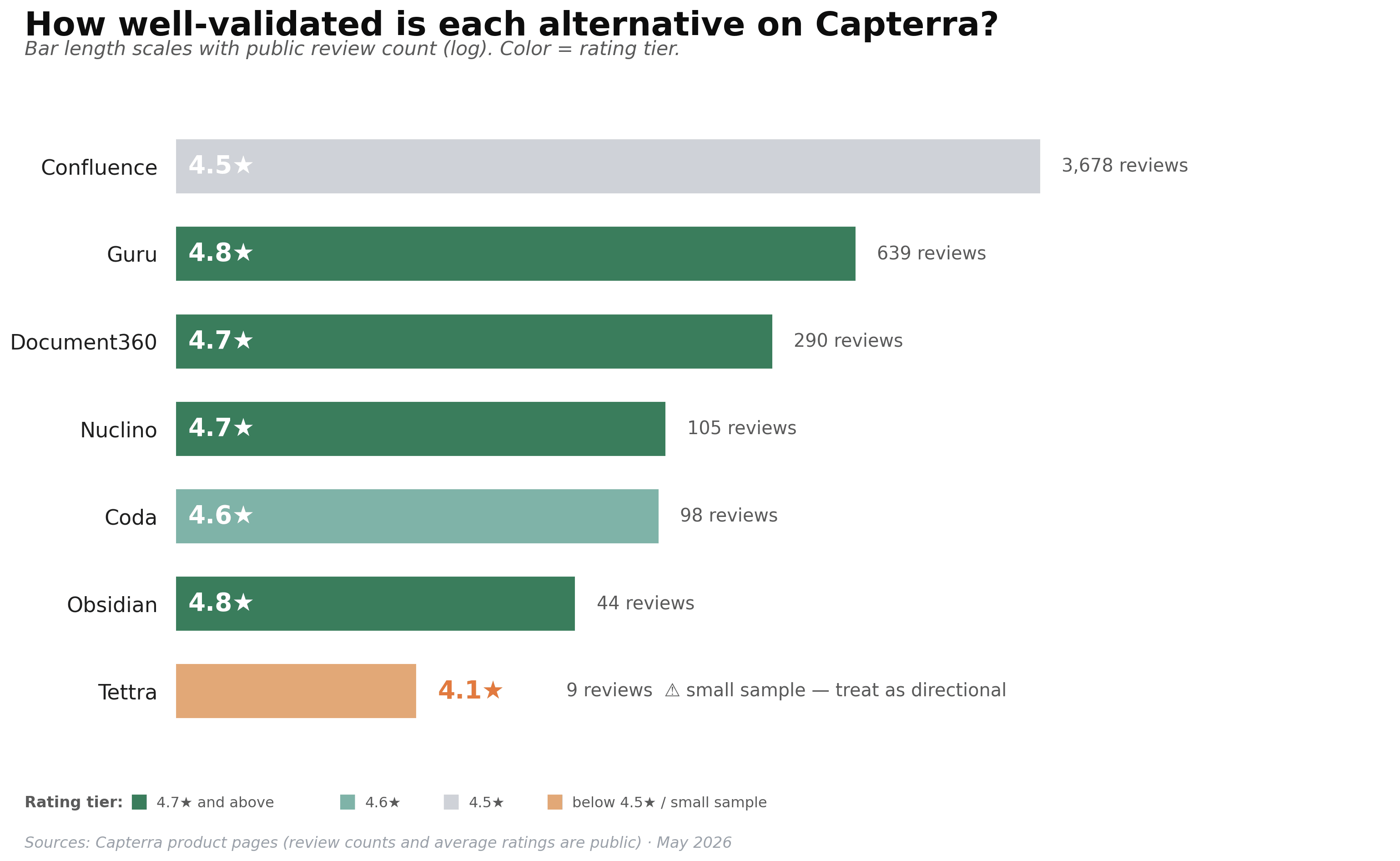
Each tool below uses the same format, so you can scan side by side.
1. Confluence: Best for enterprise wikis
Confluence is the default knowledge base for large organizations, especially teams already on Jira and the Atlassian stack. It is built for thousands of pages, strict permissions, and audit-ready governance — strengths Notion never optimized for. Atlassian's company page reports more than 300,000 customers across its product family, and a Work Life blog post by Atlassian confirms Confluence Cloud officially supports up to 150,000 users in a single instance.
Knowledge base strengths: - Mature page hierarchy with parent/child relationships, breadcrumbs, and labels for cross-page navigation - Granular permissions at space and page level, plus audit logs and SAML SSO - Deep Jira and Trello integration for engineering specs and product requirements
Limitations: - Editor feels heavier than Notion or Slite, with a longer learning curve for casual writers - The “documents go in but never come out” reputation persists for poorly maintained spaces - Requires admin discipline; without it, large Confluence instances become harder to navigate than the Notion they replaced
Pricing: Free plan for up to 10 users. Standard plan starts at approximately $6.40/user/month for a 100-user team — the per-user rate steps down on tiered pricing as the team grows.
Who it's for: Mid-market and enterprise teams that need governance, audit trails, and Jira integration more than they need editor flexibility.
2. Guru: Best for verified knowledge in sales and CS

Guru is built around one feature Notion lacks entirely: trusted, verified knowledge cards that expire on a schedule. Subject-matter experts mark answers as verified, and the platform forces a review cycle before they re-surface. For sales reps quoting prices and CS agents quoting policies, that built-in trust loop matters.
Knowledge base strengths: - Verification workflows that flag stale content and require subject-matter approval before re-surfacing - Browser extension and Slack integration that surface answers without leaving the tool you are already in - AI-assisted answers grounded only in verified content, reducing hallucination risk
Limitations: - Less suited to general team wikis or technical documentation; the card metaphor strains for long-form content - Pricing is opaque — Guru no longer publishes per-seat rates, so budget conversations require a sales call - Smaller template library than Confluence or Notion
Pricing: Custom pricing only; the company explicitly positions itself as a platform rather than a per-seat tool. Free tier exists for nonprofits through Guru for Good.
Who it's for: Sales, customer-success, and support teams that live in Slack and need verified answers to recurring customer questions.
3. Nuclino: Best lightweight team wiki
Nuclino positions itself as “the speed of thought” wiki — and the editor genuinely is fast. Pages load in milliseconds, and you can switch between list, board, table, and graph views to see how knowledge connects. It is one of the easiest tools on this list for non-technical teammates to pick up.
Knowledge base strengths: - Minimalist editor with real-time co-editing similar to Google Docs - Built-in graph view that visualizes how pages link to each other - Generous free plan (up to 50 items, 2GB storage) suitable for small teams to evaluate without a credit card
Limitations: - No relational databases or rollups, so power users coming from Notion will feel constrained - Limited template ecosystem compared to Notion or Confluence - Permissions and audit logs are simpler than enterprise tools require
Pricing: Free plan up to 50 items. Starter plan is $6/user/month billed annually ($8/month if billed monthly), with unlimited items and 30-day version history. Business plan adds AI features and more storage.
Who it's for: Small to mid-sized product, design, and engineering teams that want speed and simplicity without the database depth of Notion or Coda.
4. Coda: Best doc + database hybrid
Coda is the closest like-for-like alternative for teams who chose Notion specifically for its hybrid documents and databases. A single Coda doc can act as a wiki, project tracker, and lightweight internal app. Its formula language is more powerful than Notion's, and "Packs" pull live data from Salesforce, GitHub, and Jira directly into a doc.
Knowledge base strengths: - Powerful formula and automation engine for teams that want their KB to do work, not just hold pages - Read-only viewing is free, so a small group of editors can serve a much larger team without cost spiraling - Tight integrations with sales, engineering, and finance tools
Limitations: - Steeper learning curve than Slite, Nuclino, or Outline; pure read-only consumers may find it overengineered - Per-doc-maker pricing surprises teams used to per-user models when many people edit - Mobile editing experience trails the desktop version
Pricing: Free plan available. Pro plan is $10/maker/month billed annually ($12 monthly); Team plan is $30/maker/month annually ($36 monthly). Coda charges per Doc Maker (editor), not per total user — read-only viewers stay free.
Who it's for: Operations, product, and growth teams that want a knowledge base and lightweight internal tools sharing the same canvas.
5. Document360: Best for customer-facing public knowledge bases
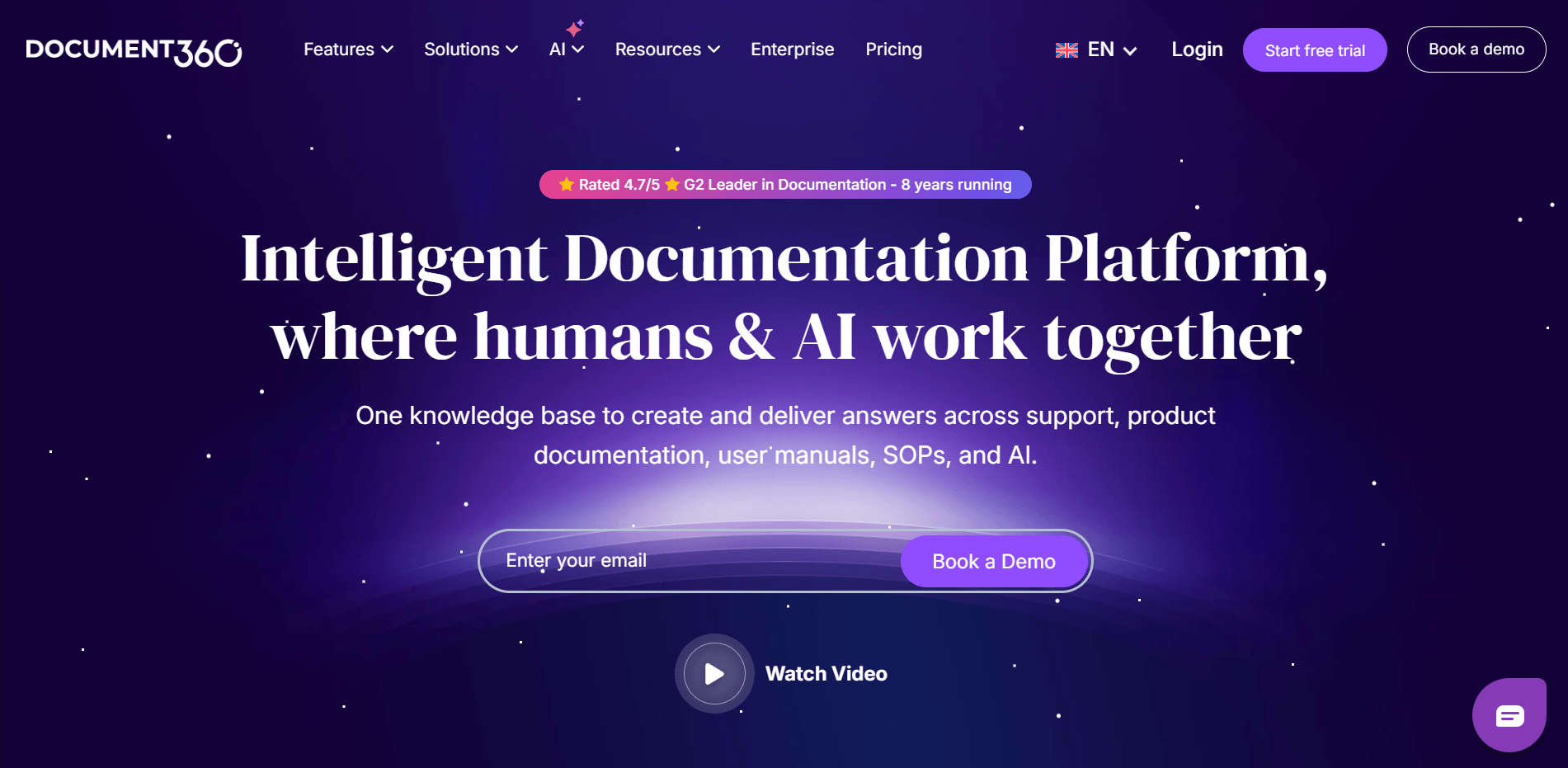
Document360 is purpose-built for the use case Notion handles worst: a polished, public-facing help center on your own domain. SaaS companies use it to host self-service support documentation that customers — not just employees — read every day. Custom branding, version control for releases, and granular reader analytics are all first-class.
Knowledge base strengths: - Custom domain hosting, branded help center themes, and SEO-friendly article structure out of the box - Article analytics, search analytics, and ticket-deflection reporting your support team can act on - Built-in versioning so you can publish docs alongside product releases without manual coordination
Limitations: - Pricing is sales-only and starts higher than most internal-team tools, so it is overkill for a small internal wiki - Editor is less flexible than Notion for messy collaborative drafting - More configuration surface area than Slite or Nuclino — expect a real onboarding investment
Pricing: No published per-user rate. All plans are quote-based with a 14-day free trial; Document360 reports the Business plan is the most popular.
Who it's for: SaaS companies and product teams that need a public, branded knowledge base their customers can search — not just an internal team wiki.
6. Obsidian: Best free personal knowledge base
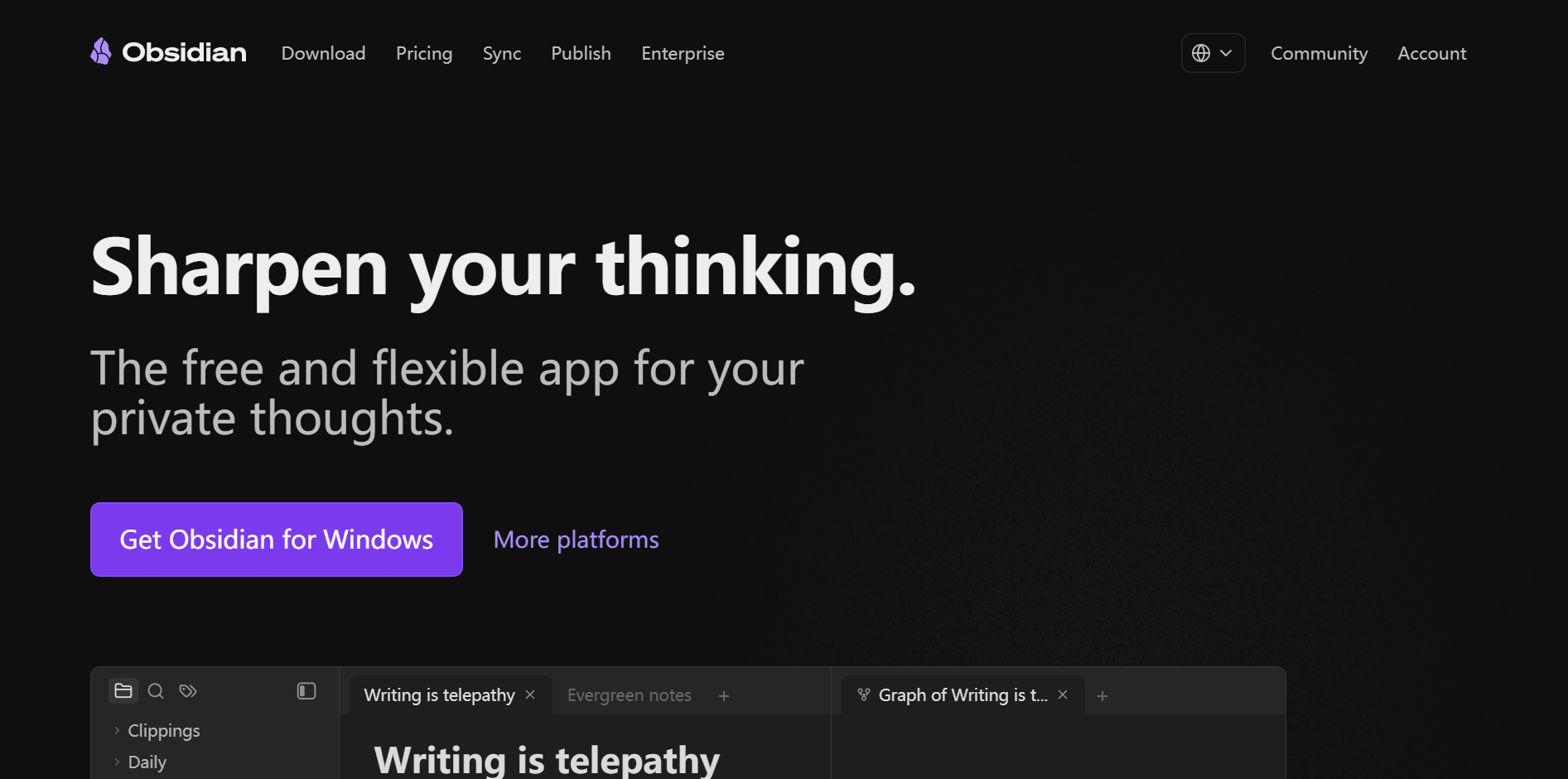
Obsidian is the favorite of researchers, writers, and developers who want a personal knowledge base they fully control. It stores notes locally as plain Markdown files — your KB is portable, future-proof, and never locked into a vendor. A massive plugin ecosystem extends Obsidian into kanban boards, daily notes, even spaced-repetition flashcards.
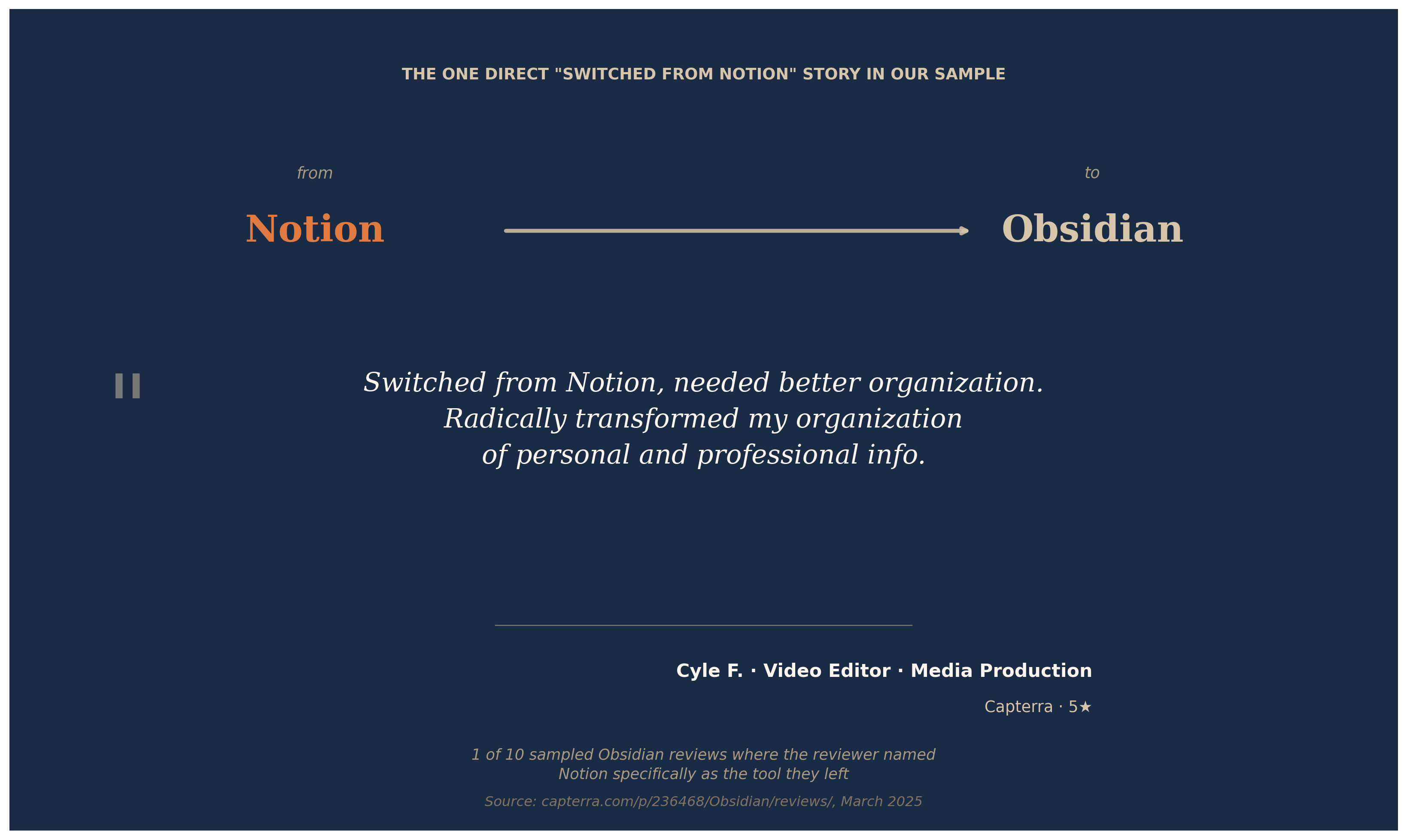
One data point in our research makes a stronger case than any feature comparison. A Video Editor in Media Production wrote on Capterra: *"Switched from Notion, needed better organization. Radically transformed my organization of personal and professional info."* This is the only direct "Switched from Notion" case in our 10-review Obsidian sample — directional, not statistical. But the signal is clean: when Notion's flexibility becomes its own kind of chaos, markdown-first tools are where some users land.
Knowledge base strengths: - Bidirectional links and graph view make it ideal for connecting ideas — a "second brain" pattern researchers love - Plain Markdown files mean you keep your data even if Obsidian disappears tomorrow - Free forever for personal and commercial use; the app itself never costs anything
Limitations: - Team collaboration requires the paid Sync or Publish add-ons; there is no managed multi-user hosting - No built-in real-time co-editing — multiple people editing the same vault concurrently is fragile - Heavily plugin-driven, which means setup time and occasional plugin maintenance
Pricing: App is free for personal and commercial use. Sync add-on is $4/user/month billed annually ($5 monthly). Publish add-on is $8/site/month billed annually ($10 monthly).
Who it's for: Solo researchers, writers, consultants, and developers who want full control over a markdown-first personal knowledge base.
7. Tettra: Best Slack-first internal knowledge base
Tettra is built explicitly for teams whose communication center of gravity is Slack. Questions asked in channels can be turned into Tettra answers, and Tettra's Slack bot answers from your KB without anyone leaving the conversation. For teams that already feel like Notion is a tab they forget to open, Tettra meets people where they already are.
Knowledge base strengths: - Native Slack integration: ask questions in Slack, get verified answers from Tettra - Built-in Q&A workflow that turns recurring questions into KB entries automatically - Lightweight editor and clean structure focused on internal docs, not project management
Limitations: - 10-user minimum on the paid plan makes it less suitable for teams under 10 people - No permanent free plan — only a 30-day trial - Lighter on customization and templates than Confluence or Document360
Pricing: Scaling plan is $8/user/month with a 10-user minimum, billed monthly (20% discount when billed annually). 30-day free trial. Enterprise plan is custom (Tettra pricing).
Who it's for: Slack-native teams of 10–100 people who want Q&A plus a small, tidy internal wiki — not a full enterprise documentation platform.
8. Solvea: Best for turning your knowledge base into automated customer answers

Solvea is not a direct replacement for Notion — it is what you connect once your knowledge base is in shape. Solvea is an AI receptionist that reads your existing KB (Notion, Google Drive, or direct upload) and uses it to answer customer questions across phone, chat, and email, 24/7. The seven tools above store knowledge for your team; Solvea puts that same knowledge to work for your customers without manual monitoring.
Knowledge base strengths: - Connects to Notion, Google Drive, or accepts direct file uploads — keep your existing KB, no migration required - AI agents answer customer phone calls, live chat, and emails using only what is in your knowledge base, with citations back to source documents - Flags any question it cannot confidently answer for human follow-up, keeping wrong answers out of customer conversations.
If you'd rather not write FAQs from scratch, run your existing content through the AI FAQ generator to draft a complete FAQ in minutes.
Limitations: - Not a document editor or wiki tool — you still need one of the seven options above (or any other) to author your KB - Voice and call quality require some tuning to your business domain on initial setup - Free plan limits credits and KB size, so high-volume operations need the Basic or Enterprise tier
Pricing: Free plan with 1K monthly credits, 3 agents, and 50MB knowledge base. Basic plan is $30/month with 30K credits, 10 agents, and 500MB KB. Enterprise plan is custom.
Who it's for: Small businesses, ecommerce stores, medical and professional-services teams with customer calls and chats — anyone who has a knowledge base and wants it to answer customers automatically without staffing a 24/7 support line.
How to Choose the Right Notion Alternative
Map the eight tools against your three biggest constraints — team size, what your KB needs to do, and how knowledge has to flow.
If you need governance and scale: Confluence is the safe pick. Audit logs, SAML SSO, and 150,000-user instances exist for a reason; nothing else here matches that ceiling.
If your KB exists to answer customers, not just employees: Document360 for a public help center; Solvea to turn the KB you already have into AI-powered phone, chat, and email answers.
If you live in Slack: Tettra and Guru are the natural fits. Both turn channel questions into searchable KB entries and answer back inside Slack.
If you want speed and simplicity: Nuclino. The free plan covers a small team's first 50 docs, and the editor is the fastest on this list.
If you want database power like Notion offered: Coda is the closest match, with stronger formulas and live external data via Packs.
If it is just you: Obsidian, free forever, owns the personal KB category.
A two-week trial with five real teammates writing real docs beats any feature-comparison chart. Keep migrations light: pick one tool, move your top 50 most-searched pages first, see whether search and onboarding actually improve, and only then commit to the full move.
Your AI Receptionist, Live in Minutes.
Scale your front desk with an AI that never sleeps. Solvea handles unlimited multi-channel inquiries, books appointments into your calendar automatically, and ensures zero missed opportunities around the clock.
FAQ
What is the best Notion alternative for a knowledge base? There is no single winner — it depends on your team. Confluence is safest for enterprise wikis. Tettra and Guru lead for Slack-first teams. Document360 wins for public-facing help centers. Obsidian is unbeatable for solo users. Most teams should shortlist two and run a two-week trial.
Are there any free Notion alternatives for a knowledge base? Yes. Obsidian is free forever for personal and commercial use. Confluence has a free plan for up to 10 users. Nuclino's free tier covers 50 items. Coda's free plan supports unlimited Doc Makers but limits doc size. Solvea's free plan provides 1K monthly AI credits and 50MB of KB storage to test the integration.
Is Confluence better than Notion for team documentation? For large, governance-heavy teams, yes. Confluence offers stronger permissions, audit logs, Jira integration, and supports up to 150,000 users in a single instance. For small teams that value editor flexibility and faster setup, Notion still wins. Pick based on team size and how strictly you need to control access.
Can I use one of these tools as a knowledge base for my AI chatbot or receptionist? Yes — most modern AI tools ingest content from Notion, Google Drive, Confluence, or direct file uploads. Solvea, for example, connects to your existing KB and answers customer phone calls, chats, and emails using only what your team has documented, with citations back to the source page so accuracy stays auditable.
How do I migrate my knowledge base from Notion to one of these alternatives? Most tools offer a Notion import path: Confluence, Coda, Nuclino, and Outline all read Notion exports. Start by exporting your Notion workspace as Markdown or HTML, then import into the new tool. Migrate your 50 most-searched pages first, verify formatting and links, and only move the rest after the first batch is clean.Once your knowledge base is in place, layer on Solvea's knowledge base chatbot so staff get instant, source-grounded answers.