If an AI receptionist can answer questions but cannot transfer a caller at the right moment, the experience breaks down quickly. In real customer conversations, transfer logic is not a side feature. It is one of the main things that makes an AI receptionist feel useful instead of frustrating.
This guide explains how AI receptionists transfer calls, what usually triggers a handoff, how routing works behind the scenes, and what businesses should check if they want transfers to feel smooth instead of messy.
TL;DR
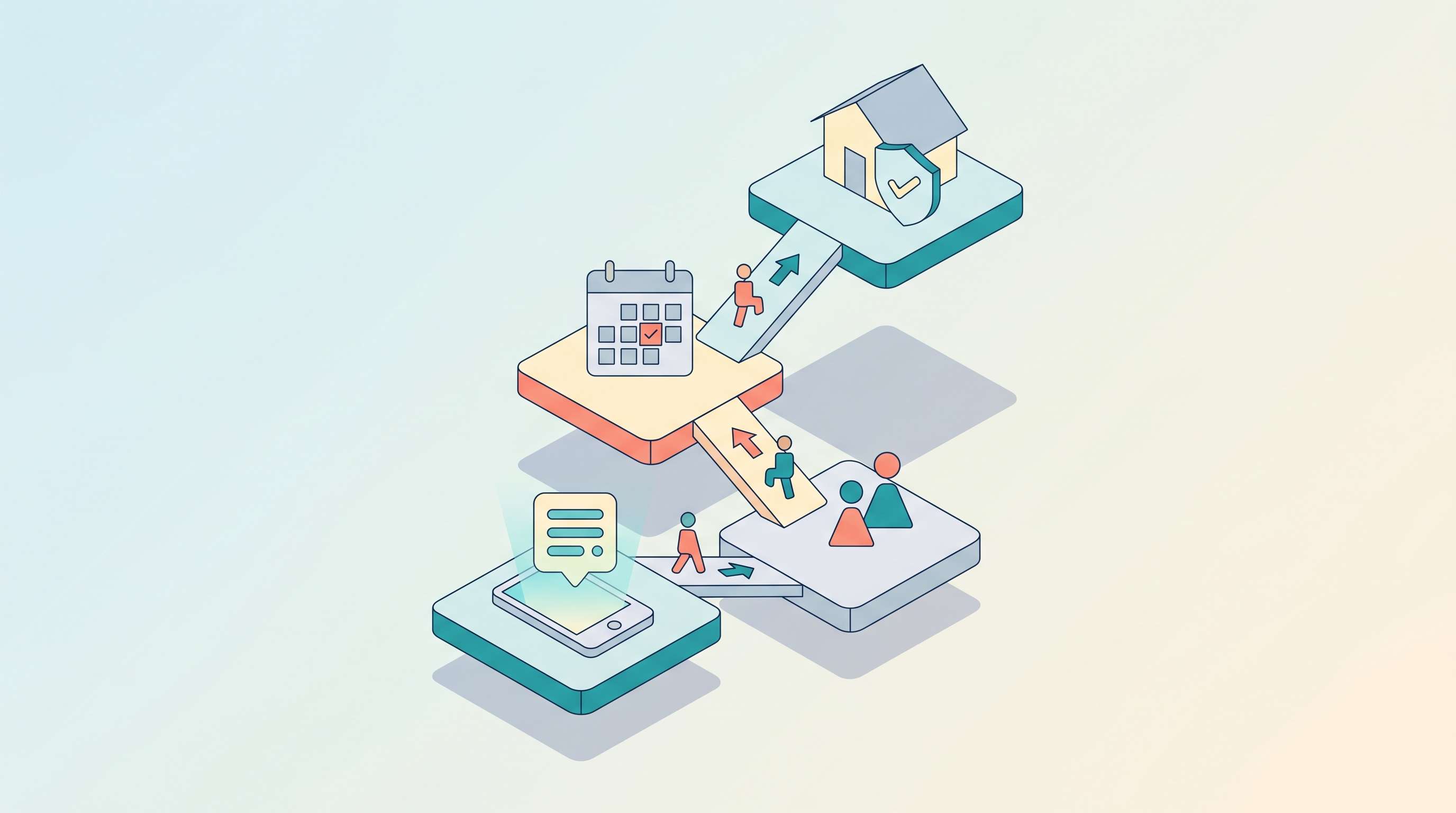
AI receptionists usually transfer calls by following a simple chain: identify a transfer trigger, choose the right destination, pass context, and route the caller. In practice, the most common triggers are a direct request for a human, low AI confidence, a sensitive issue, or a workflow boundary such as moving a qualified lead to sales.
A good transfer does not feel like a technical redirect. It feels like continuity. The caller reaches the right person, the business gets the right context, and the conversation moves forward without unnecessary repetition.
What Does Call Transfer Mean in an AI Receptionist Workflow?
For an AI receptionist, call transfer usually means moving the conversation from the AI to the right human person, team, or fallback destination without making the caller start over.
In a simple setup, that can mean forwarding the call to a live number or support line. In a more advanced workflow, it can mean identifying intent, checking business hours, deciding which team should receive the call, and passing a short context summary during the handoff.
That distinction matters because a strong transfer is not just a technical redirect. It is part of the customer experience. A bad transfer feels like being dropped into a new queue. A good transfer feels like continuity. If you are still mapping the broader front-door flow, how to set up an AI receptionist is the more useful starting point.
How AI Receptionists Usually Transfer Calls
Most AI receptionist call transfers follow the same basic pattern, even if the tools differ from one platform to another.
1. The AI identifies a transfer trigger
The first step is deciding that the conversation should leave the AI layer.
Common triggers include:
- the caller explicitly asks for a human
- the issue is sensitive, urgent, or account-specific
- the AI does not have enough confidence to continue safely
- the request involves billing, legal, or complaint handling
- the workflow reaches a defined escalation point
This is one reason narrow workflows tend to perform better. If the AI has a clear scope, it is easier to know when it should stop and transfer instead of improvising.
2. The system decides where the call should go
Once a transfer is triggered, the receptionist needs routing logic. That can be based on:
- department, such as sales, support, or billing
- business hours versus after-hours status
- caller intent
- language or region
- urgency level
- VIP or account status
In other words, the transfer should not be random. It should follow the same kind of structured logic businesses already use in live call handling.
3. The AI passes context before handoff
This is the part that most directly affects customer experience. A well-designed AI receptionist does not just say “please hold” and disappear. It can pass along useful context such as:
- caller name
- phone number
- company name
- reason for calling
- urgency level
- short summary of what was already said
That way, the human receiving the call has a better starting point. In practice, that is often the difference between a transfer that feels smooth and one that feels repetitive.
4. The call is routed to the final destination
At the final stage, the system sends the caller to the chosen destination. Depending on the stack, that may mean a direct transfer, a queue, voicemail fallback, a callback workflow, or a message to the team if no one is available.
What Usually Triggers a Transfer?
Although different platforms use different logic, most transfer rules fall into a small number of categories.
Explicit human request
If the caller says they want to speak with a person, the receptionist should usually respect that quickly. Keeping a caller trapped in an AI conversation after that point often makes the experience worse.
Low confidence or unclear intent
If the system is not confident enough that it understood the issue correctly, transfer is usually safer than guessing. This is especially true for businesses where mistakes carry real operational or reputational cost.
Sensitive or high-risk topics
Billing disputes, legal concerns, complaints, cancellations, and account-specific problems are common escalation cases because they often require judgment, discretion, or direct account access.
Workflow boundaries
Some workflows are intentionally designed to stop at a certain point. For example, the AI may collect lead details, qualify the request, and then transfer to sales. In that case, transfer is not a failure. It is the planned next step.
What Makes AI Call Transfer Work Well?
A transfer only feels good when the system is designed around the handoff, not just around the conversation before it.
A strong setup usually includes:
- clear escalation rules
- routing logic tied to the real business structure
- a way to pass context into the handoff
- a fallback path if no one is available
- testing across both normal and edge-case scenarios
According to the HubSpot State of Customer Service & CX in 2024, based on a survey of more than 1,500 customer service leaders, 85% said AI will completely transform the customer experience, while 82% said customers expect their requests to be resolved immediately. That context helps explain why transfer quality matters so much. The AI is not only expected to respond quickly. It is expected to move the customer to the right next step without delay.
If a transfer causes delay, repetition, or misrouting, it undermines one of the main operational reasons for using AI in the first place.
How This Works Across Different Setups
The exact transfer mechanism depends on the platform.
Prebuilt AI receptionist platform
In a prebuilt AI receptionist product, transfer logic is often configured through routing settings, escalation rules, and destination numbers. This is usually the fastest way to launch, but it may give businesses less control over the exact handoff behavior.
Custom workflow setup
In a more flexible stack, the AI can use tools and structured rules to decide when and where to transfer. That gives teams more control over prompts, routing conditions, and the information passed during handoff. If that level of control is what you need, OpenClaw for AI receptionist workflows is the more relevant comparison point.
Hybrid setup
A hybrid approach often works best in practice. The AI handles first contact, FAQs, and intake, then transfers when the request becomes more sensitive, more complex, or more valuable.
Common Problems With AI Call Transfers
Transfers usually fail for predictable reasons.
The AI waits too long to escalate
If the system keeps trying to answer when it should already have handed off, the customer experience degrades quickly.
The routing logic is too vague
If every difficult call gets sent to the same place, the transfer may technically work but still create internal friction.
No context is passed forward
This is one of the most common complaints in any support workflow. If the customer has to repeat everything after transfer, the AI did not really reduce friction.
There is no fallback when no one answers
A transfer rule without a backup path can create dead ends. Good setups define what should happen if the receiving team is unavailable, such as voicemail, callback capture, or message intake.
Best Practices for Smoother Handoffs
Businesses usually get the best results when they keep the transfer logic operationally simple at first.
A practical starting approach is:
- define a narrow scope for what the AI can handle directly
- decide which topics must always transfer
- route to a small number of clear destinations
- pass a short context summary with each handoff
- test real caller scenarios before expanding the workflow
The goal is not to force the AI to do everything. It is to let the AI handle the repetitive first-contact work well, then move the right conversations to the right people at the right time.
Ready to put AI to work for your business?
Solvea's AI Receptionist handles calls, chats, and emails 24/7 — no code, no complexity.
Your AI Receptionist, Live in Minutes.
Scale your front desk with an AI that never sleeps. Solvea handles unlimited multi-channel inquiries, books appointments into your calendar automatically, and ensures zero missed opportunities around the clock.
FAQ
Can AI receptionists transfer calls to a real person?
Yes. Most AI receptionists can transfer calls to a human if they are connected to the right phone, routing, or escalation system. The important part is not only the transfer itself, but whether the handoff reaches the right team and carries enough context for the next person to help quickly.
When should an AI receptionist transfer a call?
Usually when the caller asks for a person, the issue is sensitive, the AI is not confident enough to continue, or the workflow reaches a defined escalation point. In strong setups, transfer is not treated as a failure. It is built into the workflow from the start.
What information should be passed during transfer?
Ideally the caller’s name, contact details, reason for calling, urgency, and a short summary of the conversation. That gives the receiving person a clear starting point and reduces the chance that the customer has to repeat everything from scratch.
Conclusion
AI receptionists can transfer calls effectively, but only when the handoff is designed as part of the workflow rather than treated as an afterthought. A strong system knows when to stop, where to route the caller, what context to pass forward, and what fallback path to use if no one is available. That is what businesses should really evaluate: not whether transfer is technically possible, but whether it creates a better customer experience.