Running large language models locally is quickly becoming a practical choice.
According to a Red Hat report, open-source AI models have reached a level where they can support real production workloads, including customer support, knowledge retrieval, and developer tooling. That shift makes local deployment far more relevant for teams that care about data control, predictable costs, and long-term flexibility.
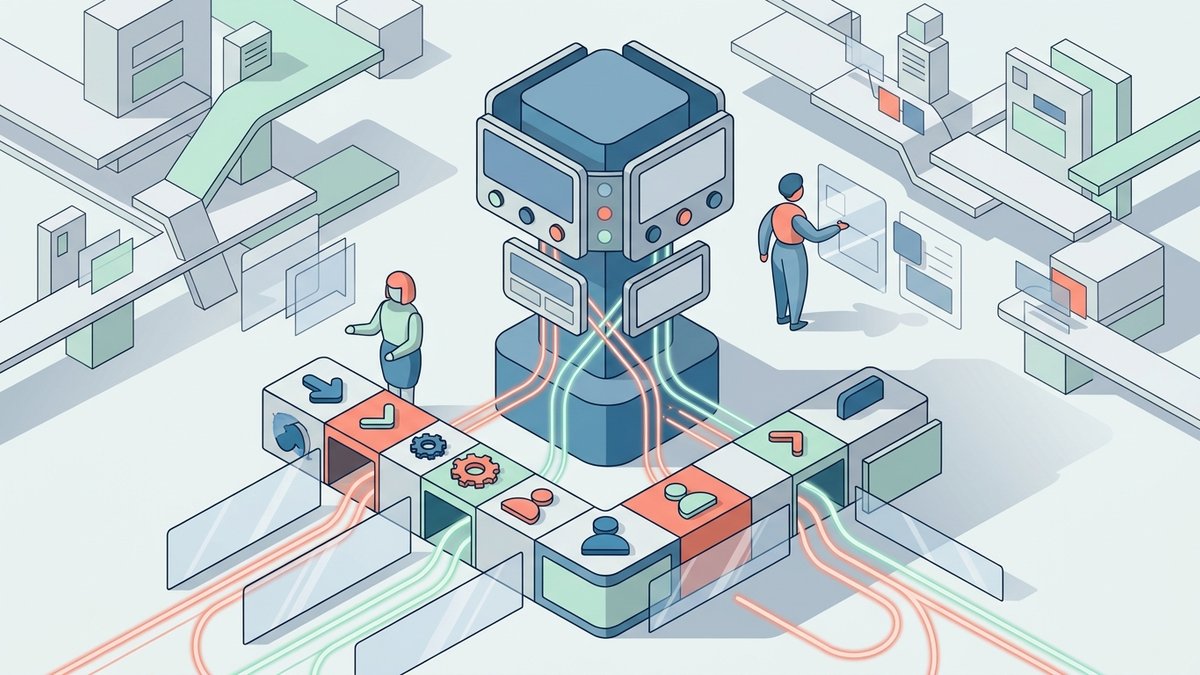
OpenClaw acts as the orchestration layer that connects these models to real workflows. Once you decide to run AI locally, the next step becomes clear: choosing the right model to plug into it.
This guide is based on real-world production experience from the OpenClaw community — not benchmarks. We've cross-referenced these community reports against our own testing and confirmed the key hardware thresholds hold. Here's what actually works, what hardware you need, and what to avoid.
TL;DR — Quick Reference
Model | Size | Best For | Min. Hardware |
Qwen3-Coder:32B | 32B | All-round production use | 32GB RAM/VRAM |
Devstral-Small-2-24B | 24B | Mac Studio users | 32GB unified |
GLM-4.7 Flash | 30B | Fallback / dual-model | 32GB RAM/VRAM |
Qwen3:8B | 8B | Light tasks / budget | 16GB RAM |
Why Running OpenClaw Locally Is Harder Than It Looks
Most guides make local setup sound easy: install OpenClaw, pull a model, done. They skip the part that actually matters.
OpenClaw isn't a simple chatbot. It's an agent framework with serious context demands. You may also see Ollama mentioned alongside OpenClaw. Ollama is a local model runtime that handles downloading, loading, and serving LLMs on your machine. In a typical setup, OpenClaw manages the workflow and logic, while Ollama runs the actual model behind the scenes.
According to community analysis published on RentAMac, OpenClaw's system prompt alone is 17,000 tokens. Add sub-agent context, tool definitions, and conversation history, and you need a minimum 32K context window just to get started — 65K or more for production use with sub-agents running in parallel.
That context doesn't just require a capable model. It eats RAM through the KV cache, on top of the model weights themselves. A 7B or 8B model running on 16GB hardware can technically load and respond — but it will hallucinate tool calls, produce malformed JSON, and loop endlessly on tasks that a larger model handles in a single pass. Community sources like Clawdbook note that models under 14B are prone to instability in agent workflows, while 32B+ models are generally much more reliable.
There's another constraint most people don't mention: prompt injection risk. According to OpenClaw's official documentation, smaller or heavily quantized models have weaker defenses against prompt injection — a real concern when your agent is handling emails, calendar events, and file management on your behalf.
The Minimum Bar Your Hardware Needs to Hit
OpenClaw itself is lightweight — roughly 300–500 MB of RAM for the daemon, plus around 100 MB per messaging channel. The hardware question is really about the model.
Here's the practical hardware breakdown based on community testing, as documented by Clawdbook and RentAMac:
Hardware | What You Can Run | Real-World Experience |
16GB RAM / 8–16GB VRAM | Qwen3:8B, GLM-4.7 Flash lite | Usable for simple tasks only; expect occasional failures on complex chains |
32GB unified (Mac Studio M1 Max / M2 Pro) | Devstral-24B, Qwen3-Coder:32B at Q4 | Sweet spot — reliable production use |
32GB VRAM (RTX 4090) | Qwen3-Coder:32B | Strong performance, ~20 tok/s |
48GB+ VRAM / 64GB unified | Qwen3:72B, Llama 3.3:70B | Near cloud-model quality |
One important note on speed: on a 32B model with an RTX 4090, expect roughly 20 tokens per second. Cloud APIs typically deliver 80–150. The gap is noticeable during long code generation or complex multi-step tasks.
The Best Local Models for OpenClaw
Everything below is based on real-world production setups reported by the community, not synthetic benchmarks.
1. Qwen3-Coder:32B — Community #1 Pick
Qwen3-Coder:32B is the consistent community consensus pick for OpenClaw, according to Clawdbook's 2026 model guide. The reason: extremely stable tool calling. It rarely hallucinates function calls or drops parameters — which is the failure mode that breaks agent workflows most often.
It runs at roughly 20GB on disk at Q4_K_M quantization, plus 4–6GB for KV cache at 65K context. That means you need 32GB of RAM or VRAM to run it comfortably. On Apple Silicon, it performs particularly well thanks to unified memory architecture.
Run: ollama pull qwen3-coder:32b
Best for: Anyone who wants a reliable all-round local model for production OpenClaw use.
2. Devstral-Small-2-24B — The Mac Studio Proven Pick
Devstral-Small-2-24B is what Ian Paterson — an OpenClaw community contributor documented by RentAMac — runs on a 32GB Mac Studio M1 Max in production. About 14GB on disk at Q4_K_M. Stable tool calling at 13.2 tokens per second. Two weeks in production without a single failure.
If you're on Apple Silicon with 32GB unified memory and want something slightly lighter than Qwen3-Coder:32B, this is your model.
Run: ollama pull devstral-small-2-24b
Best for: Mac Studio and Mac Pro users who want a proven, stable production model.
3. GLM-4.7 Flash — The Essential Fallback
GLM-4.7 Flash occupies a specific and important role: it's the best fallback model in the ecosystem, according to Clawdbook's community consensus guide. OpenClaw supports dual-model rotation, and the combination of Qwen3-Coder:32B as primary and GLM-4.7 Flash as fallback is the most widely recommended setup in the community.
GLM-4.7 Flash has very precise tool calling. Its main weakness is occasional context drift on very long conversations — which is exactly why it works better as a fallback than a primary.
Run: ollama pull glm-4.7-flash
Best for: Pairing with Qwen3-Coder:32B as a dual-model fallback setup.
4. Qwen3:8B — The Lightweight Option
If you have 16GB of RAM and want to experiment before committing to bigger hardware, Qwen3:8B is the community's recommended starting point. DataCamp's OpenClaw + Ollama tutorial uses it as the default for most laptops.
Be realistic about its limitations: complex multi-step reasoning, multi-file edits, and long conversation memory will struggle. It's well-suited to light tasks — email drafts, simple scheduling, basic file management — where you can tolerate occasional retries.
Run: ollama pull qwen3:8b
Best for: Budget setups or anyone starting out before upgrading hardware.
The Runtime Matters Too: Ollama vs LM Studio
Choosing a model is only part of running OpenClaw locally. You also need a runtime to actually load and serve that model.
OpenClaw does not run models by itself. It sends structured prompts and tool calls to a local endpoint, which means you need a layer that can host the model, manage resources, and return responses. This is where tools like Ollama and LM Studio come in.
The choice of runtime directly affects how you use your model. Some runtimes are designed for automation and integration, which works better for agent workflows. Others are designed for testing and interaction, which makes model comparison easier. So while the model determines capability, the runtime determines how that capability is actually used inside OpenClaw.
Ollama is built for integration with OpenClaw-style workflows.
It exposes a simple local API, making it easy for OpenClaw to send requests, call tools, and run multi-step tasks automatically. If your goal is to build a working system — not just test a model — Ollama fits naturally into that setup.
LM Studio is built for exploring and comparing models.
Its graphical interface makes it easy to download models, run quick chats, and adjust parameters. This is useful earlier in the process, when you are still deciding which model performs best for your use case. However, it is less suited for continuous workflows or deeper integration with tools like OpenClaw.
LM Studio — the runtime Ian Paterson uses in production — handles streaming tool calls correctly and provides a GUI for model testing alongside an API at localhost:1234. OpenClaw's official documentation lists LM Studio + MiniMax M2.5 as the recommended local stack for higher-end setups.
Runtime | Best For | Key Note |
LM Studio | Most users — correct tool call handling, GUI for testing | Recommended by OpenClaw official docs |
Ollama | Easiest setup, widest model support | Set stream: false or use native endpoint |
vLLM | Dedicated GPU inference servers | Best throughput; more setup required |
Your AI Receptionist, Live in Minutes.
Scale your front desk with an AI that never sleeps. Solvea handles unlimited multi-channel inquiries, books appointments into your calendar automatically, and ensures zero missed opportunities around the clock.
Frequently Asked Questions
What local models work best with OpenClaw?
The community consensus in 2026 is Qwen3-Coder:32B as primary and GLM-4.7 Flash as fallback — known as the "Local God Team." For Mac Studio users, Devstral-Small-2-24B is a proven alternative. All require 32GB of RAM or VRAM to run reliably.
How do I run OpenClaw with a local model?
Install Ollama or LM Studio, pull your chosen model, then configure OpenClaw in ~/.openclaw/openclaw.json with the model's baseUrl. For Ollama use http://localhost:11434/v1. Set stream: false to avoid the tool call streaming bug.
How much RAM do I need to run a local model with OpenClaw?
32GB is the practical minimum for reliable production use. OpenClaw's system prompt is 17,000 tokens, and with sub-agent context you need 65K+ context in production — which requires significant RAM for the KV cache on top of model weights. 16GB works for smaller models and simple tasks only.
The Bottom Line
Local models for OpenClaw are absolutely viable in 2026 — but only if you're realistic about the hardware requirements and model size floor. The community has done the testing. The answer is Qwen3-Coder:32B plus GLM-4.7 Flash, running on 32GB or more, served through LM Studio for the most reliable experience.
Start with Qwen3:8B on whatever hardware you have if you want to experiment. When you hit its ceiling — and you will — upgrade to the 32B stack. While you're building your local stack, it's also worth knowing which OpenClaw skills are worth installing first — the two decisions go hand in hand.
While running local models gives you control and privacy, combining them with specialized tools can transform your business operations. If you're looking to automate customer interactions, check out our deep dive into the best AI receptionist for small business to see how AI handles front-desk tasks, or explore the latest AI phone agent solutions for high-volume voice automation.