If you're choosing between Guru and Notion for a knowledge base, the products are pulling in two different directions. Guru is built around a single idea: every answer in your KB has a named owner who has verified it within a known timeframe. Notion is built around a different idea: any team should be able to shape a workspace into whatever it needs — wiki, project tracker, database, sprint board, customer FAQ — without a strict ownership model. Both can hold a knowledge base. They optimize for different problems.
This comparison focuses on the knowledge-base use case specifically: a single source of truth a team or a customer-facing AI relies on for answers that have to be right. Because a wrong answer in a KB does real damage — refunds get quoted incorrectly, support tickets escalate, AI receptionists hallucinate — the verification model matters more than it does for a project doc. We'll go through pricing, structure, search, AI integrations, and the use cases where each tool wins.
Skim the TL;DR if you want a 30-second answer; read the full comparison if you're picking the platform a 20-person team will rely on for the next two years.
TL;DR
Feature | Guru | Notion |
Best for | Internal knowledge management with strict verification workflows; CS, sales-enablement, and IT teams who can't tolerate stale answers | Flexible all-in-one workspace with KB as one of many use cases; startups and product teams |
Free plan | None (custom pricing only with $250/month effective floor for the smallest tier) (Guru Pricing) | Free for individuals; limited blocks for shared workspaces (Notion Pricing) |
Starting price (annual) | $25/seat/month with 10-seat minimum = $250/mo effective floor (Guru Pricing) | $10/user/month (Plus) (Notion Pricing) |
Knowledge base structure | Cards, Collections, and Boards with mandatory expert ownership | Pages, sub-pages, linked databases |
Search capability | AI Knowledge Agents with cited answers; Slack/browser extension delivers in-context | Workspace search + Notion AI for natural-language queries on paid plans |
AI integration | Knowledge Agents trained on verified content; permission-aware citations | Notion AI bundled in Business+; Custom Agents at $10 per 1,000 monthly Notion credits |
Verification workflow | Built-in: every card has an owner and a verification cadence | Not native; can be approximated with database properties |
Who it's for | Mid-size and enterprise teams (10+ seats) where answer accuracy is mission-critical | Solo founders, startups, product teams, and any org that wants the KB to live alongside other workspace content |
The short version: if a stale or unverified answer would cause real damage in your business, Guru's verification-first model justifies the higher floor cost. If your team is small, the KB is one of several things you need a workspace to do, and you can enforce content quality through process rather than through the tool, Notion is the better economic and ergonomic choice. The 4.7-vs-4.5 review gap on Gartner Peer Insights reflects that fit difference rather than overall product quality.
A note on pricing: Guru's pricing structure changes more often than most enterprise SaaS — the 10-seat minimum and per-seat rate were verified against the official pricing page on the publication date. Notion's tiers are stable but discounts and credit packages do shift. Re-check both before signing a contract.
What Is Guru?

Guru is an AI-powered knowledge management platform built specifically for the internal-knowledge-base use case. Content is organized as Cards (the smallest unit, equivalent to a single answer), grouped into Collections (subject areas), and surfaced through a browser extension, Slack and Microsoft Teams integrations, and AI Knowledge Agents that produce cited answers from the verified KB.
The defining feature is verification. Every Guru Card has a designated expert owner and a verification cadence (e.g. every 30, 60, or 90 days). When a card's verification expires, Guru flags it and routes it back to the owner for review. This forces a maintenance loop that most knowledge bases lack — there's no quiet decay where last year's pricing slowly becomes today's incorrect answer. AI Knowledge Agents are restricted to verified content and produce cited answers permission-aware, which makes Guru the safer foundation for an AI assistant that surfaces answers internally. Can't decide which questions to include? Use the AI FAQ generator tool — it ranks them by likely search demand.
The trade-offs come from the same model. Verification is overhead — small teams without dedicated knowledge owners often skip the process, which defeats the purpose. The 10-seat / $250-per-month effective floor makes Guru economically wrong for teams under 10 people, and the per-seat rate at $25/seat/month annual ($30/seat/month monthly billing) is meaningfully higher than Notion or Tettra. Guru is also internal-knowledge-first; if you need a tool that doubles as a project workspace, a customer-facing wiki, or a CMS, you'll be combining Guru with other tools rather than consolidating into it.
What Is Notion?
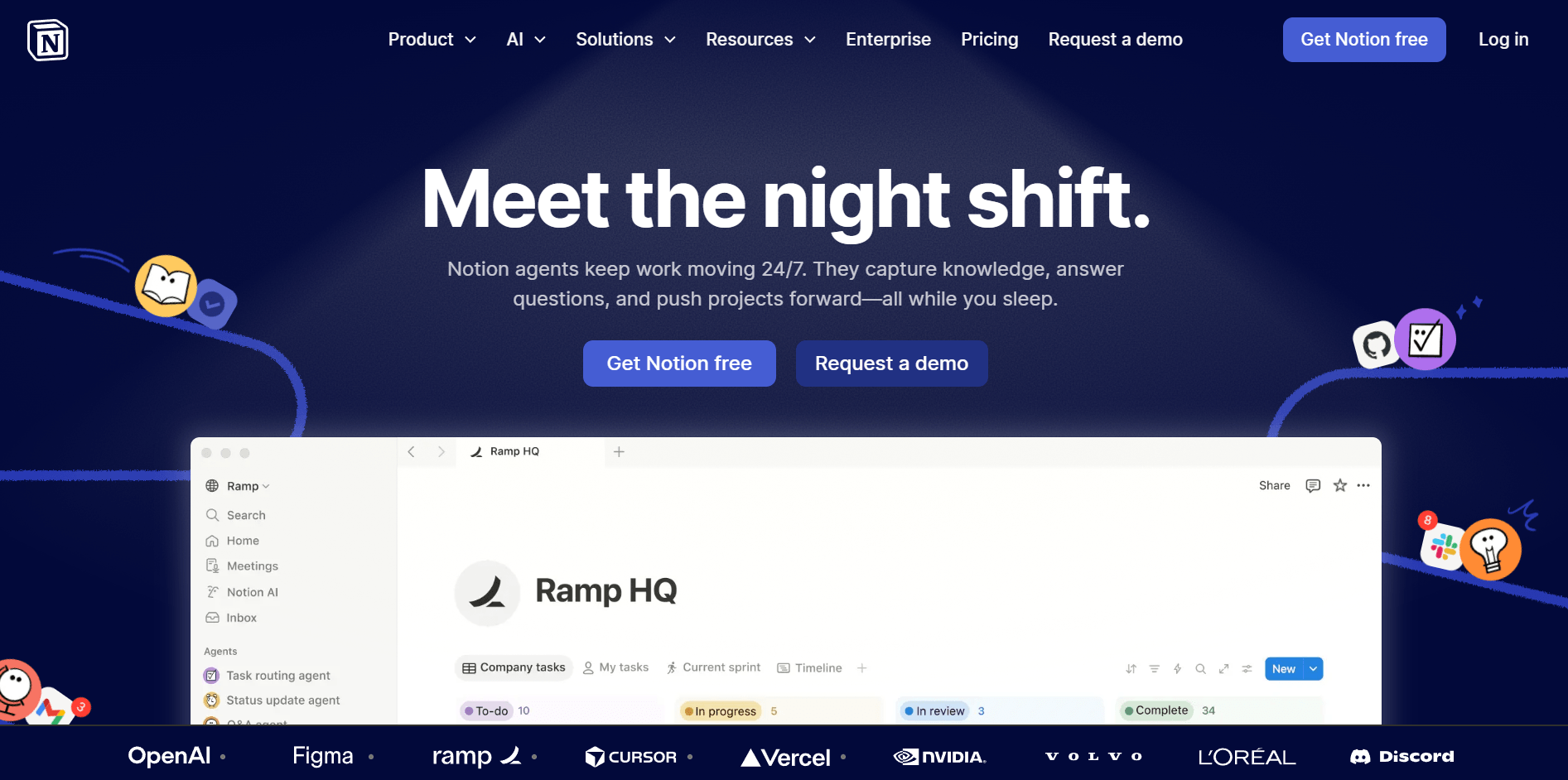
Notion is a block-based collaborative workspace that combines documents, databases, and project management. Each page is built from blocks — text, headings, tables, embeds, databases — that nest, link, and query each other. As a knowledge base, Notion's strength is flexibility: a customer support KB can live in the same workspace as engineering RFCs, marketing planning, and a CRM, with shared properties and cross-links between them.
Pages can be nested infinitely; linked databases let one piece of content surface in multiple places without copy-paste drift; templates accelerate repeated work; and Notion AI (included on the Business plan, trial on Free and Plus) summarizes pages, drafts content, and answers questions in natural language across the workspace. Notion has 4.5 stars across 115 reviews on Gartner Peer Insights — strong, with a slight gap to Guru's 4.7 stars across 130 reviews, a gap that mostly tracks "is your team using the right tool for the job."
The structural cost is that Notion does not enforce ownership or freshness. A Notion page that describes your refund policy will sit there forever, accurate or not, until a human notices and fixes it. Teams build verification workflows manually using database properties (Last Reviewed, Owner, Status), but this is a process layer, not a product feature. Performance can lag on very large workspaces (10,000+ pages with heavy media), and the permission model — while improved — is less granular than enterprise document systems. For a regulated industry KB or a CS team where one wrong answer triggers a refund, the lack of native verification is a real gap.
Guru vs Notion for Knowledge Base: Detailed Comparison
Structure & Organization
Dimension | Guru | Notion |
Primary unit | Card (single answer with owner + verification cadence) | Page (with nested blocks) |
Hierarchy | Collections → Boards → Cards | Pages → sub-pages → blocks |
Cross-linking | Card-to-card mentions | Native page mentions and synced blocks |
Ownership model | Mandatory: every card has an owner | Optional: enforced through process |
Database/structured content | Limited tables on cards | Built-in databases with views, filters, properties |
Guru's Card model is intentionally constrained. Each Card answers one question or covers one topic; longer documents are encouraged to break apart into multiple linked Cards. This works well for FAQ-style content and is a poor fit for narrative, multi-section knowledge (architecture decision records, product roadmaps, design specs).
Notion's page-based model is the inverse: a single page can hold a 5,000-word architectural overview with embedded databases, linked sub-pages, and inline mentions. The structure is set by the team, not the tool.
For a customer support KB, Guru's structure pushes you toward the right shape — short, atomic answers with named owners. For an engineering or product KB, Notion's structure handles longer narrative content better.
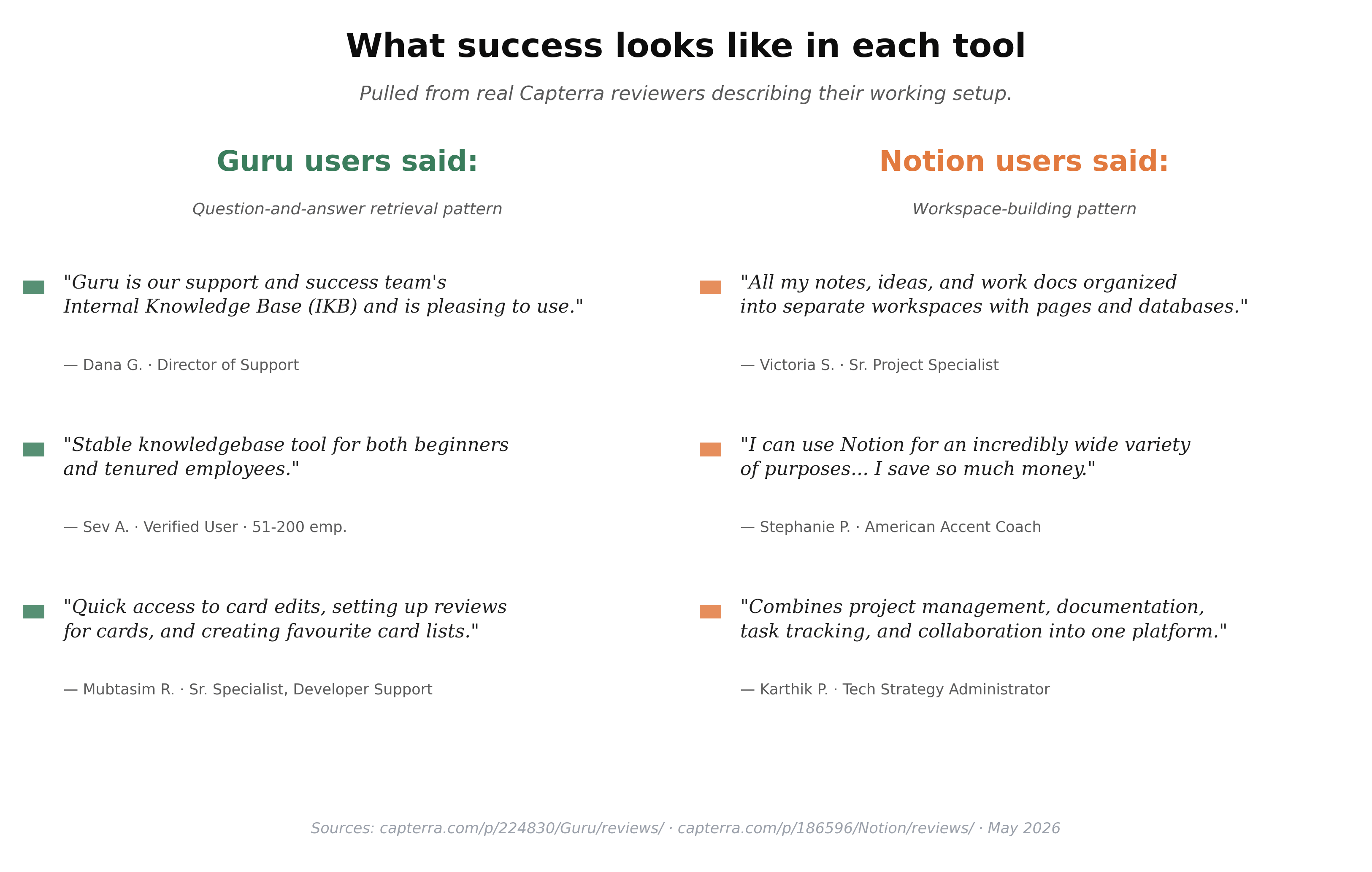
Beyond features, the working pattern for each tool looks measurably different in real reviews. On Guru's Capterra page, successful users describe a question-and-answer retrieval pattern — *"Internal Knowledge Base (IKB) and is pleasing to use"* (Dana G., Director of Support), *"quick access to card edits, setting up reviews for cards"* (Mubtasim R., Sr. Specialist, Developer Support). On Notion's Capterra page, successful users describe a workspace-building pattern — *"all my notes, ideas, and work docs organized into separate workspaces with pages and databases"* (Victoria S., Senior Project Specialist), *"combines project management, documentation, task tracking, and collaboration into one platform"* (Karthik P., Tech Strategy Administrator). Different verb. Different tool category, despite the surface overlap.
Search & Retrieval
Both tools have invested heavily in AI search. Guru's Knowledge Agents produce conversational answers with citations to specific Cards, restricted to verified content, and surface those answers inside the tools your team already uses (Slack, Chrome, Teams). Because every cited card is verified, the answers are trustworthy by construction. Notion's AI search is more flexible — it can answer across any content in the workspace, summarize, draft, generate — but doesn't distinguish between verified and unverified content, so the user has to apply the same judgment they would when reading any Notion page.
For internal teams whose biggest problem is "I know the answer is somewhere in our docs but I can't find it," Guru's targeted, in-context delivery (browser extension, Slack bot) usually produces better outcomes than navigating to a separate workspace. For teams whose problem is "we want flexible AI to do many things across our content," Notion AI is broader.
Team Collaboration
Both support real-time editing, comments, mentions, and version history. The difference is in workflow:
- Guru enforces an answer→verify→publish flow. Cards in draft can be reviewed before going live; published cards are subject to expiration and re-verification. This is overhead for small teams and a feature for teams that have been bitten by stale-answer incidents.
- Notion is a free-form collaboration tool. Comments, mentions, and version history exist; ownership and verification are conventions the team enforces.
If your team has a "knowledge owner" role or a docs-as-code culture, Guru's structure aligns naturally. If your team treats documentation as a shared write-when-needed asset, Notion's looser model fits better.
AI Integration
This is where the gap is widening fastest, and where each tool's philosophy is most visible.
Guru AI Knowledge Agents are designed around verified content and cited answers. The agent answers a Slack message or a chat with the exact Cards backing the response, and surfaces nothing from unverified sources. AI credits are bundled into the platform plan; usage limits apply. Guru pitches this as "trusted, cited AI answers" — it's the strongest implementation of grounded AI in any KB tool today.
Notion AI is broader: workspace search, summarization, content generation, multi-step Custom Agents. On the Business plan, Notion AI is included; Custom Agents are billed at $10 per 1,000 monthly Notion credits (Notion Pricing). The trade-off is that Notion AI doesn't restrict itself to verified content because Notion has no verification primitive — answers may cite older or unreviewed pages.
For external AI tooling (chatbots, AI receptionists, custom RAG pipelines), both tools have well-supported APIs. Most modern AI receptionist platforms can ingest exports from either tool.
Pricing
Plan | Guru | Notion |
Free | None (free trial only) | Free for individuals; limited shared blocks |
Entry | $25/seat/month annual, 10-seat minimum = $250/mo floor (Guru Pricing) | Plus: $10/user/month annual (Notion Pricing) |
Mid | (Same starting tier with usage scaling) | Business: $20/user/month annual; Notion AI included |
Enterprise | Custom usage-based pricing (Guru Pricing) | Custom pricing |
Effective small-team cost | $250/month minimum | $10–$50/month for a 5-person team |
The pricing gap is the single largest practical difference. A 5-person team pays $250/month for Guru (10-seat minimum) versus $50/month for Notion Plus — $2,400/year versus $600/year. For a team that needs verification, the premium is justified. For a team that doesn't, it's not.
Both vendors update pricing periodically — re-check the official pricing pages before any procurement decision.
Which Should You Choose?
- Customer support team that lives in Slack with 10+ agents: Guru. The browser extension and Slack bot deliver the right answer where your team already works, and verification keeps refund/policy answers from drifting.
- Sales enablement team selling a complex product: Guru. Verified content + cited AI answers protect against the most expensive enablement failure mode (a rep telling a prospect something wrong).
- Solo founder or 2–9 person startup building a KB from scratch: Notion. The free tier and lower entry price match the team size; the verification need is small enough to enforce manually.
- Engineering or product team writing technical docs alongside the KB: Notion. Long narrative content, linked databases, and the broader workspace model fit better than Guru's atomic cards.
- Regulated industry (healthcare, financial services, legal): Guru. The verification + permission-aware AI citations are the closest off-the-shelf fit for compliance-sensitive answer governance.
- Team that needs the KB to also be the project workspace, the wiki, the marketing brief, and the design doc: Notion. Guru is single-purpose; Notion can be many things.
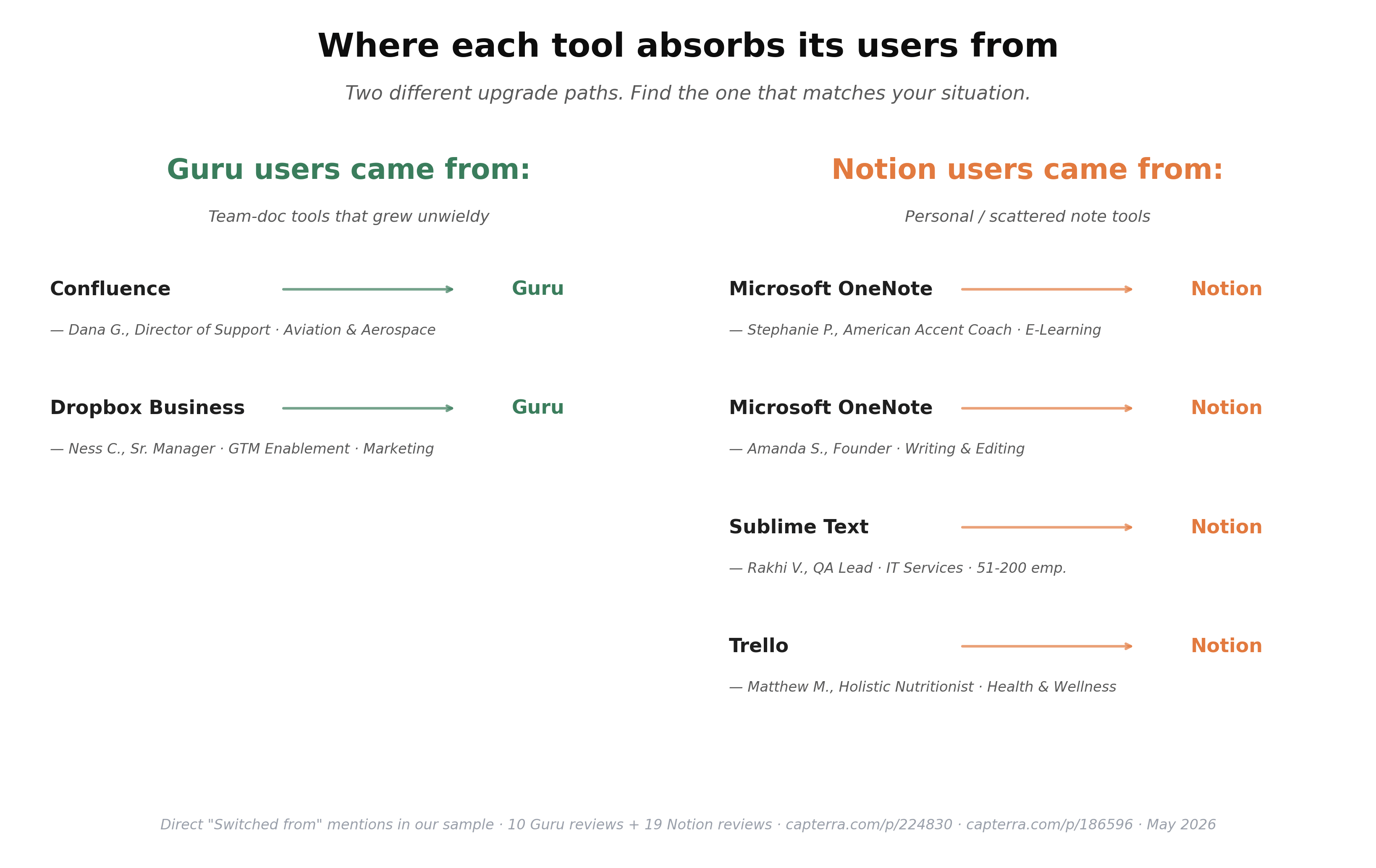
One quick way to tell which tool fits is to look at where each one's users came from. In our sample of Guru reviews on Capterra, "switched from" mentions cluster around team-doc tools that grew unwieldy — Confluence (a Director of Support at an Aviation & Aerospace firm) and Dropbox Business (a Sr. Manager of GTM Enablement). In our sample of Notion reviews, the migration story is the opposite — Notion absorbs people from personal or scattered note tools: Microsoft OneNote (×2 reviewers), Sublime Text, and Trello. If your current pain is "our internal docs are buried in Confluence," Guru is the upgrade. If it's "my notes are scattered across three apps," Notion is.
Beyond Guru vs Notion: Connecting Your KB to Customer-Facing AI
Once you've picked the internal KB tool, the next question is whether that knowledge surfaces beyond your team. Internal answers are one workflow; the same content driving customer-facing replies on phone, chat, or email is a separate one.
If you're evaluating either tool as the source for customer-facing AI, worth knowing: a service like Solvea connects to either platform and uses it as the source of truth for an AI receptionist that handles customer questions across phone, chat, and email.

Solvea ingests Guru exports or Notion exports (PDF, Word, Excel, CSV, TXT up to 20 MB per file) directly through Create Knowledge → Upload Document, so the choice between Guru and Notion doesn't lock you into one downstream AI tool. The walkthrough below covers the upload-and-test flow end to end:
Your AI Receptionist, Live in Minutes.
Scale your front desk with an AI that never sleeps. Solvea handles unlimited multi-channel inquiries, books appointments into your calendar automatically, and ensures zero missed opportunities around the clock.
FAQ
Q: Is Guru better than Notion for small teams?
A: For small teams (under 10 people), Guru's 10-seat $250/month minimum makes it economically wrong unless answer accuracy is mission-critical. Notion's $10/user Plus plan covers small-team KB needs at a fraction of the cost. For 10+ person teams where stale or unverified answers cause real damage, Guru's verification model justifies the premium.
Q: Can I use Guru or Notion as a knowledge base for my chatbot?
A: Yes for both. Guru content can flow into a chatbot via API integration or by exporting Cards to a file format the chatbot accepts. Notion content can flow via Markdown export, public-page website sync, or API. Solvea, for example, accepts both paths via its document upload feature. The choice of internal KB tool doesn't constrain your chatbot platform.
Q: How do I migrate from Notion to Guru (or the other way)?
A: From Notion to Guru: export Notion as Markdown, then use Guru's import tool to convert each Markdown file into a Card. You'll lose page hierarchy and need to re-establish ownership and verification cadences. From Guru to Notion: export Cards as a CSV or via the API, then import into Notion as a database. Cross-platform migration is rarely clean — most teams accept that some manual rework is needed.
Q: Is Guru really worth $250/month minimum?
A: It depends on what a wrong answer costs your business. For a CS team where an incorrect refund policy quote means a $200 refund processed wrong (and a churned customer), the verification model pays for itself within weeks. For a marketing team using the KB for internal docs, the premium is hard to justify. Run the math on your specific failure mode before deciding.
Q: Does Guru or Notion have better AI search?
A: They're optimizing for different things. Guru's Knowledge Agents are narrower but more trustworthy — they only cite verified content and produce permission-aware answers. Notion AI is broader and more flexible — it can summarize, draft, generate, and answer across any content but doesn't restrict itself to verified sources. For high-stakes answers, Guru's targeted approach wins; for general workspace AI, Notion's breadth wins.
Q: Can Solvea use either Guru or Notion as the source for an AI receptionist?
A: Yes. Solvea accepts uploads from either tool through Create Knowledge → Upload Document — PDF, Word, Excel, CSV, and TXT up to 20 MB per file. Guru users typically export their verified Cards to PDF or CSV and upload them; Notion users export Markdown and upload (converting to PDF first if needed). Either path produces a working AI receptionist that answers customer questions across phone, chat, and email from your verified knowledge.