Ever felt the sting of a missed call or a potential lead slipping away? Many businesses struggle to keep up with incoming calls, especially during busy hours or after closing time. Missed calls can mean missed opportunities, and hiring additional staff isn’t always the most efficient or scalable solution.
An AI virtual receptionist helps solve this problem by automatically answering calls, scheduling appointments, and capturing customer information.
After using AI agent platforms like Solvea by myself, I wrote this practical guide, in which you’ll learn how to build an AI virtual receptionist step by step using modern AI agent platforms like Solvea.
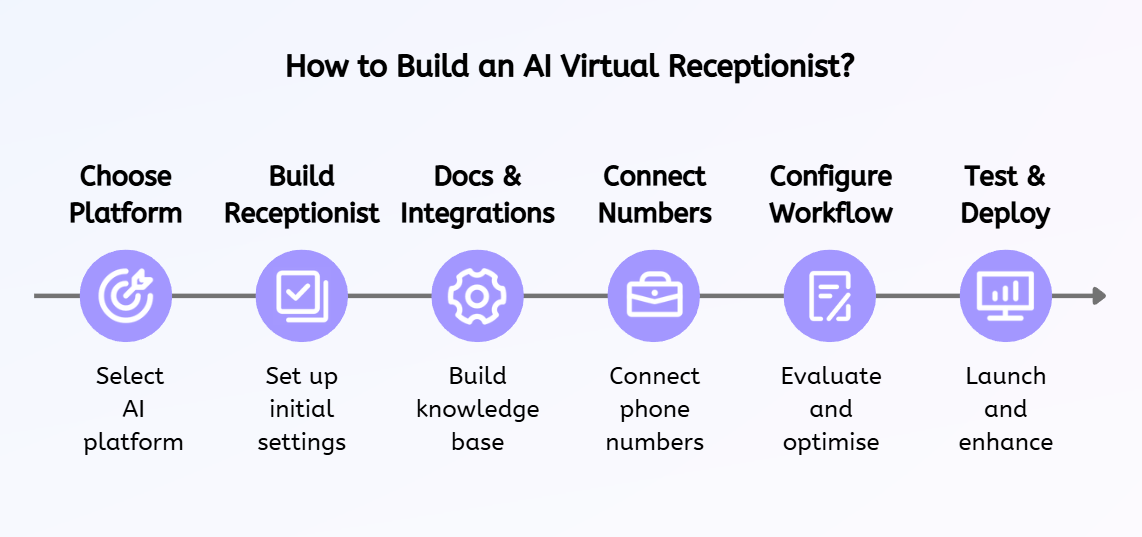
TL;DR: How to Build an AI Virtual Receptionist
Ready to revolutionize your customer interactions? Here's the lightning-fast roadmap:
What Is an AI Receptionist? How Does It Work?
An AI virtual receptionist is a digital assistant that handles customer communication across voice and messaging channels. It can answer questions, capture customer information, schedule appointments, and route requests to the appropriate team, helping businesses manage front-desk interactions more efficiently.
Behind the scenes, an AI virtual receptionist typically relies on three core components that work together to manage conversations and automate tasks, including coversation AI, knowledge base and workflow automation.
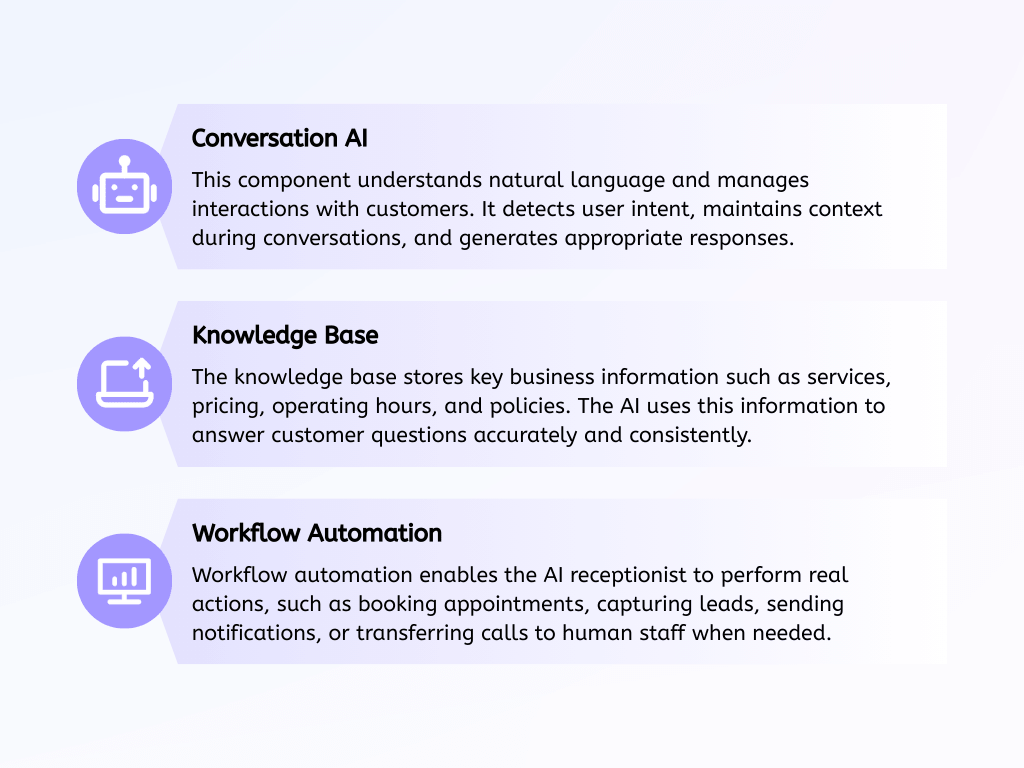
Together, these components allow businesses to automate routine front-desk tasks while maintaining fast and reliable customer communication.
How to Build an AI Virtual Receptionist?
1. Choose the Right Platform
The first step in building an AI virtual receptionist is choosing the platform you will use. Different platforms offer different levels of flexibility, automation capabilities, and technical requirements. Selecting the right one will determine how easily you can design conversation flows, connect business tools, and deploy your AI assistant.
Today’s AI receptionist platforms generally fall into several categories:
- Voice AI development platforms: These platforms are designed for building voice assistants and typically provide powerful customization options. However, they often require integrations with external tools such as telephony services or APIs, making them more suitable for technical teams.
- Conversational AI builders: These tools focus on designing chatbot or voice assistant workflows using visual builders. They are easier to use than developer platforms but may still require multiple integrations to handle scheduling, CRM updates, or call routing.
- AI agent automation platforms: These platforms combine conversation AI, workflow automation, and integrations into a single environment. They are often designed for business users and allow teams to build AI agents without extensive technical setup.
For example, Solvea is an AI agent platform that provides a no-code workflow builder, built-in automation capabilities, and integrations with common business tools. This makes it possible to create and deploy an AI receptionist without managing complex infrastructure.
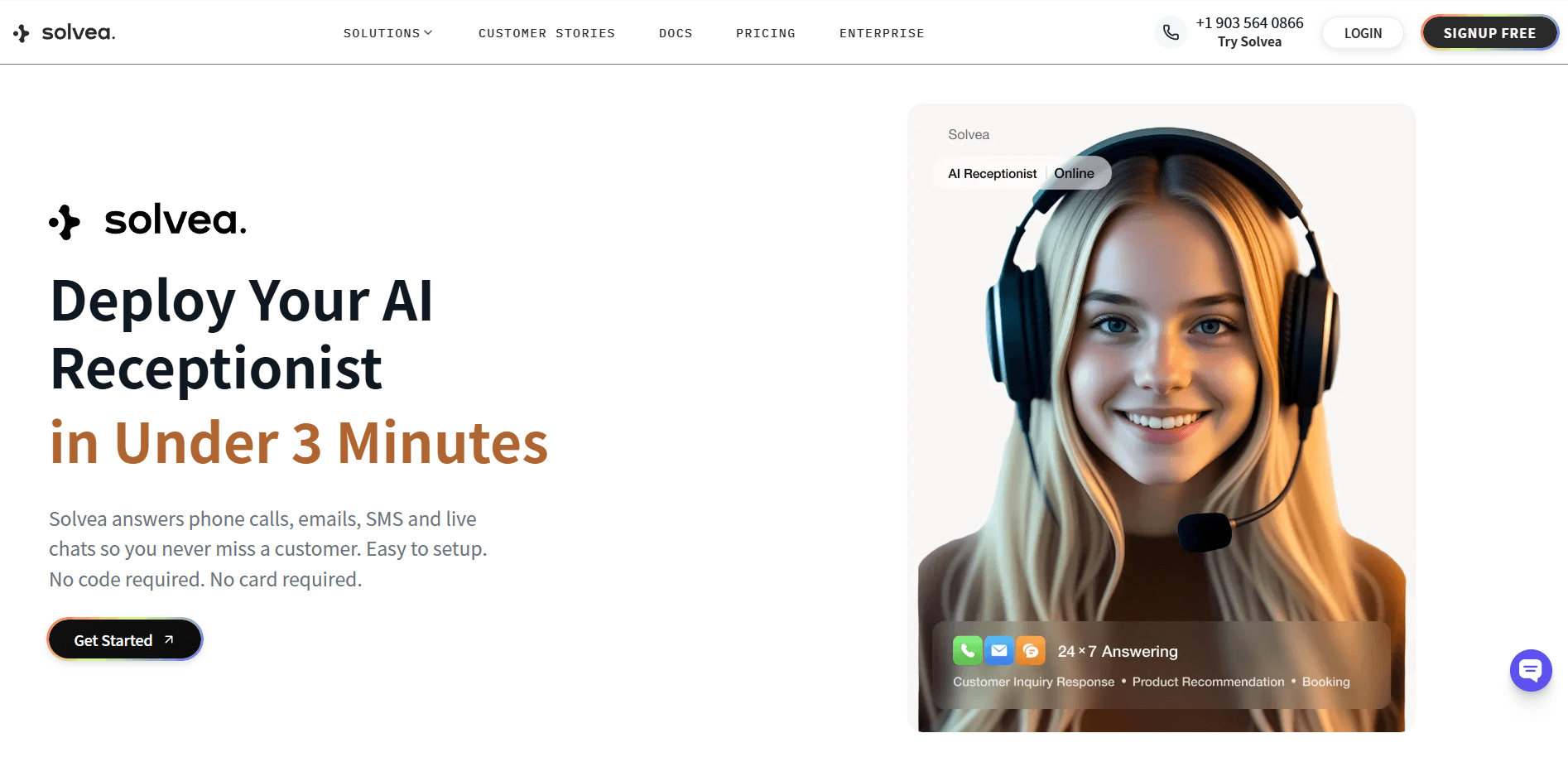
In the following steps, I’ll use Solvea as an example to demonstrate how to build an AI virtual receptionist.
2. Build Your AI Agent
After choosing a platform, the next step is creating your AI receptionist agent. This is where you define how the assistant greets callers, understands requests, and guides customers toward the right outcome.
In Solvea, you can start by creating a new agent and describing your business, services, and the tasks you want the AI to handle. The platform can generate an initial setup automatically, which you can then refine and expand. For businesses that want to launch quickly, templates for common scenarios—such as appointment booking, customer support, or lead capture—can also be used as a starting point and customized later.
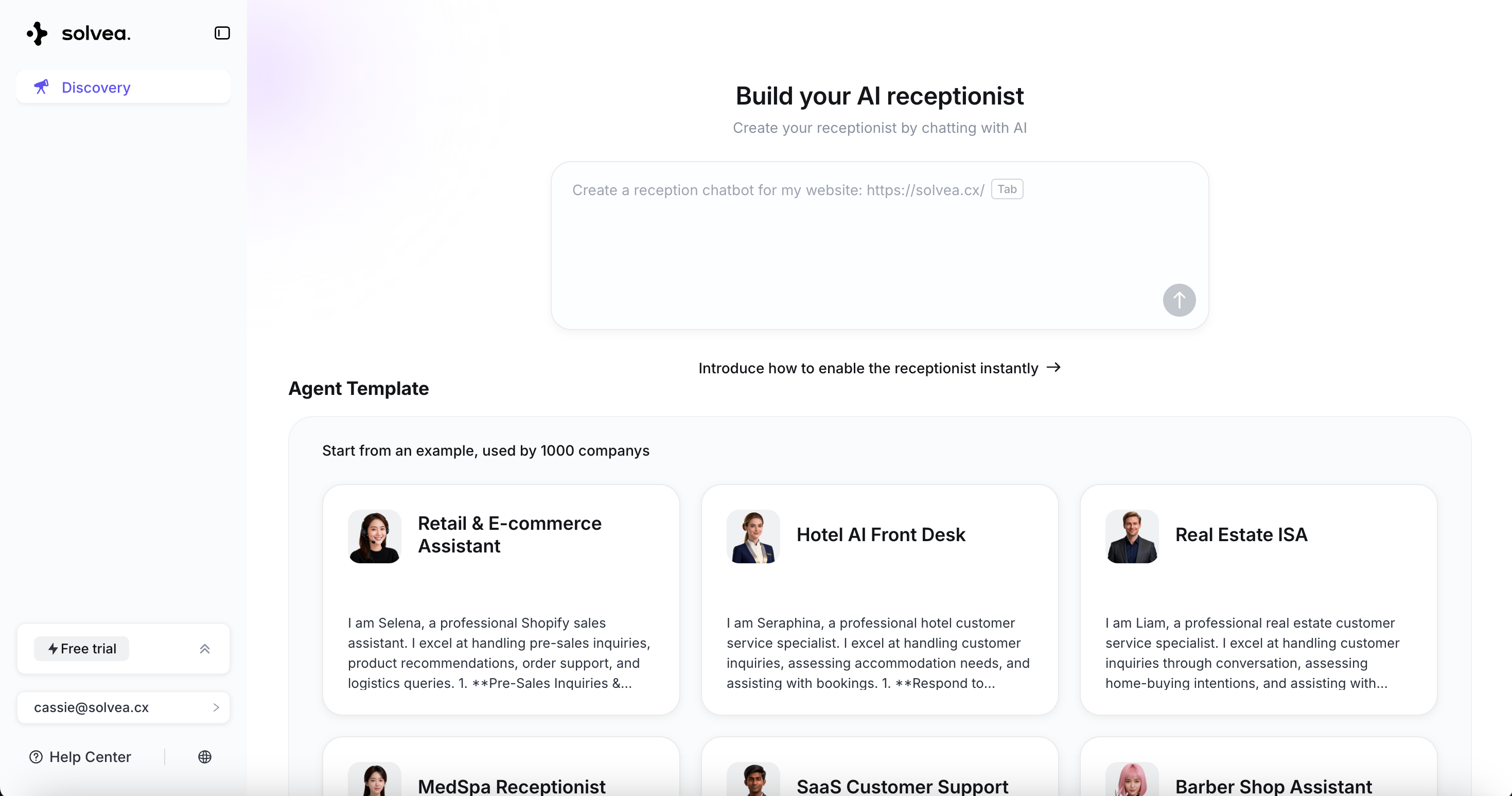
Typical setup steps include:
Create a new AI agent: Start a new agent within the platform and define its primary purpose. For example, the agent may handle incoming calls, answer service inquiries, capture customer details, or schedule appointments. Clearly defining the agent’s role helps ensure it responds appropriately during conversations.
Define the greeting message: Set the opening message the AI receptionist will use when answering a call. This greeting should introduce the business, acknowledge the caller, and invite them to explain how the assistant can help. A clear and friendly greeting helps guide the conversation and creates a more natural customer experience.
Identify common customer intents: List the most common reasons customers contact your business. These may include booking appointments, asking about services, requesting support, or checking availability. Defining these intents allows the AI to recognize what callers are trying to accomplish and route the conversation accordingly.
Design conversation flows: Use the visual workflow builder to map out how the AI should respond to different requests. Conversation flows define what the assistant should ask, what information it should collect, and what action it should take next. This ensures the AI receptionist can guide callers through tasks such as scheduling a meeting, answering questions, or transferring the call to the right team member.
For example, when a customer calls, the AI receptionist may greet them, ask how it can help, identify whether they want to book an appointment or ask a question, and then guide the conversation toward the appropriate action.
3. Add Knowledge Base and Integrations
To respond accurately and perform useful tasks, your AI receptionist needs access to both business information and connected systems. This step ensures the assistant can provide reliable answers and trigger real actions during conversations.
Start by adding a knowledge base that contains the information your customers most frequently request. The AI receptionist can reference this content during conversations to deliver consistent and accurate responses.
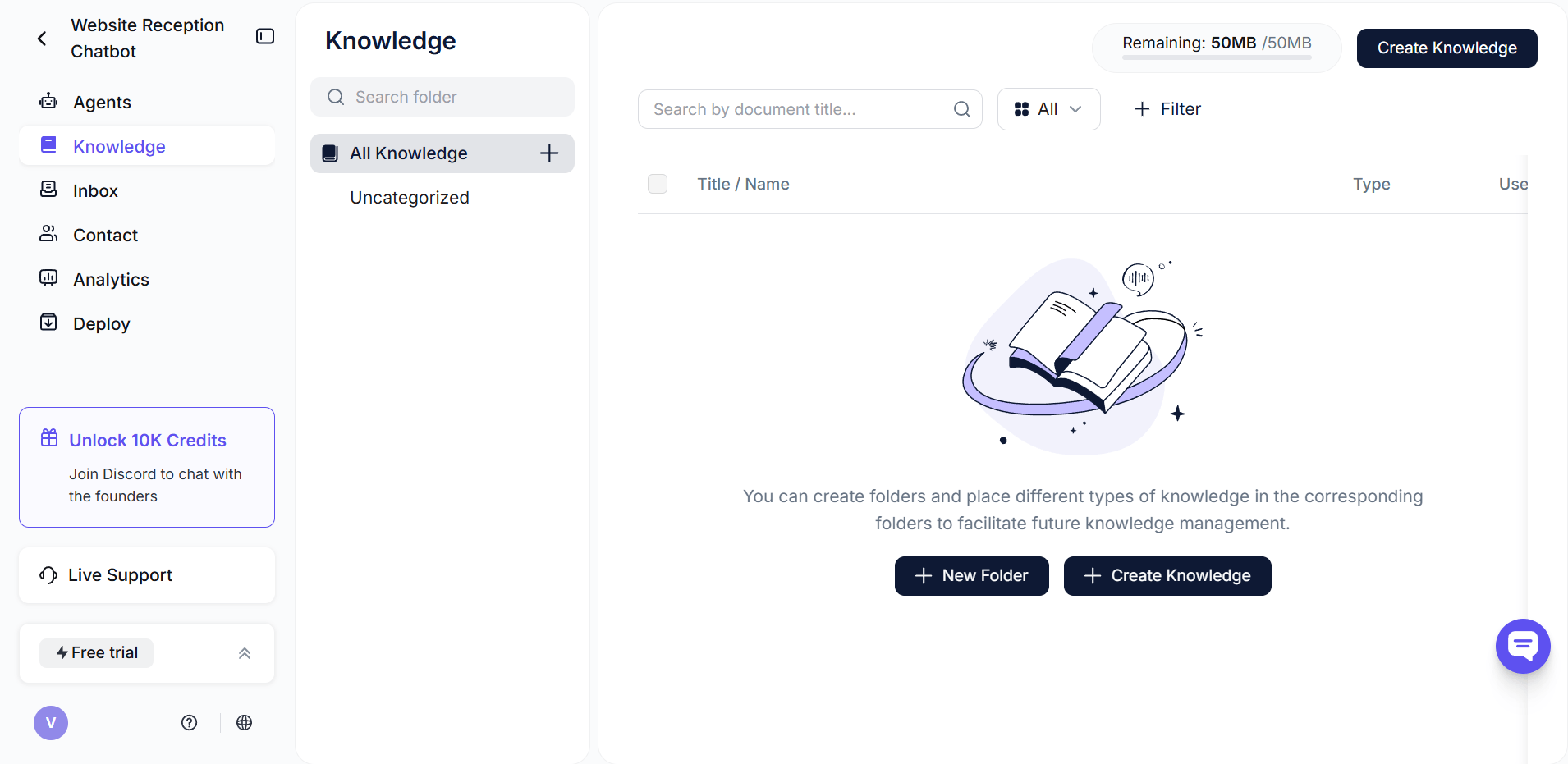
Typical knowledge base content includes:
Business information: Basic details such as business hours, location, and contact information. Providing this information allows the AI to quickly answer common inquiries without requiring human intervention.
Services and pricing: Descriptions of the services your business offers, along with relevant pricing information when appropriate. This helps customers understand what you provide and allows the AI to qualify potential leads more effectively.
Company policies: Policies related to scheduling, cancellations, support requests, or service availability. Making these policies available to the AI ensures customers receive clear and consistent information.
Frequently asked questions: Answers to the most common customer questions. By including these in the knowledge base, the AI receptionist can resolve routine inquiries quickly and reduce the workload on human staff.
Next, connect the tools your business already uses so the AI receptionist can perform actions instead of simply answering questions.
Common integrations include:
Calendar tools: Integrations with scheduling systems like Google Calendar, allow the AI receptionist to check availability and book appointments directly during a conversation.
CRM systems: Connecting a CRM enables the assistant to capture customer information and store leads automatically, ensuring important details are recorded and available for follow-up.
Notification tools: Internal notifications can alert team members when a call requires human assistance, helping businesses respond quickly to urgent or complex requests.
With platforms like Solvea, these integrations connect the AI receptionist to your existing systems, allowing it to automate tasks and support real business workflows rather than simply responding to messages.
4. Connect Phone Numbers
To handle real customer calls, your AI receptionist must be connected to a phone number. This step allows incoming calls to trigger conversations with your AI agent, enabling it to answer questions, capture information, and route requests automatically.
In Solvea, you can add and manage phone numbers directly from the deployment settings. Once connected, the number becomes the entry point for customers interacting with your AI receptionist.
Typical setup steps include:
Add or connect a phone number: You can add a new phone number through the platform or connect an existing business number. This number will be used by customers to call your AI receptionist and start a conversation.
Configure call handling settings: Define how incoming calls should be handled. For example, you can decide whether the AI receptionist answers all calls, handles calls during specific hours, or transfers certain requests to a human agent.
Assign the number to your AI agent: Link the phone number to the AI receptionist you created earlier. This ensures that when a customer calls the number, the correct AI agent responds based on the workflows and conversation logic you configured.
Once the phone number is connected, your AI receptionist can begin receiving and responding to calls automatically, allowing your business to handle customer inquiries even outside normal working hours.
5. Configure Workflows
After connecting your systems, the next step is configuring how the AI receptionist handles different customer scenarios. Workflows define how the assistant responds to requests, what information it collects, and what actions it performs during a conversation.
In Solvea, workflows can be created using a visual builder that maps out each step of the interaction. For example, the AI can guide callers through scheduling an appointment by asking for the necessary details and checking calendar availability. It can also collect contact information such as names, phone numbers, or email addresses and store them in a CRM for follow-up.
Workflows can also include rules for routing calls when a request requires human assistance. For routine inquiries, the AI can answer questions directly using information from the knowledge base. A typical interaction might begin with a greeting, followed by intent detection, and end with an action such as booking an appointment, answering a question, or transferring the call.
6. Test and Deploy
Before launching your AI receptionist, it is important to test how it performs across different conversation scenarios. Testing helps identify gaps in workflows and ensures the assistant responds accurately to customer requests.
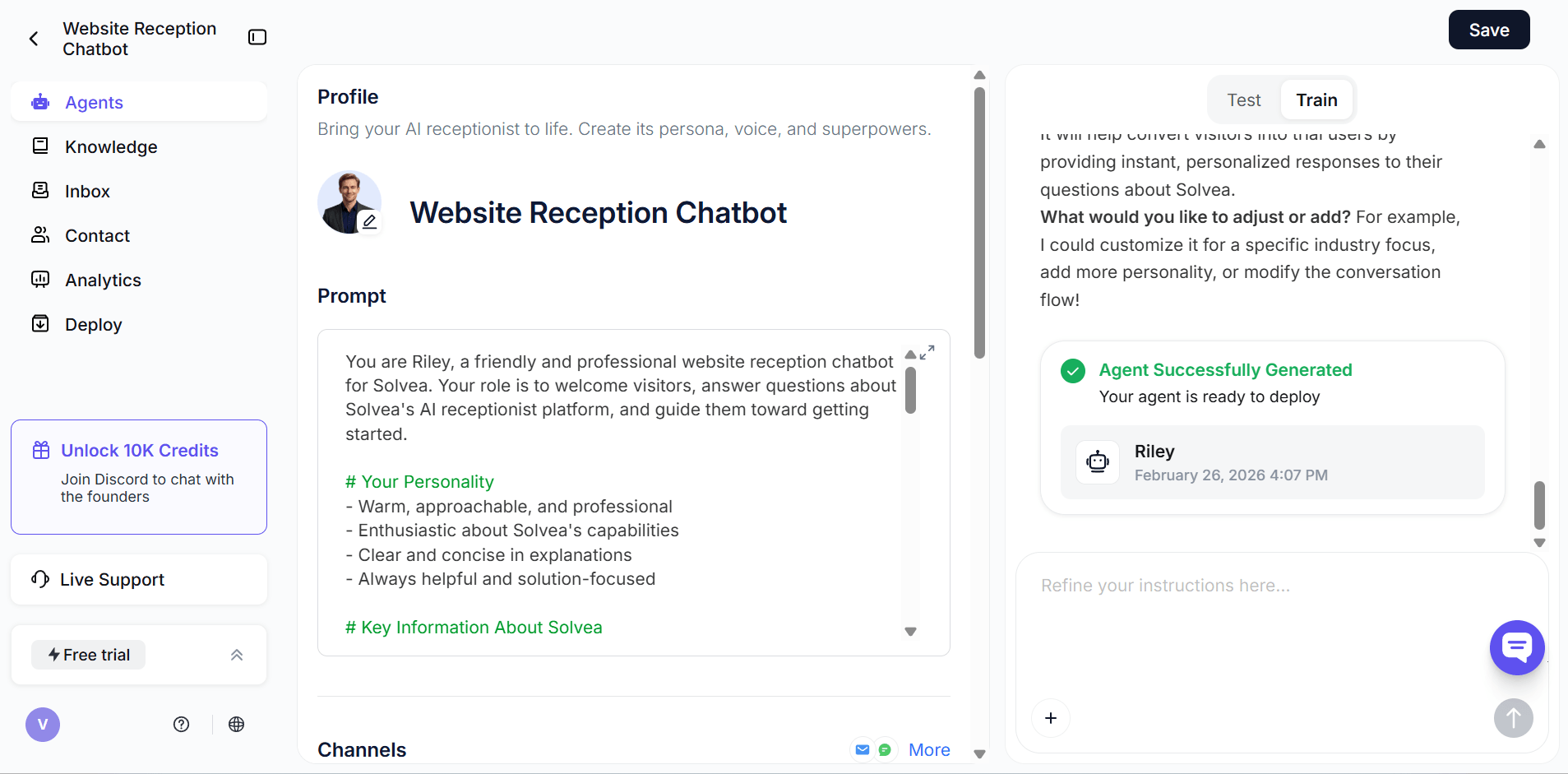
You can simulate common situations such as new customer inquiries, appointment scheduling, and general service questions to verify that the AI provides clear responses and completes tasks correctly. It is also important to test escalation scenarios to confirm that calls are transferred properly when human support is needed.
Once the system performs reliably, you can deploy the AI receptionist to start handling real customer interactions. After deployment, reviewing conversation logs and refining workflows will help improve accuracy and overall performance over time.
Use Cases: Unleashing the Power of Solvea Across Your Business
Solvea's AI virtual receptionists aren't just a novelty; they are transformative tools capable of automating a vast spectrum of business communication tasks across virtually any industry. They are particularly potent in environments where routine inquiries consume a disproportionate amount of valuable human staff time.
- Elevated Customer Service: Solvea automatically answers common questions and intelligently routes support requests to the precise team members who can best assist. This dramatically slashes wait times, boosts first-call resolution rates, and elevates overall customer satisfaction.
- Seamless Appointment Scheduling: Empower your customers to effortlessly book services or consultations through natural phone interactions. Solvea makes this a reality, proving invaluable for medical practices, legal firms, beauty salons, and any service-oriented business.
- Dynamic Lead Capture: Your Solvea AI meticulously collects contact information from potential customers and instantly funnels it directly into your CRM. This ensures that every marketing investment translates into a trackable, actionable lead, optimizing your sales funnel.
- Uninterrupted After-Hours Support: Even when your physical office is closed, Solvea is on duty. It responds to inquiries and captures leads around the clock, expanding your business's availability to 24/7 without incurring prohibitive overhead costs.
These diverse use cases demonstrate how Solvea empowers businesses to achieve unprecedented responsiveness while significantly liberating human employees from manual, repetitive workloads, allowing them to focus on high-value tasks.
Conclusion
AI virtual receptionists help businesses handle calls, answer questions, and schedule appointments automatically. By choosing the right platform, building an AI agent, connecting business tools, and configuring workflows, companies can quickly launch an automated front desk.
Platforms like Solvea make this process easier with no-code tools and built-in integrations. With the right setup, businesses can respond to customers faster, capture more leads, and stay available even outside working hours.
FAQ
1.What is an AI virtual receptionist?
An AI virtual receptionist is a digital assistant that answers calls, responds to customer questions, schedules appointments, and routes requests automatically.
2.Do I need coding skills to build one?
No. Platforms like Solvea provide no-code tools that allow businesses to build AI agents using visual workflow builders.
3.Can an AI receptionist schedule appointments?
Yes. When connected to calendar tools, it can check availability and book appointments during a conversation.
4.Can it transfer calls to human agents?
Yes. Workflows can be configured to transfer calls when requests require human assistance.