What a phone answering system should fix
After-hours callers leave vague voicemails.Busy periods create parallel missed calls.Notes are scattered across phones and spreadsheets.Managers cannot see what happened after a call.
Answering calls should not create another inbox. Solvea turns missed and after-hours calls into summaries, owners, and next steps.
Scenario
A traditional answering service takes a message. Solvea connects the call to the same customer thread your team uses for follow-up.
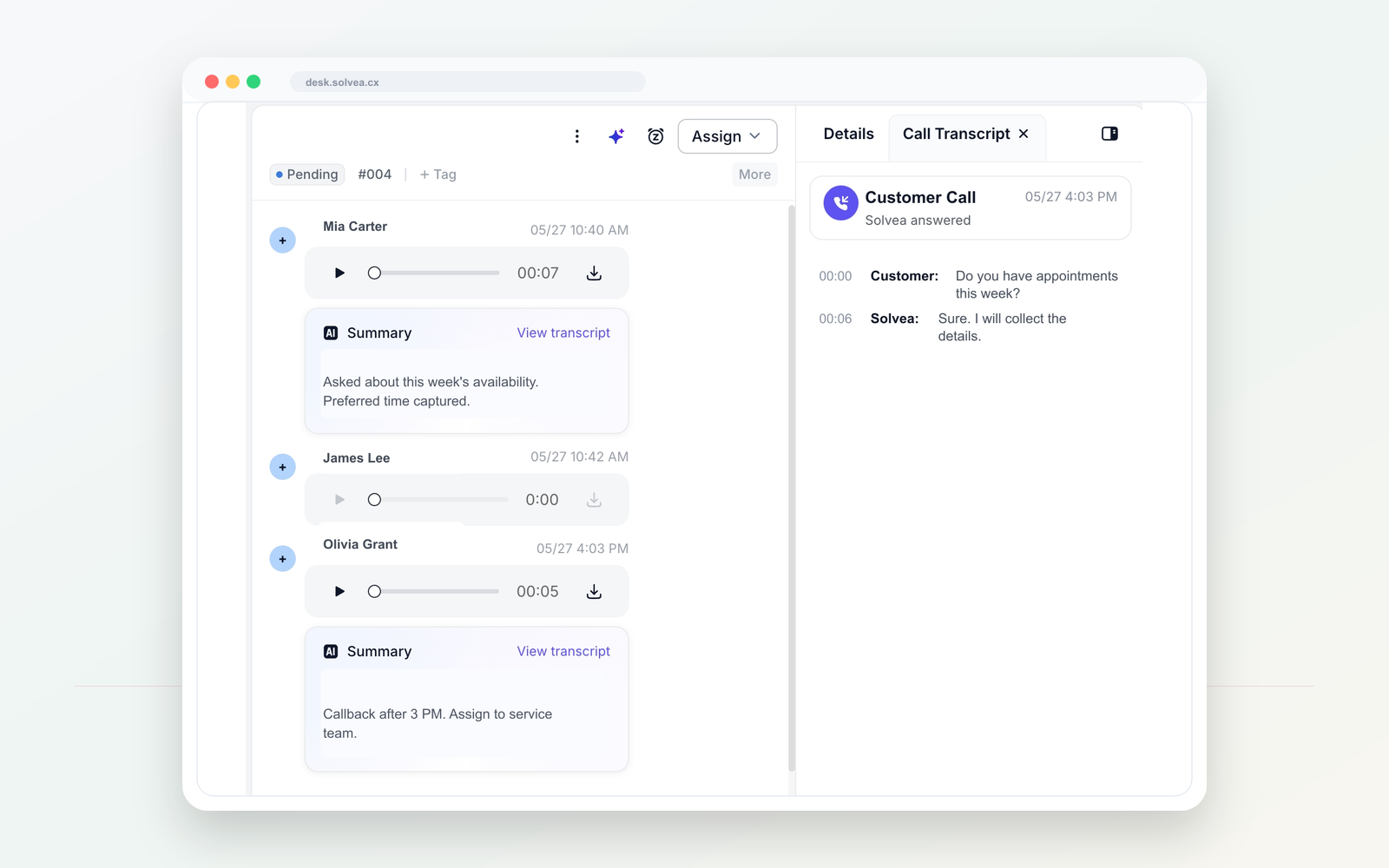
A customer call should become a clear record your team can act on from mobile or PC.
Workflow
Use one dedicated line for customer calls and texts, separate from personal phones.
Tell Solvea how to greet callers, what to ask, and when a human should follow up.
When the team is busy or closed, AI can answer and collect the caller intent.
Summaries, transcripts, owners, statuses, and notes stay in PC Desk.
Compare
Traditional services focus on taking messages.
Solvea focuses on answer, summary, customer thread, and follow-up.
Phone systems route calls but often leave context elsewhere.
Solvea keeps the call result in one shared workspace.
Manual notes are hard to search and assign.
AI summaries and next steps make ownership clearer.
Use cases
01 Capture appointment requests after closing.
Solvea use case02 Collect lead details while technicians are on-site.
Solvea use case03 Route urgent callbacks to the right owner.
Solvea use case04 Keep call memory visible on mobile and PC.
Solvea use caseFAQ
No. Solvea is intentionally lighter than a contact center. It is for small teams that need calls captured and followed up.
The product should be configured around the rules you set, such as busy, missed, or after-hours calls.
The summary can be reviewed in the shared customer inbox so your team knows what happened.
Search intent
These related phrases are answered naturally while staying focused on real business phone workflows.
Start with a business number. Let AI answer when your team cannot. Follow up from one shared inbox.