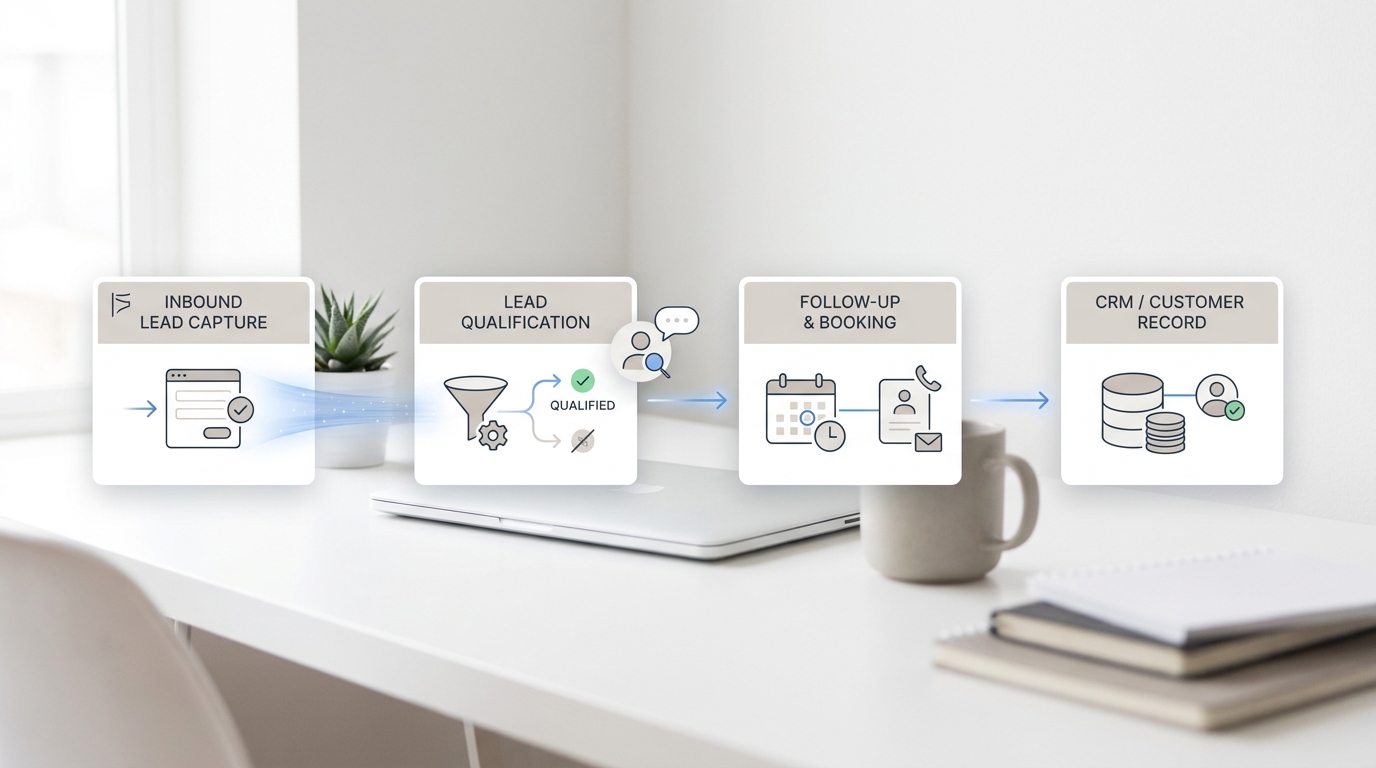
Google Calendar can be a useful appointment booking foundation for small service businesses, but it should not be treated as the entire front desk. A calendar can show time slots, send invitations, and organize staff availability. It cannot decide whether a caller has the right appointment type, whether an urgent request needs escalation, or whether a client should be routed to a specific person.
The best setup uses Google Calendar as the scheduling layer and Solvea as the phone and intake layer. The calendar holds the approved availability. Solvea answers calls, classifies appointment intent, collects the details your team needs, and either books the right path or sends staff a structured handoff.
This matters for businesses that rely on appointments but do not have a full-time scheduling team. A booking link helps some customers. Others still call, ask questions, need rescheduling, or try to book outside the standard flow. Automation works only when those paths connect.
Use Google Calendar for availability, not every decision
| Scheduling need | Best owner |
|---|---|
| Working hours and available slots | Google Calendar |
| Buffers and internal holds | Google Calendar plus operating rules |
| Caller intent and service fit | Solvea or staff review |
| Urgent or unclear requests | Solvea intake followed by staff handoff |
| Reschedule and cancellation calls | Solvea plus calendar update rules |
Start with a clear boundary. Google Calendar should expose only the time that is safe to book. It should not be the place where you solve service qualification, client intake, or exception handling. Those decisions need rules before they become automation.
For example, a salon may let clients book standard services directly but route color corrections to staff. A dental office may allow hygiene visits but review pain calls. A medspa may allow consultation requests but escalate contraindication questions. Google Calendar can hold the time; the front-desk workflow decides the path.
Solvea helps close the gap because phone calls often contain the missing context. If a caller asks for the earliest opening but describes a special situation, the AI receptionist can collect that information and avoid forcing the request into a generic booking slot.
Create a calendar structure before sharing links
A common mistake is sharing a booking link before the calendar structure is ready. One shared calendar with every staff member, service, and hold block can become confusing quickly. Instead, separate the public booking layer from internal calendars and staff-only holds.
Create appointment categories that match how your team works: consultation, routine service, follow-up, callback, estimate, showing, or intake call. Each category should have a default duration, available staff, buffer needs, and confirmation language. If an appointment type cannot be described that clearly, it probably should not be direct-booked yet.
Use internal holds for lunch, admin time, travel, cleanup, room turnover, provider checks, or capacity you want to protect. Do not rely on staff to remember hidden constraints after the booking link is live. If the constraint matters, it should be visible in the calendar logic.
Set availability and buffer rules
Availability should be specific enough to prevent cleanup work. Decide which days and times are bookable, how far in advance customers can schedule, how soon a same-day booking is allowed, and how much buffer each appointment needs. Buffer rules are especially important for service businesses where room turnover, travel, paperwork, or staff preparation changes the real schedule.
The buffer should match the appointment. A quick phone consultation may need no cleanup time. A home service visit may need travel padding. A medspa treatment may need room turnover. A real estate showing may need travel and occupant notice. Generic buffers make the calendar look simple but can create operational strain.
Solvea should know these rules when handling calls. If a caller wants a time outside the approved window, the AI receptionist can collect alternate windows instead of promising availability. If the request is urgent, it can mark the handoff for staff review rather than hiding it in normal booking traffic.
Build appointment types with intake questions
Google Calendar booking works better when each appointment type has the right intake fields. The goal is to collect enough information for the team to prepare without turning scheduling into a long form. Basic fields often include name, contact method, service or reason for visit, preferred location or provider, and notes that affect timing.
Different appointment types need different fields. A consultation may need service interest and goal. A repair visit may need address and issue description. A showing request may need property and preferred windows. A dental or medspa appointment may need patient or client status and whether staff review is needed.
Solvea can ask the same intake questions conversationally. This is important because callers do not always use the same words as your booking form. They may say, 'Can someone fit me in tomorrow?' or 'I need to talk to the front desk.' The AI receptionist can interpret the intent, ask the missing details, and keep the calendar data usable.
Add Solvea for phone bookings and missed calls
A booking link does not eliminate calls. Many customers call because they are unsure which appointment to choose, cannot find a good slot, need a change, or want reassurance before booking. If nobody answers, the business may lose the appointment even though the online calendar is technically available.
Solvea can answer those calls and follow the same rules as the calendar. It can identify the appointment type, collect approved intake details, offer bookable windows, and route exceptions. The key is to keep the AI receptionist and the calendar aligned so customers do not receive one answer online and another answer by phone.
This is useful after hours, during peak call times, and when staff are busy with in-person customers. A caller gets an immediate response, and the team receives either a booked appointment or a clear handoff with the reason direct booking was not appropriate.
Use confirmations that set expectations
A calendar invite is not always enough. The confirmation should tell the customer what was booked, when it starts, who or what location is involved, what to prepare, how to reschedule, and whether staff still need to review anything. Clear confirmation language reduces repeat calls and no-shows.
If the appointment is pending review, say that. If the appointment is confirmed, say that. If the customer needs to complete a form, bring information, or wait for a final callback, include that in the message. The more specific the confirmation, the less the front desk has to clarify later.
Solvea can support the confirmation loop by answering follow-up calls. If someone calls to change the time, cancel, ask whether the appointment is confirmed, or provide missing details, the AI receptionist can collect the update and route it according to your operating rules.
Handle exceptions outside the booking link
Every appointment business has exceptions. A customer asks for a same-day slot, a VIP client requests a specific staff member, a patient reports symptoms, a homeowner wants an unusual time, or a medspa client asks a clinical question. These should not be forced through a generic calendar link.
Create exception categories and decide what each one needs. Some exceptions require a staff callback. Some need a manager. Some need a protected hold. Some simply need more information before a time can be offered. The workflow should make those paths explicit.
Solvea can capture the exception cleanly. The handoff should include the requested appointment, preferred time, customer contact, why it needs review, and any urgency. That is more useful than a missed-call alert and safer than letting the booking link make a decision it was not designed to make.
Audit calendar performance weekly
Automation is not finished when the booking link goes live. Review the calendar weekly for conflicts, manual corrections, no-shows, reschedules, abandoned requests, and appointments that staff had to move. These are signals that the rules need adjustment.
Look for patterns. If customers keep choosing the wrong appointment type, rename the options or improve intake questions. If staff keep adding buffers manually, update the calendar. If many calls are still about basic availability, make the phone script and booking link clearer.
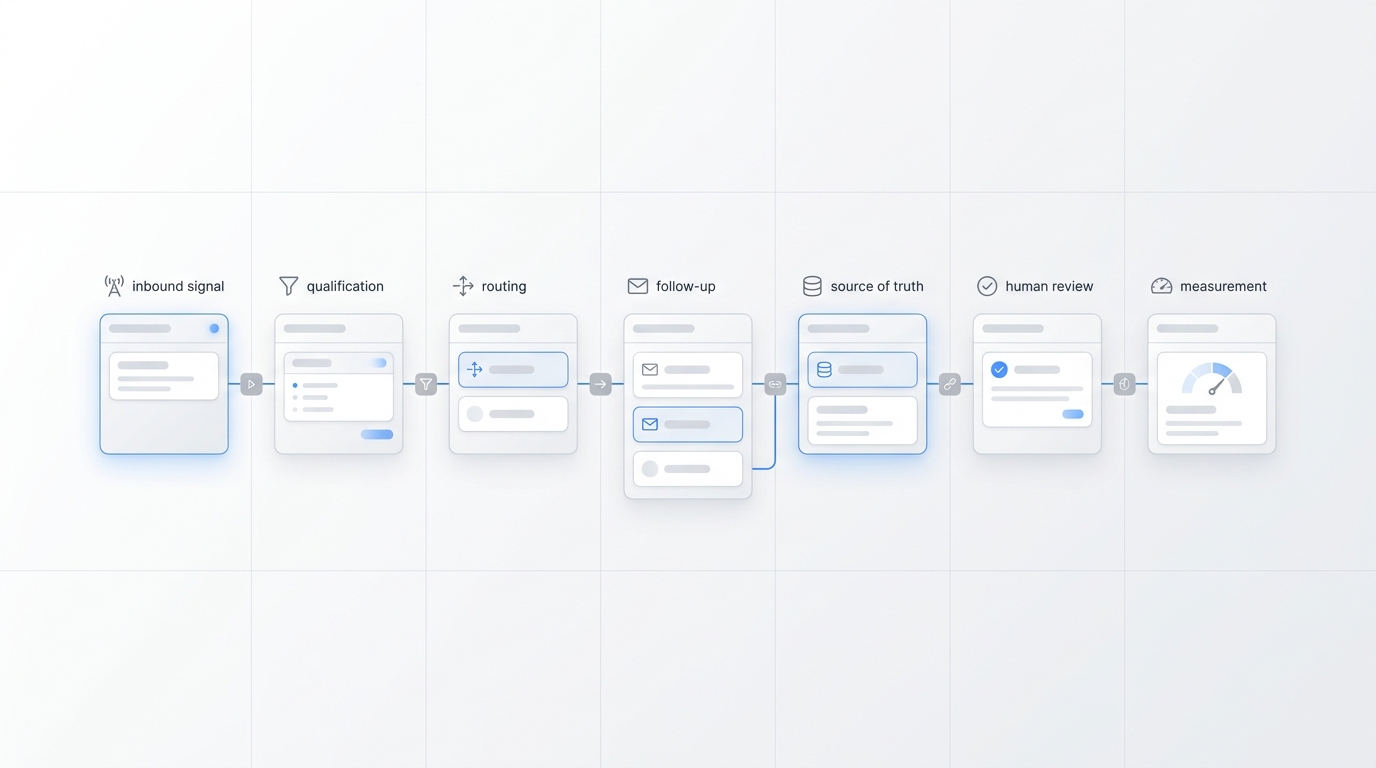
The goal is a connected system: Google Calendar manages approved availability, Solvea captures phone intent and exceptions, and staff adjust rules based on real outcomes. That setup gives customers faster booking without asking the calendar to replace front-desk judgment.
Keep calendar automation simple enough to maintain
A small business calendar can become fragile when every edge case gets its own appointment type, staff rule, and reminder sequence. Start with the few appointment categories that create most of the scheduling volume, then add complexity only when the team can explain the rule and maintain it.
Solvea makes this easier because not every exception has to become a calendar configuration. The AI receptionist can collect edge-case requests and route them to staff, while Google Calendar stays focused on the appointment types that are truly repeatable. That split keeps the system understandable for both customers and staff.
Review the setup monthly. Remove appointment types nobody uses, rename confusing options, tighten buffers where staff keep adjusting times, and update Solvea's phone script when callers reveal new patterns. Good appointment automation is maintained like an operating system, not launched once and forgotten.
This maintenance habit is what keeps Google Calendar useful as the business grows. The calendar remains the source for approved availability, while Solvea absorbs the conversational work that does not belong in a static booking form.
For teams with multiple staff members, assign one owner to review conflicts and caller handoffs each week. Without an owner, small issues such as confusing appointment names, missing buffers, or unclear reschedule rules tend to stay in the system until customers complain.
A simple owner-led review is often enough to keep the setup healthy. The team can adjust calendar blocks, update the AI receptionist script, and remove options that create more questions than appointments. This keeps the system practical for real staff, not just neat inside a settings page.
Your AI Receptionist, Live in Minutes.
Scale your front desk with an AI that never sleeps. Solvea handles unlimited multi-channel inquiries, books appointments into your calendar automatically, and ensures zero missed opportunities around the clock.
Frequently asked questions
Can Google Calendar automate appointment booking?
Yes, Google Calendar can support appointment scheduling when availability, appointment types, buffers, and confirmation rules are configured carefully.
Where does Google Calendar fall short for service businesses?
It does not replace front-desk judgment for urgent calls, unclear service fit, intake questions, exceptions, or clients who still prefer to book by phone.
How does Solvea work with a Google Calendar booking workflow?
Solvea can answer calls, identify appointment intent, collect approved details, book eligible requests, and route exceptions to staff with a structured summary.
What should I set up before sharing a booking link?
Define bookable appointment types, buffer rules, working hours, staff ownership, confirmation language, cancellation rules, and a review path for exceptions.
How do I prevent double bookings?
Use separate calendars for staff and bookable availability, add buffers, avoid overlapping hold blocks, and review staff corrections or conflicts every week.