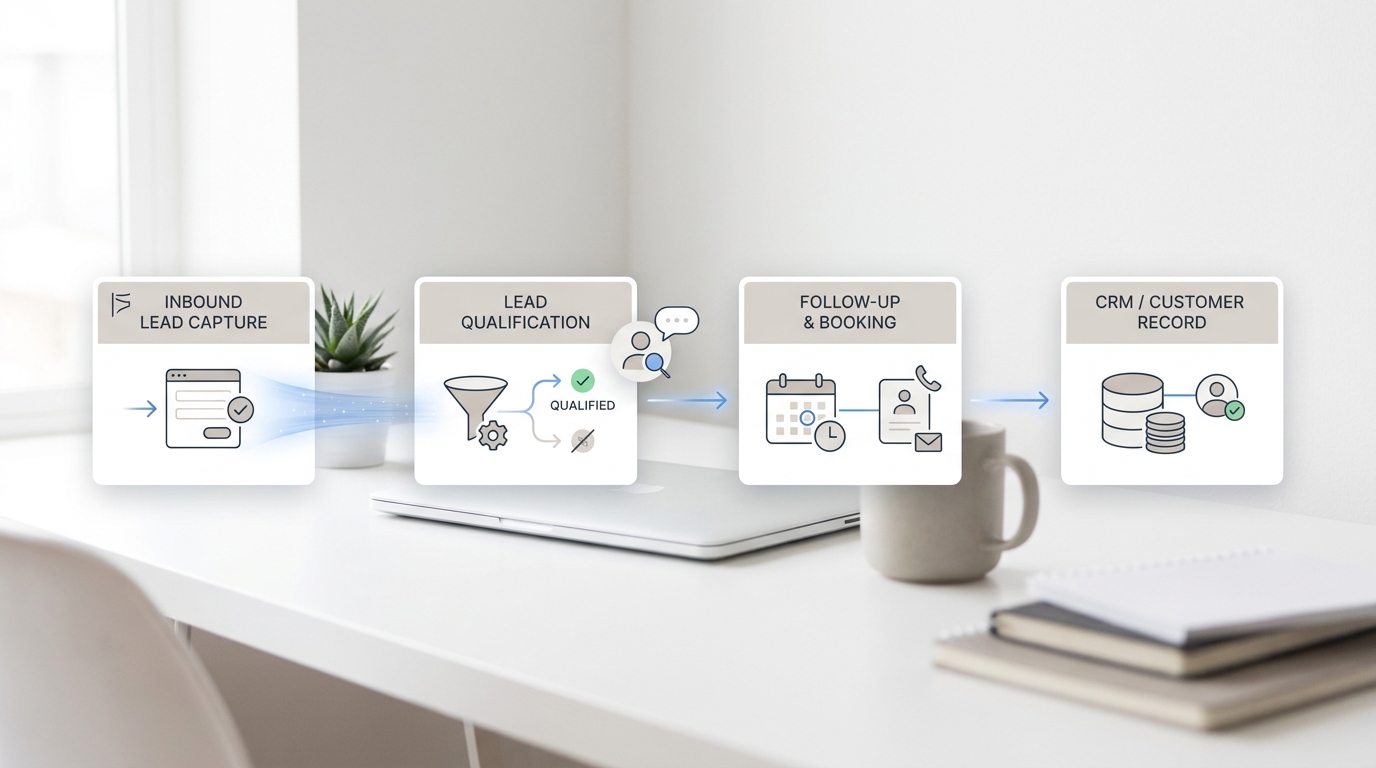
An AI chatbot that answers generic questions is easy to set up. An AI chatbot that qualifies leads accurately — scoring by budget, routing by company size, and handing off to the right rep at the right moment — takes deliberate training. Most businesses skip the training steps and wonder why their chatbot produces unreliable results.
The core problem is that most AI chatbot platforms come pre-built with conversation templates that are not calibrated to your specific customer profile. Without training it on your ideal customer profile (ICP), your qualification questions, and your product knowledge base, the chatbot treats a $500/month prospect the same way it treats a $50,000/year opportunity.
This guide walks through how to train an AI chatbot specifically for lead qualification — from defining what a qualified lead looks like for your business to testing conversation flows against real scenarios before launch.
TL;DR
Field | Detail |
What you'll build | An AI chatbot trained to qualify, score, and route leads automatically |
Tools needed | AI chatbot platform, CRM, knowledge base content |
Time required | 4–8 hours setup / Solvea setup in under 30 minutes |
Who it's for | B2B sales teams, SaaS, real estate, professional services with inbound leads |
Fastest path | Upload your ICP criteria and knowledge base to Solvea; chatbot trains automatically |
What You Need Before You Start
Before building a single conversation flow, you need source material. A chatbot trained on vague inputs gives vague outputs. Gather the following:
Checklist: - ☐ Document your top 20 qualifying questions (the questions reps currently ask manually) - ☐ Define your ICP: company size, industry, role, budget range, timeline - ☐ List disqualifying signals: criteria that move a lead out of sales and into a low-priority queue - ☐ Collect your most common inbound questions (FAQs about pricing, features, integrations) - ☐ Review the last 30–50 converted leads: what did they have in common?
Information Type | Why It Matters for Training |
ICP definition | Tells the chatbot what a "good" lead looks like |
Qualification questions | The exact questions to include in the conversation flow |
Disqualifiers | Allows the chatbot to route poor-fit leads without wasting rep time |
Product FAQs | Lets the chatbot answer product questions mid-qualification without losing the lead |
Historical conversion data | Validates that your scoring thresholds match actual outcomes |
How to Train an AI Chatbot for Lead Qualification: Step-by-Step
Step 1: Define Your Ideal Customer Profile in Writing
Before touching any chatbot settings, write your ICP in a single document. This document becomes the training input for your chatbot's qualification logic.
A complete ICP for chatbot training includes:
- Company size: e.g., 10–500 employees (smaller and larger are low priority)
- Industry: e.g., SaaS, professional services, real estate (manufacturing is out of scope)
- Role: e.g., VP of Sales, Operations Manager, Founder (procurement only is low priority)
- Budget: e.g., $500–$5,000/month (under $200 is out of scope)
- Timeline: e.g., active search within 90 days (12+ months out is low priority)
- Geography: e.g., US, Canada, UK (rest-of-world to email only)
Most chatbot platforms allow you to create conditional routing rules directly from these criteria. Once the ICP is defined, every qualification question maps to one of these fields.
Step 2: Identify the 5–7 Questions That Predict Conversion
Review your historical closed deals and identify which questions best predicted whether a lead converted. For most B2B businesses, the top predictors are:
- Budget — Does the prospect have the budget to buy?
- Authority — Can this person make or influence the purchasing decision?
- Timeline — Are they actively looking now or exploring for later?
- Company size — Does their organization fit your service model?
- Pain point — Is their problem one your product actually solves?
Write each question in a conversational format before loading it into your chatbot platform. Test each phrasing with a colleague: if the phrasing feels like an interrogation, rewrite it to feel like a discovery conversation.
Step 3: Build the Conversation Flow with Conditional Logic
Map your qualification questions into a branching conversation flow. Each answer branches into a different path:
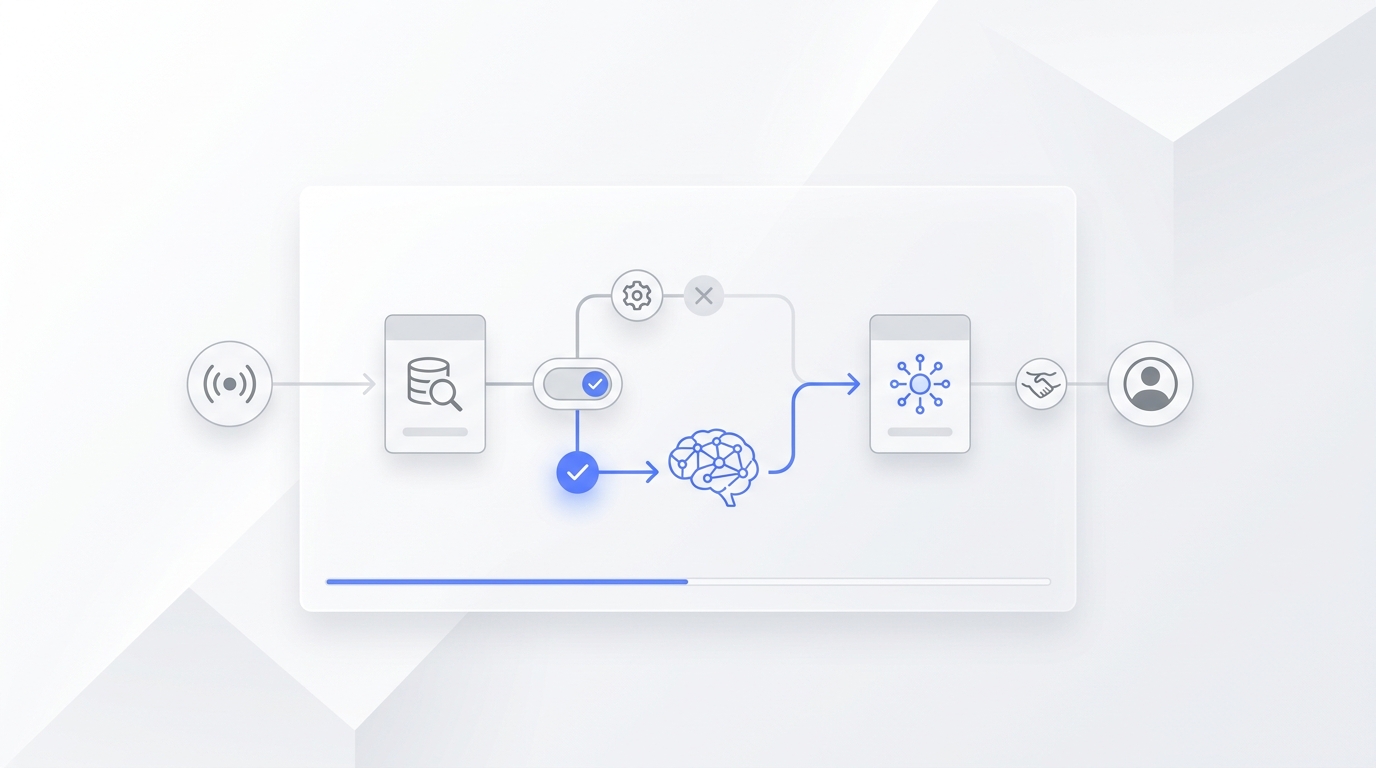
Most AI chatbot platforms (including Solvea's configuration interface) allow you to build this logic visually without writing code. The key is that every branch has a defined outcome — a routing action, not a dead end.
Step 4: Upload Your Knowledge Base for Mid-Conversation Answers
Leads rarely arrive ready to answer qualification questions without asking their own questions first. "Does this work with Salesforce?" "What does the onboarding look like?" "Is there a free trial?"
If the chatbot cannot answer these questions accurately, the lead leaves to find the answer elsewhere — and often doesn't come back.
Train your chatbot by uploading a structured knowledge base:
- FAQ document: Your top 30–50 most commonly asked questions with complete, specific answers
- Pricing sheet: Current pricing with the features included at each tier
- Integration list: Which tools your product connects with
- Onboarding overview: What the setup process looks like and how long it takes
The quality of these source documents directly determines the accuracy of the chatbot's answers. Vague answers in the knowledge base produce vague answers to leads. Write each FAQ answer as if a customer will read it, and update it whenever pricing or features change.
Step 5: Set Up Lead Scoring Rules
Configure your chatbot's scoring logic based on the ICP criteria you defined in Step 1. Each qualifying answer adds points; disqualifying answers subtract points or trigger an immediate low-priority routing.
A sample scoring model for a B2B SaaS chatbot:
Criterion | Score |
Budget above minimum threshold | +30 |
Decision-maker or influencer role | +25 |
Timeline: actively evaluating now | +25 |
Company size within ICP range | +15 |
Industry is strong fit | +10 |
Budget is below minimum | −50 (route to low-priority) |
Just researching with no timeline | −20 |
Set routing thresholds: - Score ≥ 70: Route immediately to sales rep or booking link - Score 40–69: Add to CRM sequence, schedule automated follow-up in 24 hours - Score < 40: Enter long-term nurture sequence
Step 6: Connect to Your CRM and Test Data Flow
Before going live, connect your chatbot to your CRM and run test conversations. Verify that:
- Lead contact records are created automatically from chatbot responses
- The full conversation transcript is attached to each record
- Score values are mapped to the correct CRM field
- Routing triggers fire the correct notifications (Slack, email, or CRM task)
Run at least five test conversations simulating different lead profiles — a high-fit prospect, a low-fit prospect, an after-hours visitor, a visitor with many product questions, and an existing customer with a support question. Confirm that each profile routes to the correct outcome.
Step 7: Use Your Chatbot With Your AI Receptionist to Qualify Phone Leads Too
Many businesses train their chatbot for website qualification but miss phone leads entirely. A prospect who calls your main number outside business hours encounters a voicemail — which is a qualification dead end.
With Solvea, you set up the same qualification criteria for phone interactions that you use on your website chatbot. When a lead calls, Solvea asks the same questions, scores the conversation, and routes based on the same thresholds. High-priority callers get a callback scheduled immediately; lower-priority callers are added to your CRM queue.
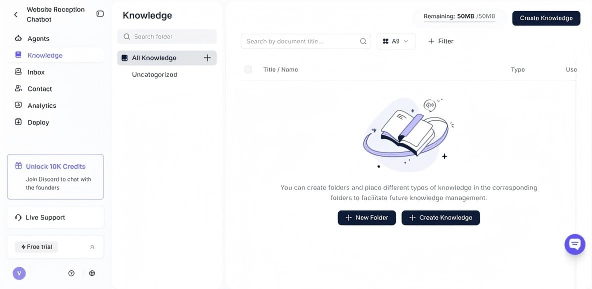
To set this up in Solvea, upload your qualification questions and knowledge base in the Knowledge Base section, then configure your routing rules per the Solvea documentation. The setup process takes under 30 minutes for most configurations.
How to Retrain Your Chatbot After Launch
Training doesn't end at launch. Plan for a monthly review cycle:
Week 1–2 after launch: Review every conversation manually. Identify where leads drop off and where the chatbot gives incorrect or incomplete answers.
Monthly: Pull your lead scoring data and compare it against actual conversion outcomes. If leads scoring 70+ are converting at less than 40%, your thresholds need adjusting. If high-converting leads are scoring below 70, your scoring model is missing key signals.
After any product change: Update your knowledge base immediately — before the chatbot talks to another lead about features or pricing that no longer apply.
Common Training Mistakes That Break Lead Qualification
❌ Using generic question templates without customizing for your ICP → Every "What is your budget?" question should reference your actual price range so leads can self-select. "We have plans from $500–$5,000/month — does that range fit what you're working with?"
❌ Building too many branches that dead-end without a routing action → Every branch needs an outcome. If a lead answers in an unexpected way, the chatbot should either ask a clarifying question or route to a human, never get stuck.
❌ Not updating the knowledge base when pricing changes → A chatbot that quotes last quarter's pricing erodes trust immediately when a lead compares it to your actual pricing page.
❌ Treating qualification as one-time setup → Lead quality signals change as your market evolves. Schedule a quarterly review of your ICP criteria and scoring thresholds.
Your AI Receptionist, Live in Minutes.
Scale your front desk with an AI that never sleeps. Solvea handles unlimited multi-channel inquiries, books appointments into your calendar automatically, and ensures zero missed opportunities around the clock.
FAQ
How long does it take to train an AI chatbot for lead qualification?
The initial setup — defining your ICP, writing conversation flows, uploading your knowledge base, and configuring scoring rules — takes 4–8 hours for most businesses. Platforms like Solvea can reduce this to under 30 minutes by using your uploaded knowledge base documents as the training input.
Do I need to code to set up an AI lead qualification chatbot?
No. Most modern AI chatbot platforms including Solvea use visual builders for conversation flows and rule configuration. Code is not required for standard qualification, scoring, and CRM routing setups.
How many training questions does a lead qualification chatbot need?
For initial qualification, 5–7 core questions are sufficient. Supplement with a knowledge base of 30–50 FAQ answers so the chatbot can handle product questions mid-conversation.
How do I know if my chatbot is qualifying leads accurately?
Compare your chatbot's score predictions against actual conversion outcomes monthly. If high-scoring leads (scoring ≥ 70) are not converting at a higher rate than low-scoring leads, your scoring model needs recalibration.
Can an AI chatbot qualify leads from phone calls, not just website chat?
Yes. AI-powered voice receptionists like Solvea apply the same qualification logic to phone calls that you configure for website chat, routing high-priority callers to callbacks and adding lower-priority callers to CRM sequences automatically.