Every missed lead is a booked appointment for a competitor. If your business runs on scheduled consultations, demos, or service calls, the time between a lead submitting their information and someone following up is costing you money. The average sales rep follows up with a new inbound lead within 47 hours. An AI appointment setter responds in seconds.
Building an AI appointment setter used to require a developer, a CRM integration team, and weeks of setup. In 2026, you can have one live in less than a day using a no-code platform — provided you know the setup steps that actually matter.
This guide covers exactly that: what to prepare before you build, which platform decisions affect your results most, and how to test your AI before it starts talking to real leads.
TL;DR
What | Detail |
What you'll build | An AI agent that responds to inbound leads, qualifies them, and books appointments automatically |
Tools needed | AI appointment setter platform (e.g., Solvea), calendar app, lead capture form or phone number |
Time required | 2–4 hours with a no-code platform; 1–2 weeks if building from scratch with APIs |
Who it's for | Service businesses, sales teams, and agencies that book appointments as a primary revenue driver |
Fastest path | Solvea — upload your FAQ, connect your calendar, go live same day |
What You Need Before You Start
Before touching any platform, gather these three things. Skipping this step is the most common reason AI appointment setters give wrong answers in early testing.
1. Your top 20 customer questions Write down the 20 questions leads ask most often before booking — pricing, availability, what your service includes, location, duration. Your AI will need to answer every one of these correctly before handling real conversations.
2. A structured FAQ document Convert those questions into a FAQ document: question, then a specific, complete answer. No vague placeholders. "Appointments are available Monday–Friday, 9 am–5 pm EST" is correct. "Availability varies" will cause the AI to give unhelpful responses.
3. Calendar access Your AI appointment setter needs real-time access to your calendar to offer accurate slots. Decide now whether you'll use Google Calendar, Calendly, or a practice management system — the platform you choose must support your calendar type.
How to Build an AI Appointment Setter: Step-by-Step
Step 1: Define Your Appointment Type and Qualification Criteria
Before selecting a platform, answer three questions: - What type of appointment are you booking? (Sales demo, consultation, service call, medical intake) - What qualifies a lead for that appointment? (Location, budget, job title, service area) - What disqualifies them? (Out of service area, wrong product tier, missing contact information)
These answers determine what your AI agent needs to ask before confirming a booking. A dental practice needs to ask about insurance; a home services company needs to ask about zip code. Defining this upfront prevents awkward conversations where the AI books appointments your team then has to cancel.
Step 2: Choose Your AI Appointment Setter Platform
There are three approaches:
No-code AI receptionist platforms (fastest setup): Tools like Solvea let you upload your FAQ content, connect your calendar, and deploy across phone, SMS, email, and chat from a single dashboard. No developer required. Setup time: 2–4 hours.
WhatsApp/SMS-focused tools: Setter AI and similar tools specialize in high-speed text-based follow-up with 10-second response times. Better for businesses where most leads come through form submissions and prefer texting. Requires more manual configuration for multi-channel scenarios.
Custom AI agents via APIs: Building with tools like ElevenLabs' voice API or OpenAI's Assistants API gives maximum flexibility but requires engineering resources. Realistic timeline: 2–4 weeks minimum for a production-ready setup.
For most service businesses, a no-code AI receptionist platform is the right starting point. You can always extend it later.
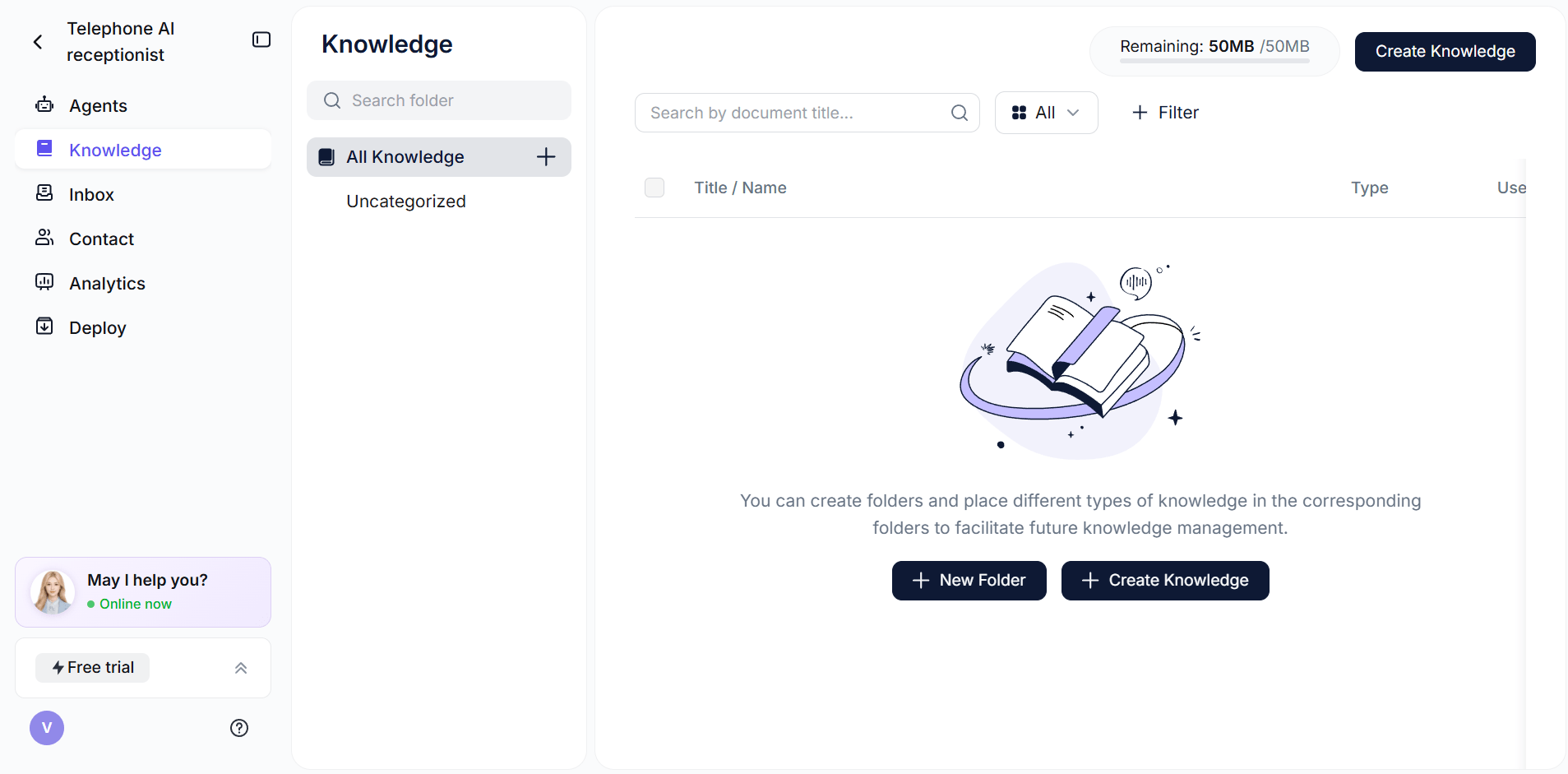
Step 3: Upload Your Knowledge Base
This is the most important configuration step. Your AI appointment setter is only as accurate as the content you give it. A poorly structured knowledge base produces an AI that hedges, contradicts itself, or gives wrong answers.
What to include in your knowledge base: - Services offered (with specific descriptions, not marketing copy) - Pricing (exact numbers, not "competitive" or "varies") - Service area or coverage (specific cities, zip codes, regions) - Appointment duration and what to expect - Cancellation and rescheduling policy - What to bring or prepare
Format rules that matter: - Write answers in complete sentences, not bullet points - Give specific numbers: "Standard appointments are 45 minutes" not "about an hour" - Cover the "no" cases: "We do not service addresses outside the 50-mile radius of [city]"
With Solvea, you upload your FAQ document directly — Word, PDF, or text — and the AI reads it before going live. You can update the document at any time, and the AI automatically uses the new version.
Step 4: Connect Your Calendar Integration
Your AI can only book appointments that actually fit your schedule. Connect your calendar before testing.
Google Calendar: The most common integration. Solvea and most no-code platforms support this natively. The AI checks real-time availability before offering time slots.
Calendly: Works well if you already use Calendly for other booking flows. Some platforms can book directly into a Calendly link; others require a webhook setup.
Custom CRM-connected calendars (Salesforce, HubSpot): Require API integration. If you're on Salesforce, check whether your chosen platform has a native connector or whether you'll need to use Zapier.
Set buffer time in your calendar before connecting. If you need 15 minutes between appointments for prep or travel, configure that in your calendar — the AI will respect it.
Step 5: Configure Your Lead Response Channels
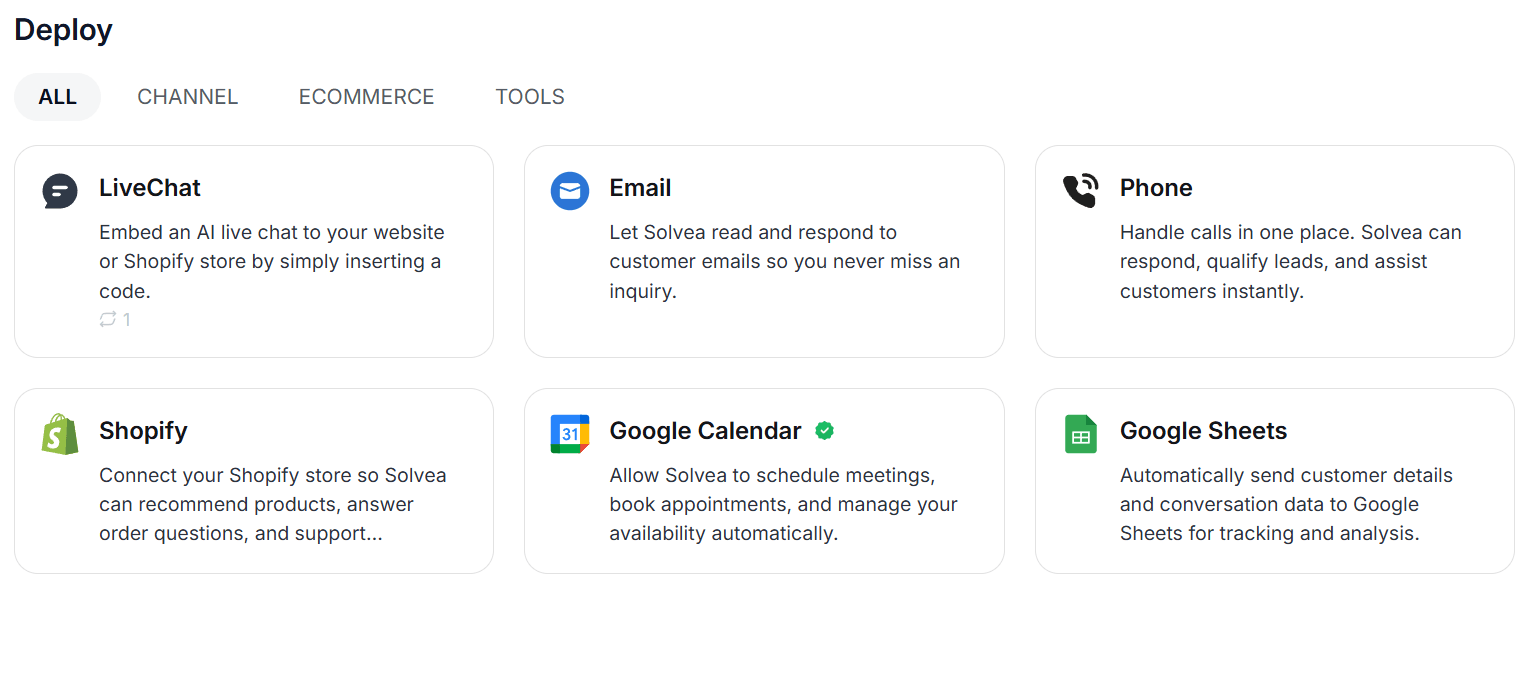
Decide which channels your AI will cover. Most businesses start with one or two and expand.
Phone (inbound calls): The AI answers calls with a natural-sounding voice, qualifies the caller, and offers available time slots. Highest-impact channel for businesses that already receive frequent inbound calls.
SMS/WhatsApp: Ideal for lead forms — the AI sends a text within seconds of a form submission, starts a qualifying conversation, and sends a booking confirmation with calendar link.
Email: Lower-urgency channel. The AI responds to email inquiries with answers and a booking link. Less effective for high-intent, time-sensitive leads but useful for businesses with an email-heavy inquiry flow.
Live chat (website): The AI handles chat widget conversations on your website, answers questions, and offers to schedule an appointment.
Start with the channel where your leads actually come in first. Spreading across all channels before you've tested one will slow your setup and make debugging harder.
Step 6: Write Your Qualification Script
Your AI needs a framework for how it handles conversations before offering a booking. At minimum, it should:
- Confirm the lead is in your service area or fits your criteria
- Answer any blocking questions (price, availability, what's included)
- Offer available time slots based on your calendar
- Confirm the appointment and send a calendar invite
Most no-code platforms let you define this flow through a visual interface or a settings panel. The key is to keep the script conversational — the AI should ask one question at a time, not front-load a form.
Step 7: Test With Your Top 20 Questions
Before going live, run through your 20 highest-frequency customer questions and verify that: - Every answer is accurate and specific - The AI doesn't hedge or say "I'm not sure" on standard questions - Booking works end-to-end (calendar invite received, correct time slot reserved) - Out-of-scope requests are handled gracefully (the AI says clearly when it can't help, rather than giving a vague or wrong answer)
Test from the customer's perspective. Call your own number. Submit your own lead form. Verify the booking appears in your calendar.
Step 8: Go Live and Monitor the First Week
After testing, flip the switch. For the first week, review a sample of conversations daily — most platforms provide conversation transcripts.
Look for: - Questions the AI couldn't answer confidently → add to your knowledge base - Leads who dropped off mid-conversation → review the transcript to identify where and why - Incorrect time slots or double-bookings → check your calendar integration
Most AI appointment setters improve significantly in the first two weeks as you tune the knowledge base based on real conversation data.
Solvea: The Fastest Path to a Live AI Appointment Setter
If you want to skip the platform evaluation and get live today, Solvea is built for this. Upload your FAQ document once — Solvea reads it and uses it to answer questions across phone, SMS, email, and chat. Connect your Google Calendar. The AI books appointments directly into your schedule, sends confirmations, and handles follow-up automatically.
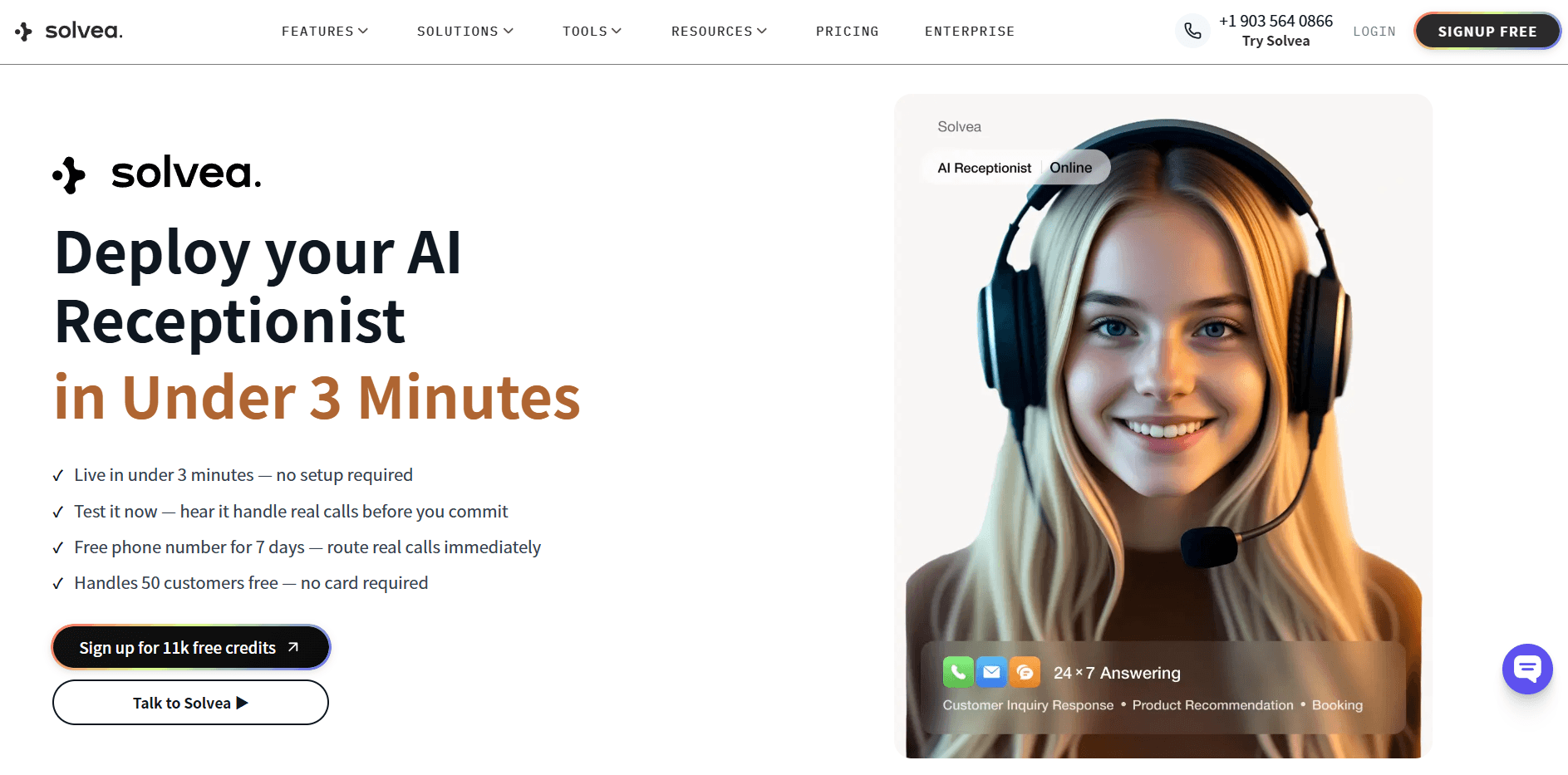
Setup takes under 10 minutes. No code required. Here is how it works together:
Common Mistakes That Break AI Appointment Setters
Vague knowledge base answers: Writing "prices vary depending on the service" instead of giving the actual price range. The AI can only be as specific as the content you give it.
Missing the "no" cases: Not telling the AI what your service doesn't cover. If you don't explicitly state your service area, the AI may confidently book appointments in locations you don't serve.
Calendar buffer gaps: Not configuring prep time between appointments. The AI books based on calendar availability — if your calendar shows back-to-back slots, the AI will fill them.
Going live without testing outbound scenarios: Your AI might handle inbound questions well but struggle with objection handling. Test a conversation where the lead pushes back on price or availability.
Ignoring the first week of conversations: The first 50 live conversations tell you more about your setup than any pre-launch test. Review them.
Your AI Receptionist, Live in Minutes.
Scale your front desk with an AI that never sleeps. Solvea handles unlimited multi-channel inquiries, books appointments into your calendar automatically, and ensures zero missed opportunities around the clock.
Frequently Asked Questions
Do I need coding skills to build an AI appointment setter?
No. No-code platforms like Solvea let you build and launch an AI appointment setter by uploading a document and connecting your calendar — no programming required. Custom AI agents built via API do require developer skills.
How long does it take to build an AI appointment setter?
With a no-code platform, 2–4 hours for initial setup and testing. Plan for another 1–2 days of tuning based on your first live conversations. Building from scratch with APIs takes 2–4 weeks minimum.
What information does my AI appointment setter need?
Your top 20 frequently asked questions with specific, complete answers; your service area or coverage; pricing; appointment duration; availability; and your calendar integration credentials.
Can an AI appointment setter handle objections?
Yes, to a point. Modern AI appointment setters can handle common objections like price concerns ("Our standard plan starts at $X/month"), availability questions, and service scope questions. For complex negotiations or unusual requests, the AI should escalate to a human.
What happens if my AI gives a wrong answer?
Review your knowledge base for gaps or inaccuracies and update it immediately. Most platforms update the AI in real time when you change the source document. With Solvea, you update your FAQ file and the AI uses the corrected version on the next conversation.
How much does it cost to build an AI appointment setter?
Using a no-code platform: $0–$30/month to start (Solvea has a free plan). Building a custom AI agent via APIs: $500–$5,000+ depending on complexity and development time. Ongoing costs depend on conversation volume.