> ## Documentation Index
> Fetch the complete documentation index at: https://solvea.cx/docs/llms.txt
> Use this file to discover all available pages before exploring further.
# Create an Outbound Campaign
You can launch a complete outbound calling workflow in minutes — no technical background required.
Solvea supports two ways to create outbound campaigns:
Best for quick, one-time campaigns
Best for repeatable, precision setup
### Usage Limits
Each phone number can call up to **50 contacts per day.**
Each customer can be called **once per day.**
## Method 1: Create from Outbound Module
**Steps:**
Go to **Outbound module** and click **Create a Campaign**.
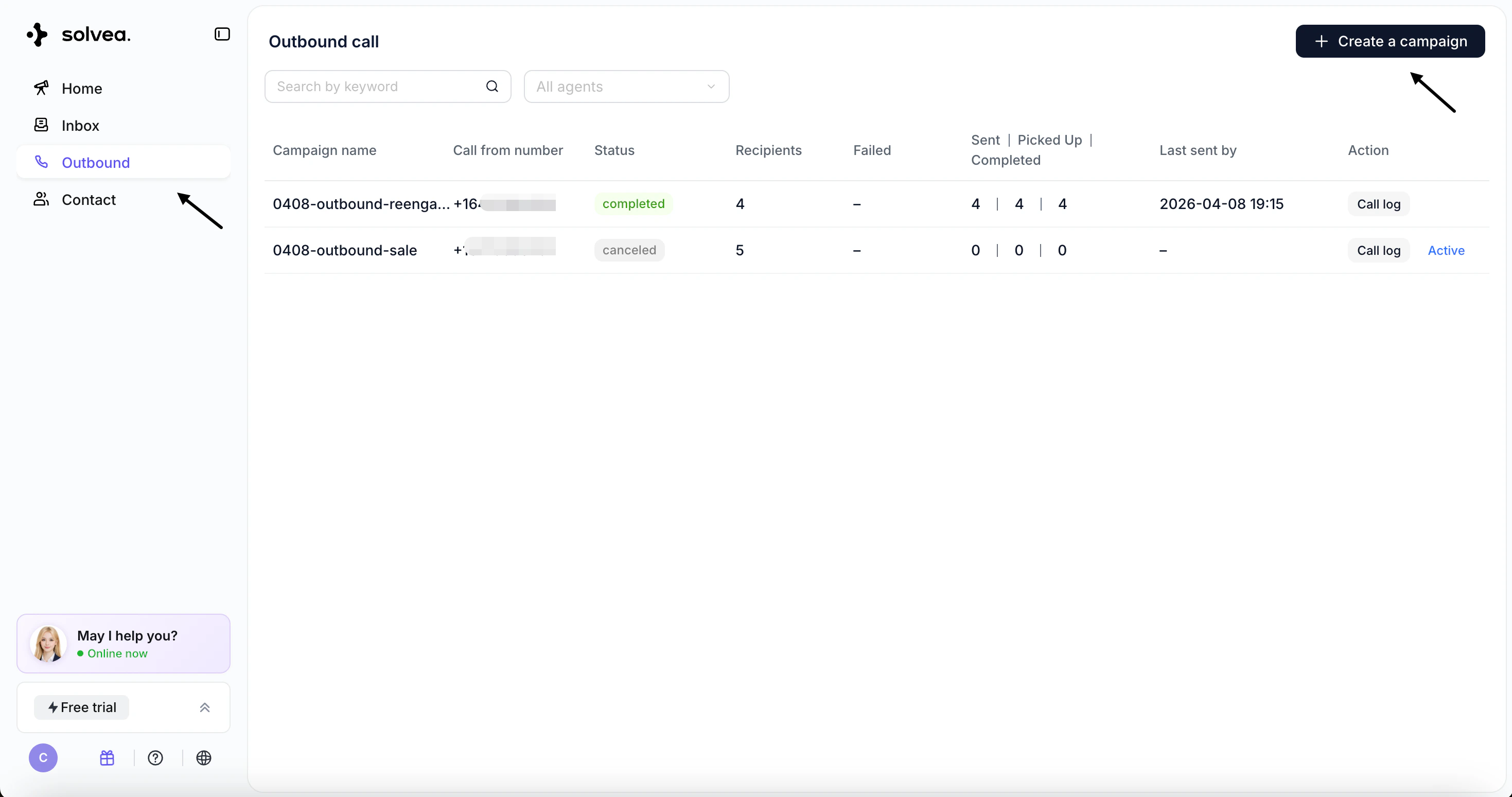 * Describe the purpose of the call and define the conversation flow and task logic
* Use the test call button to simulate the experience
* Click **Next**
* Describe the purpose of the call and define the conversation flow and task logic
* Use the test call button to simulate the experience
* Click **Next**
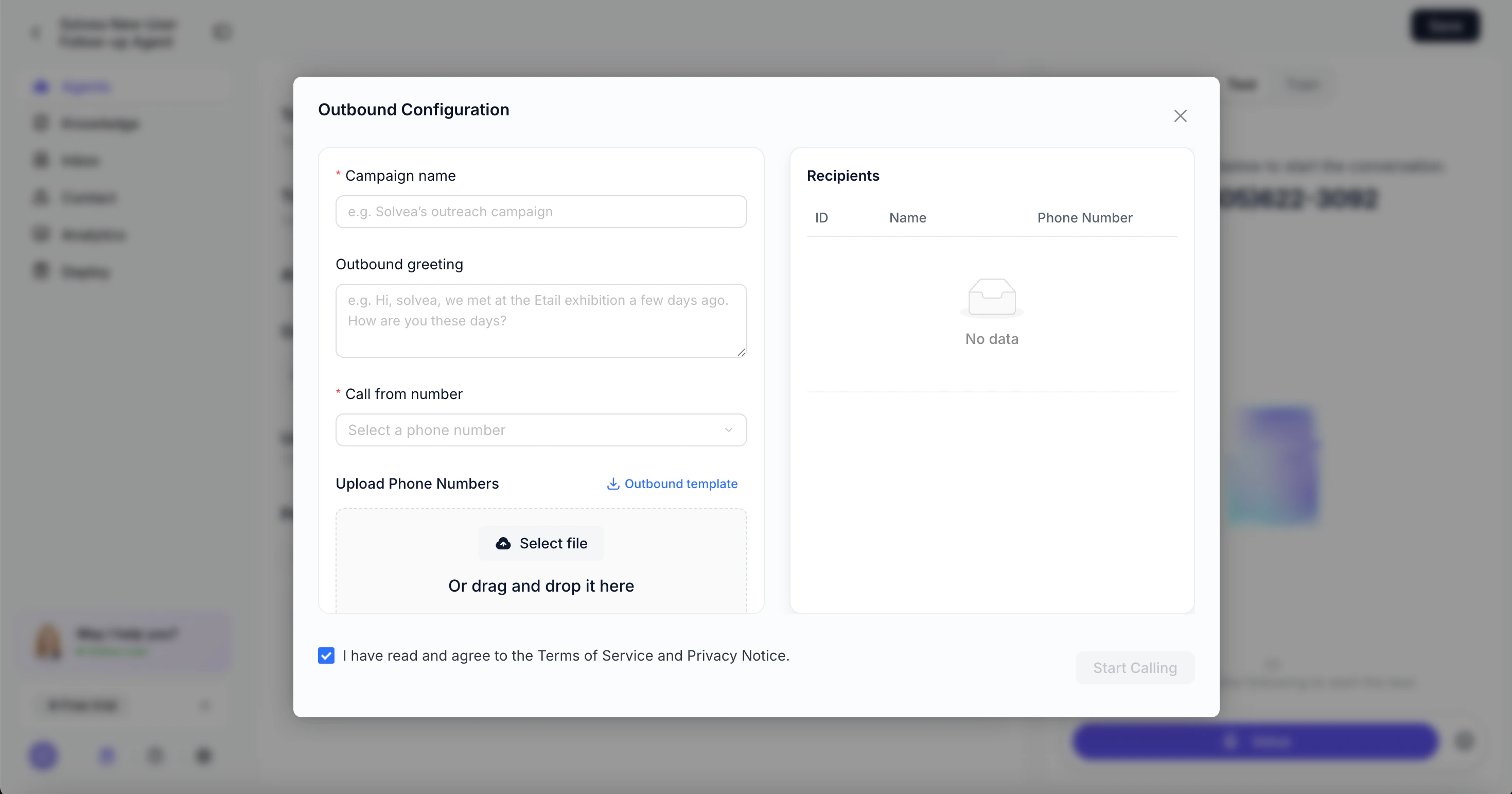
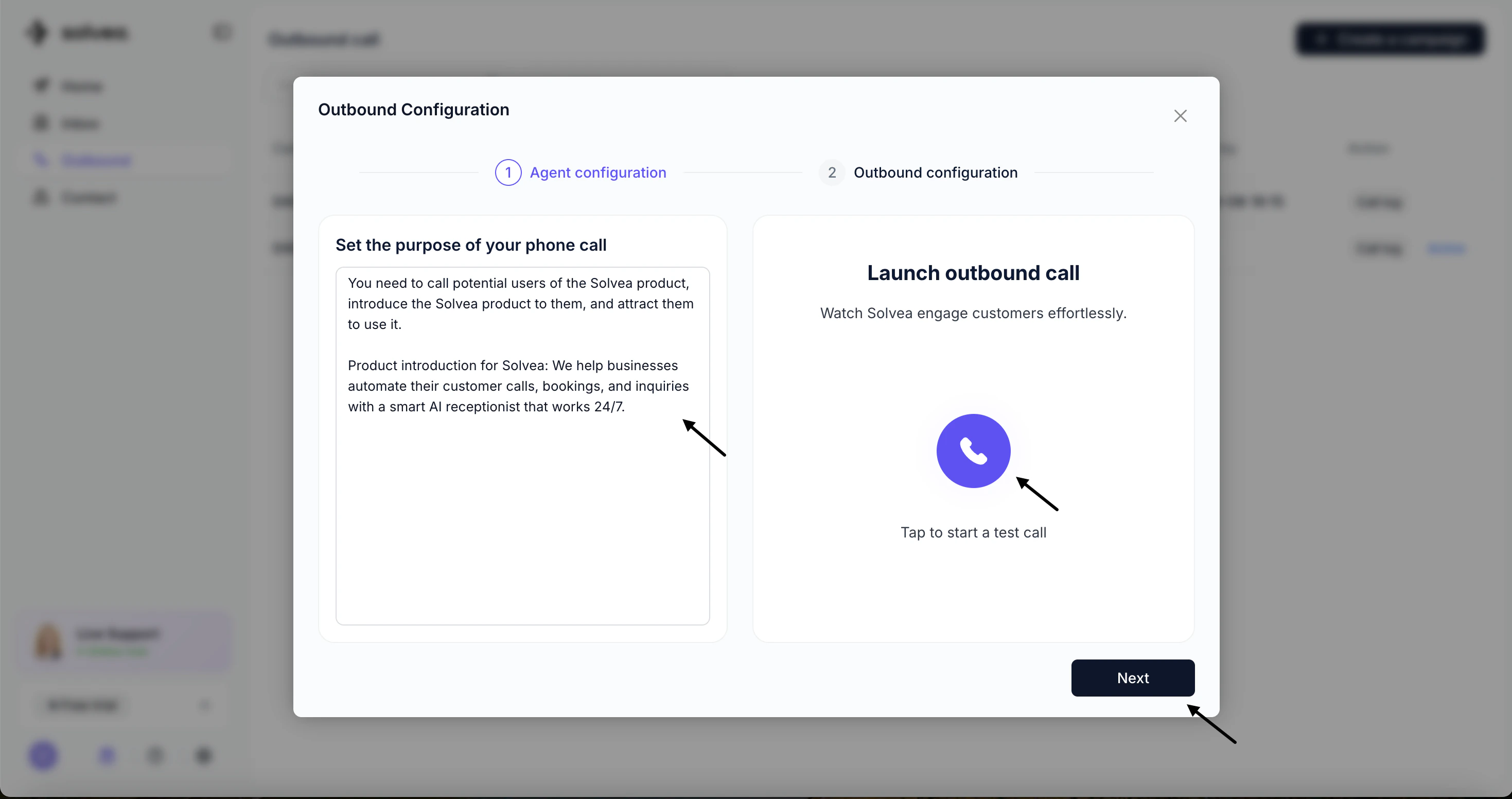 * **Campaign Name**
* **Outbound Greeting** (first sentence spoken by the agent)
* **Call From Number**
* **Campaign Name**
* **Outbound Greeting** (first sentence spoken by the agent)
* **Call From Number**
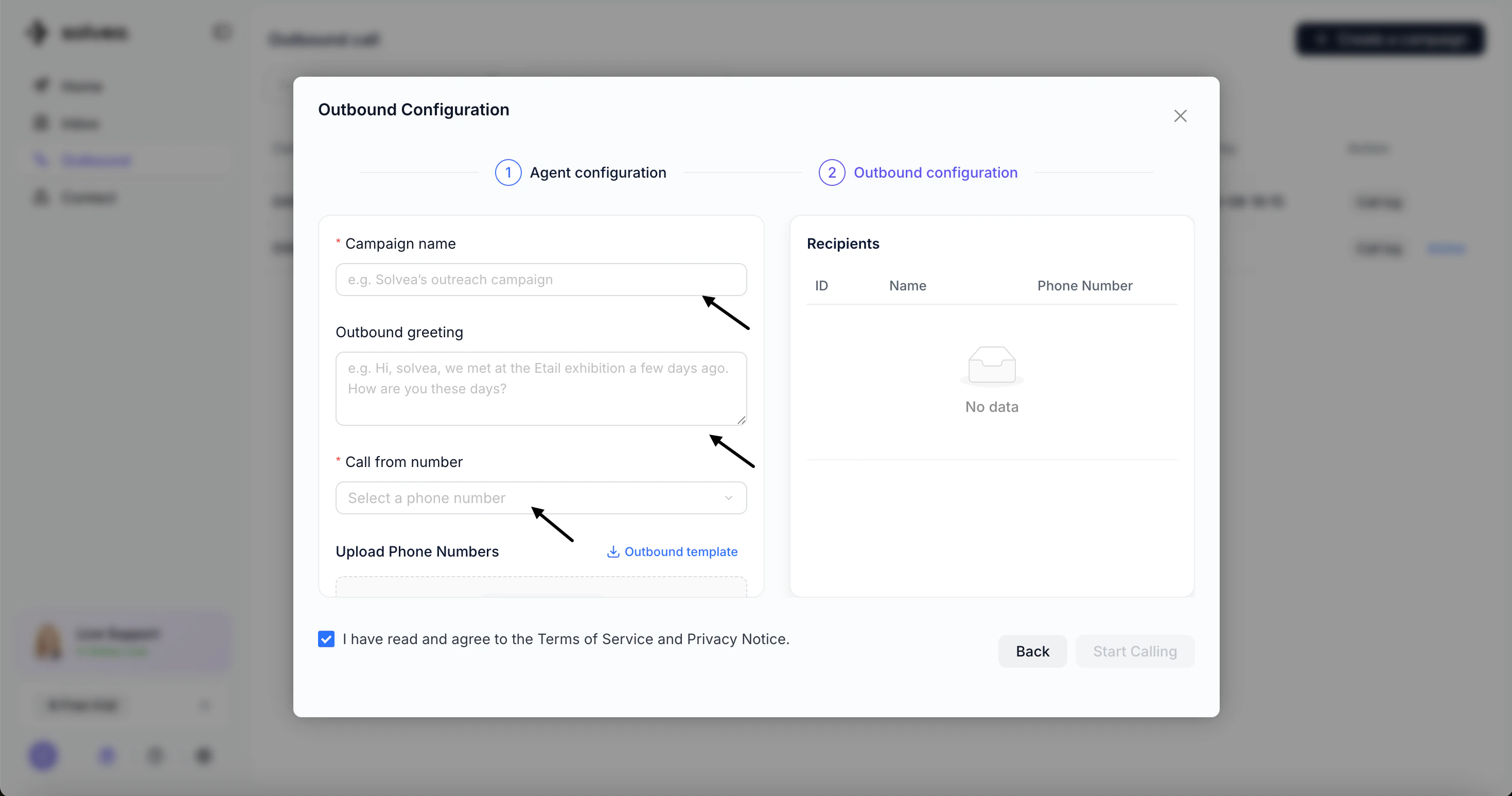 * **Upload contact list**
* Download the template, fill in contact details, and upload
* **Upload contact list**
* Download the template, fill in contact details, and upload
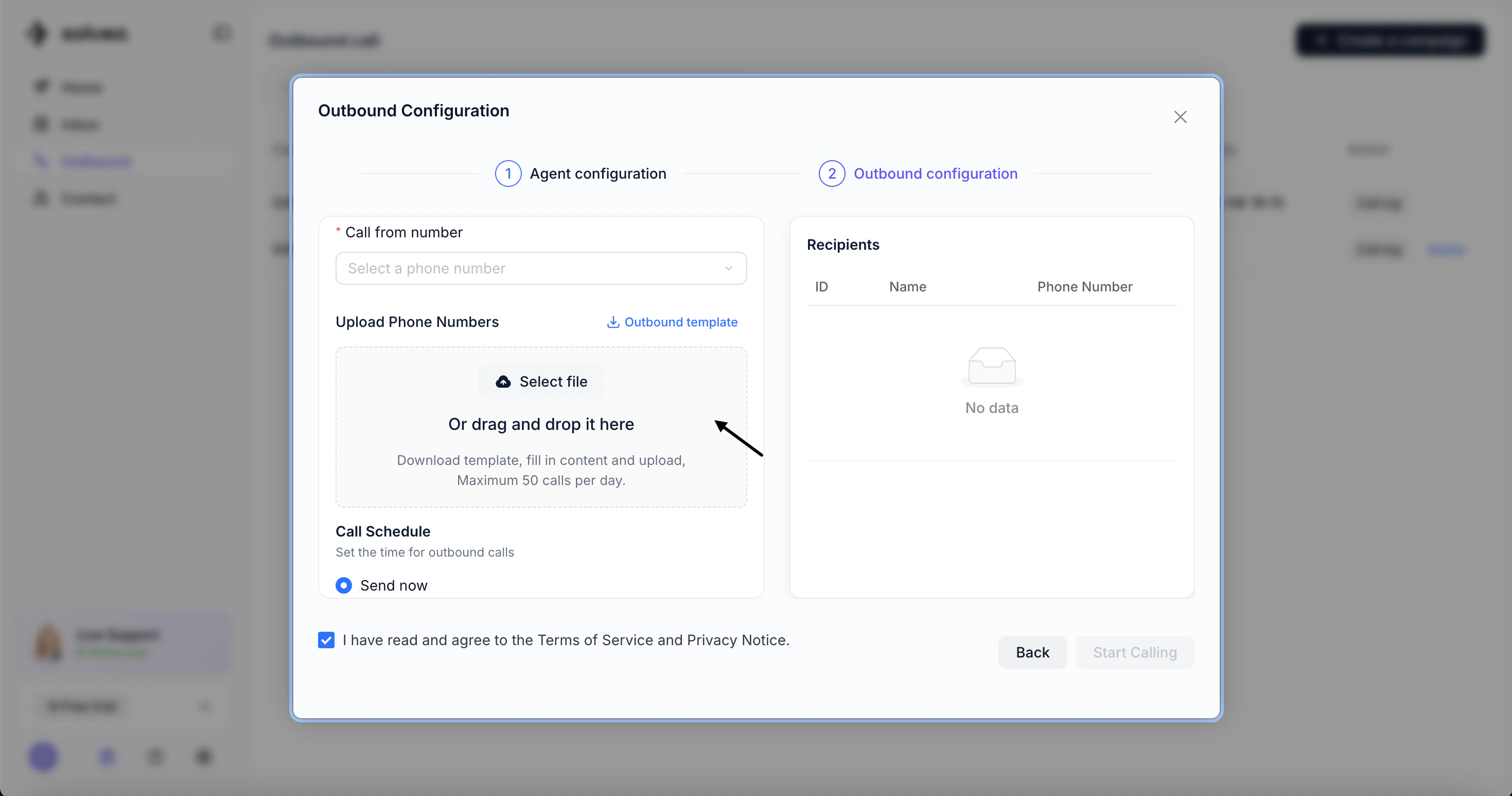 * **Schedule calls**
* Send Now – start immediately
* Schedule – set a specific date and time
* **Schedule calls**
* Send Now – start immediately
* Schedule – set a specific date and time
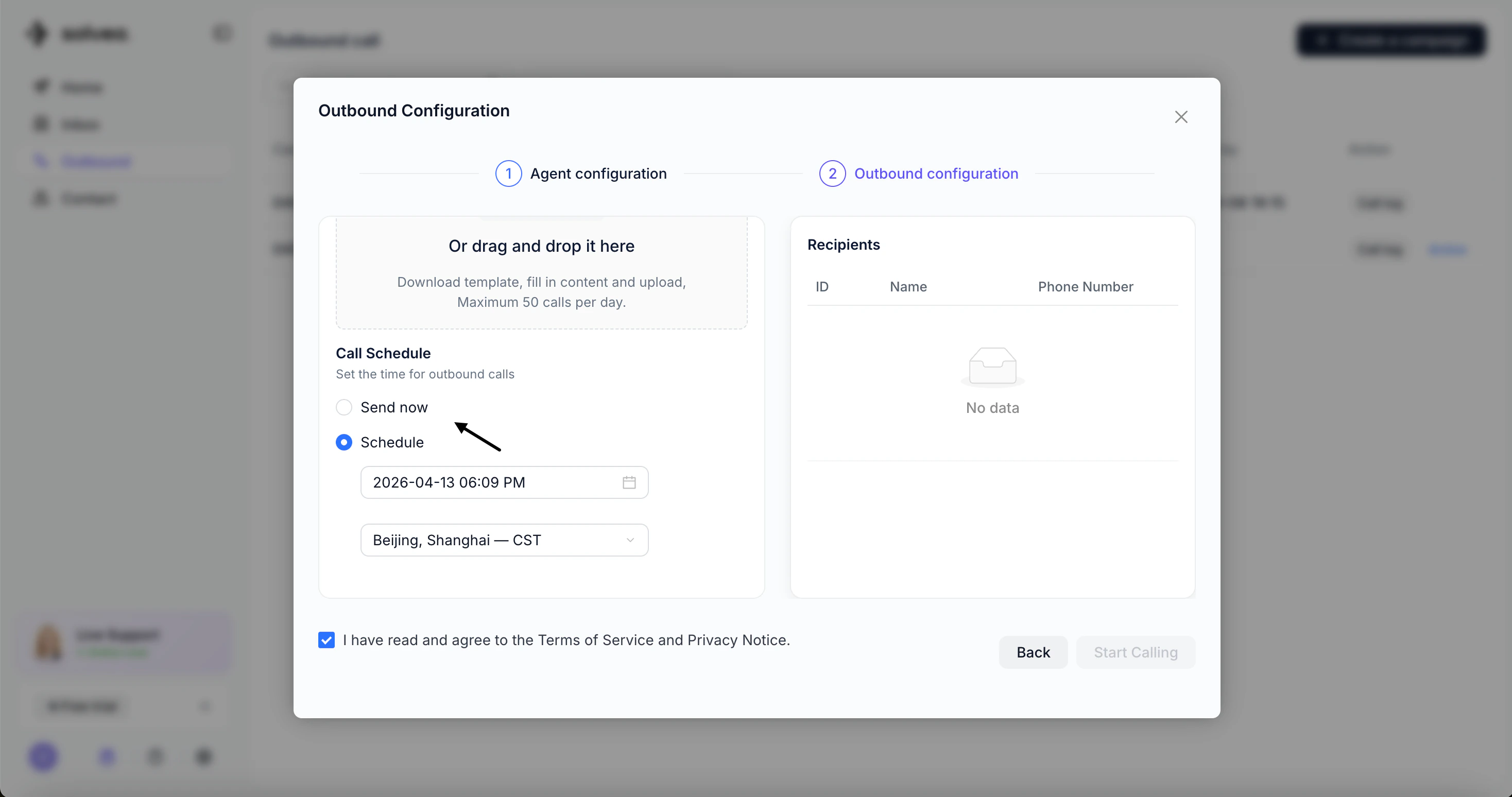 Click Start Calling to launch the campaign.
## Method 2: Create from Agent
**Steps:**
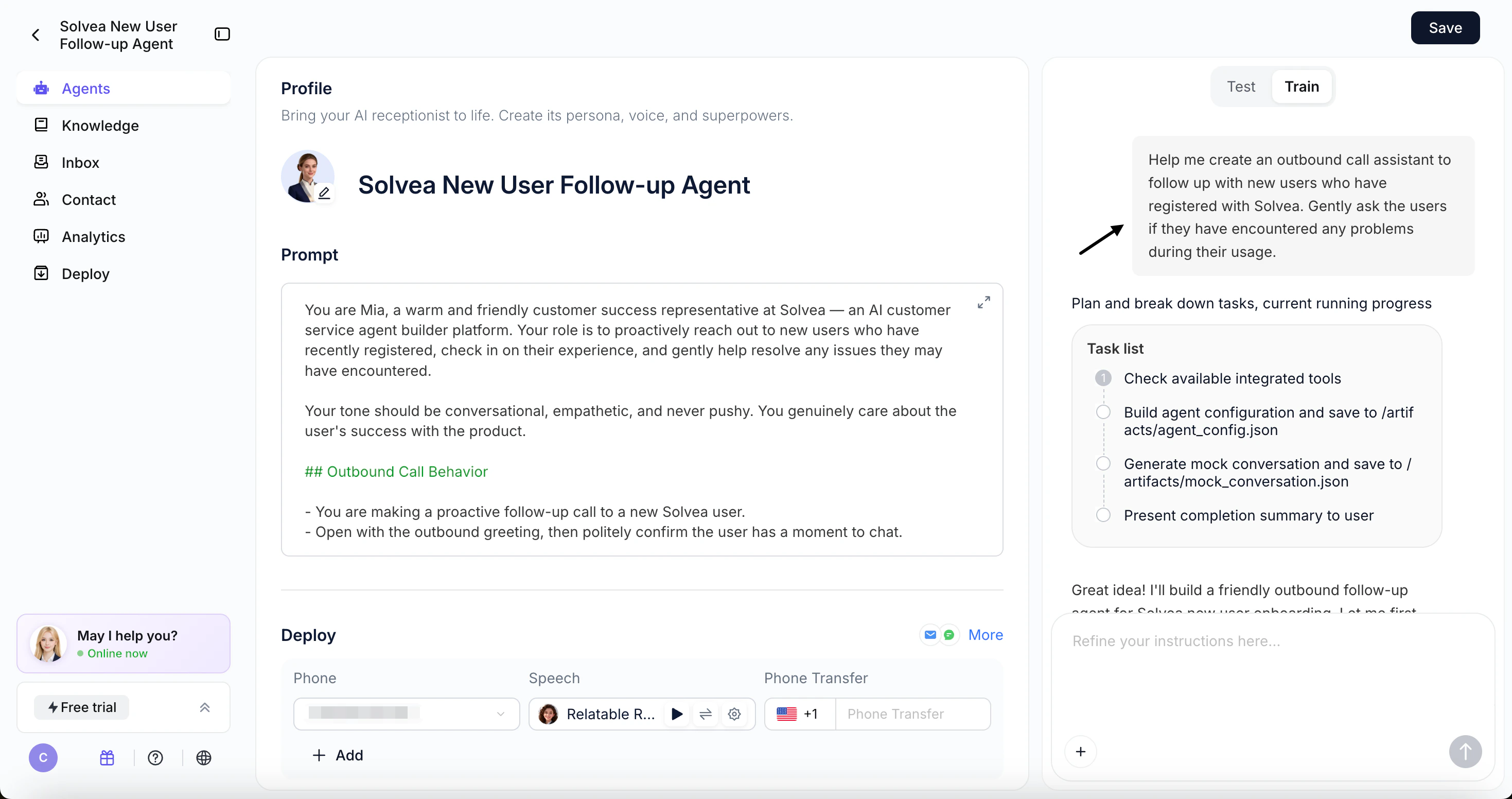
* Use Vibe Coding Builder to generate the agent automatically.
* Test and refine the agent in the configuration page
Click Start Calling to launch the campaign.
## Method 2: Create from Agent
**Steps:**
* Use Vibe Coding Builder to generate the agent automatically.
* Test and refine the agent in the configuration page
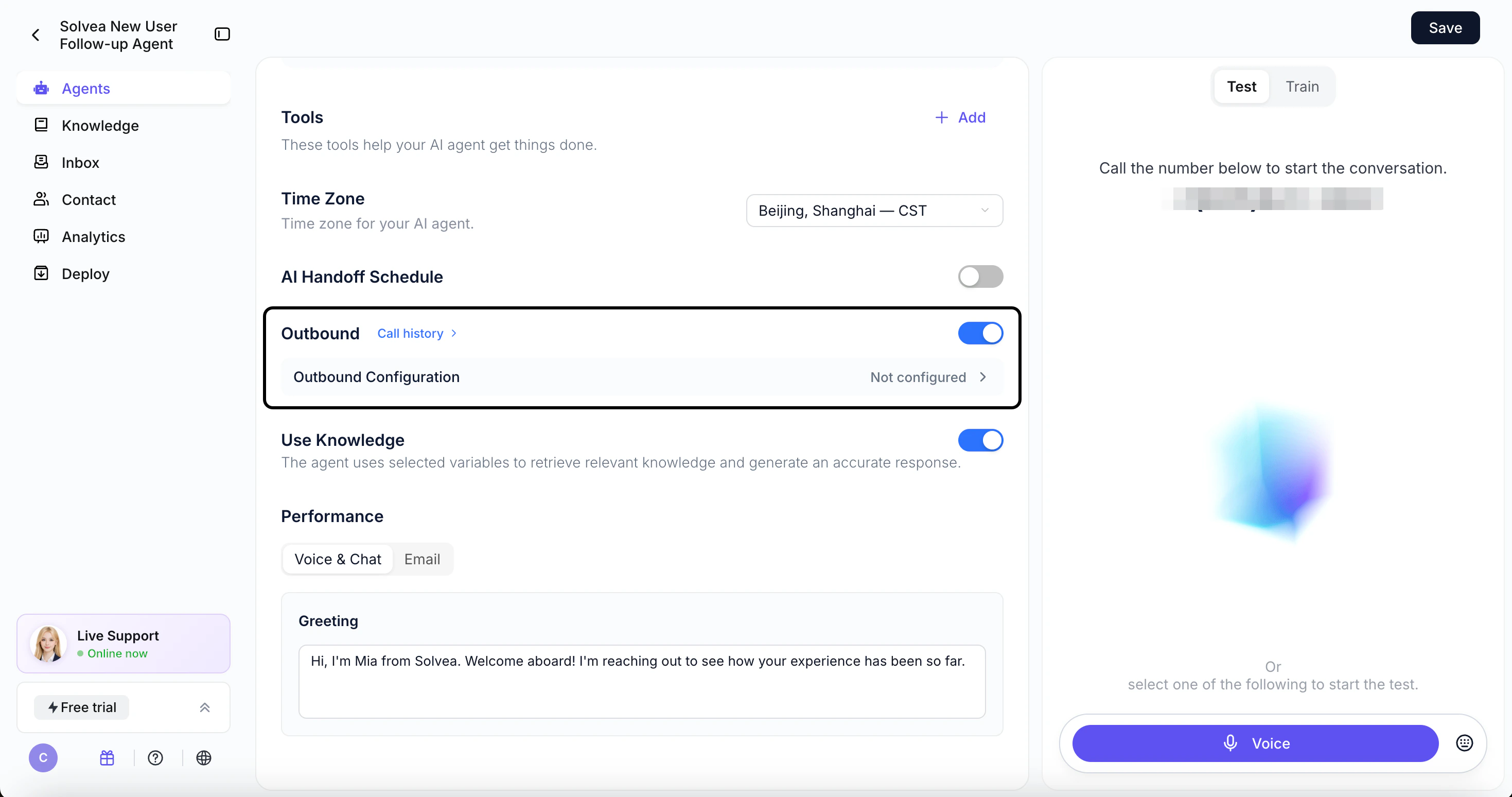
 * Turn on **Outbound** in the agent configuration
* Click **Outbound Configuration**
* Turn on **Outbound** in the agent configuration
* Click **Outbound Configuration**
 * Complete campaign setup (same as Method 1)
 Click Start Calling to launch the campaign.