> ## Documentation Index
> Fetch the complete documentation index at: https://solvea.cx/docs/llms.txt
> Use this file to discover all available pages before exploring further.
# Contacts, Team, Billing, MCP, and Mobile Apps
## Manage Account Operations
 Contacts, team, billing, mobile app links, and MCP access support the daily Desk workflow.
### Contacts
Contacts, team, billing, mobile app links, and MCP access support the daily Desk workflow.
### Contacts
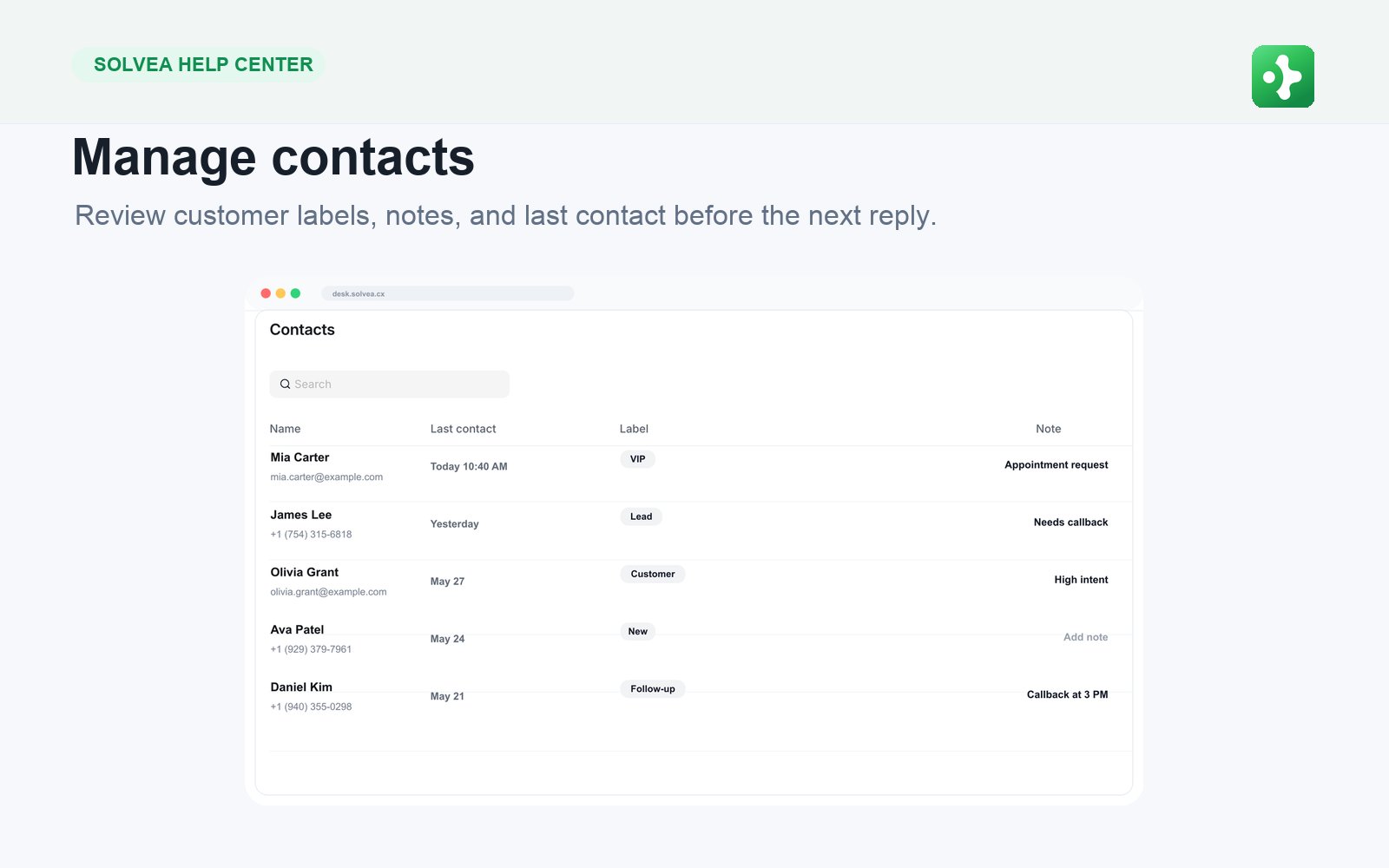 Contacts help the team recognize customers across calls, SMS, email, and tickets. Open a contact to review details and history before calling or replying.
### Team Members
Invite teammates, manage seats, and check availability. Keep the number of paid seats aligned with the people who actually work in Desk or answer calls.
### Billing and Usage
Billing shows subscription state, seats, numbers, and credit usage. Usage helps you understand where costs come from: calls, SMS, AI processing, translation, number rental, or outbound work.
Do not hardcode prices in help content. Tell users to rely on what the Billing page shows.
### Mobile Apps
Use **Settings > Mobile Apps** to help teammates install the app for mobile calling and SMS follow-up.
### MCP Access
MCP keys are for external integrations and trusted tools. Generate a key only when needed, keep it private, and revoke it when the connected tool is no longer used.
Contacts help the team recognize customers across calls, SMS, email, and tickets. Open a contact to review details and history before calling or replying.
### Team Members
Invite teammates, manage seats, and check availability. Keep the number of paid seats aligned with the people who actually work in Desk or answer calls.
### Billing and Usage
Billing shows subscription state, seats, numbers, and credit usage. Usage helps you understand where costs come from: calls, SMS, AI processing, translation, number rental, or outbound work.
Do not hardcode prices in help content. Tell users to rely on what the Billing page shows.
### Mobile Apps
Use **Settings > Mobile Apps** to help teammates install the app for mobile calling and SMS follow-up.
### MCP Access
MCP keys are for external integrations and trusted tools. Generate a key only when needed, keep it private, and revoke it when the connected tool is no longer used.