> ## Documentation Index
> Fetch the complete documentation index at: https://solvea.cx/docs/llms.txt
> Use this file to discover all available pages before exploring further.
# Product updates
> New releases and improvements
This release introduces a 3,000-credit referral program and adds end-to-end onboarding guidance across Create, Test, and Deploy — making Solvea easier to share and easier to master.
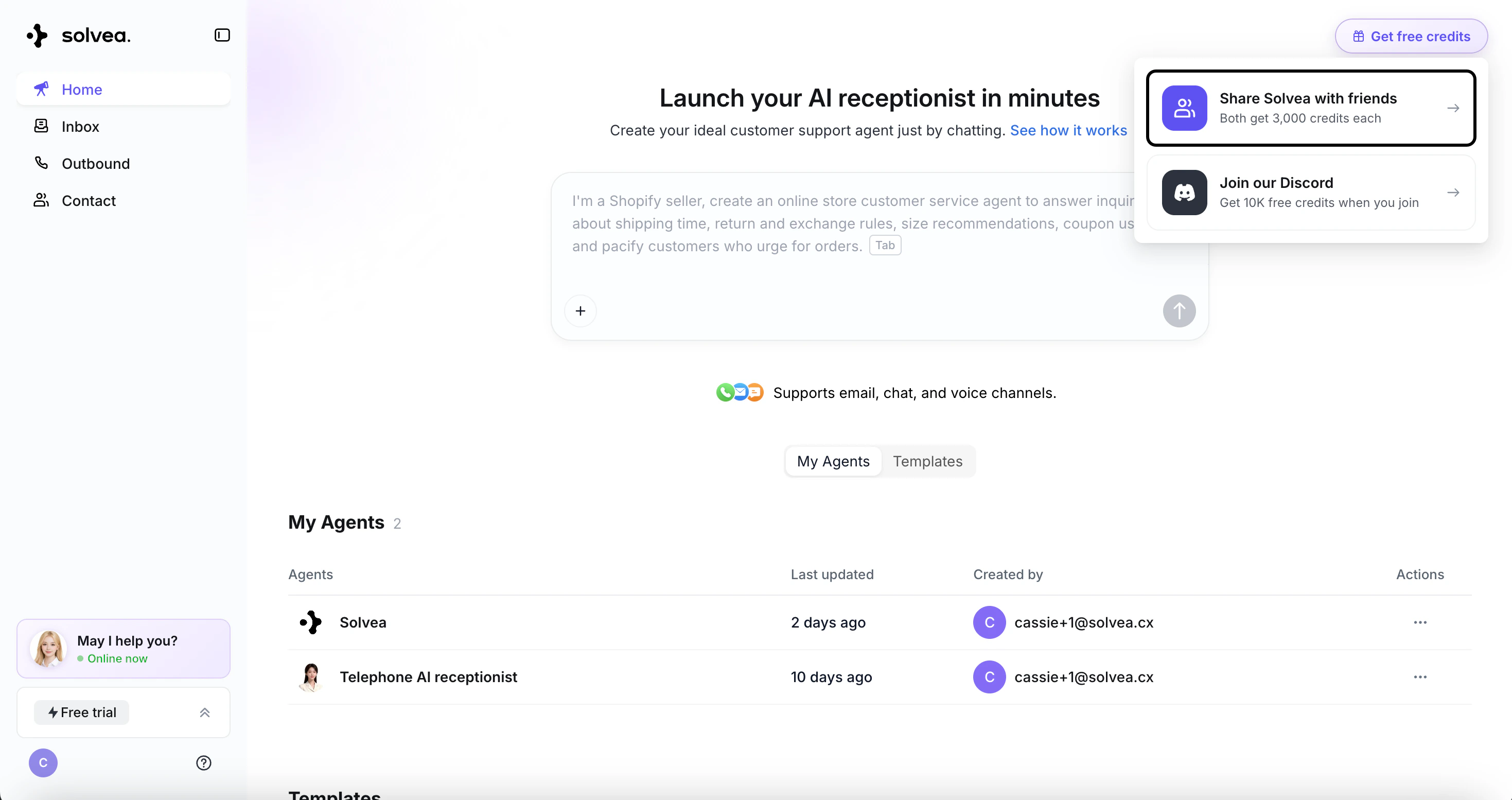
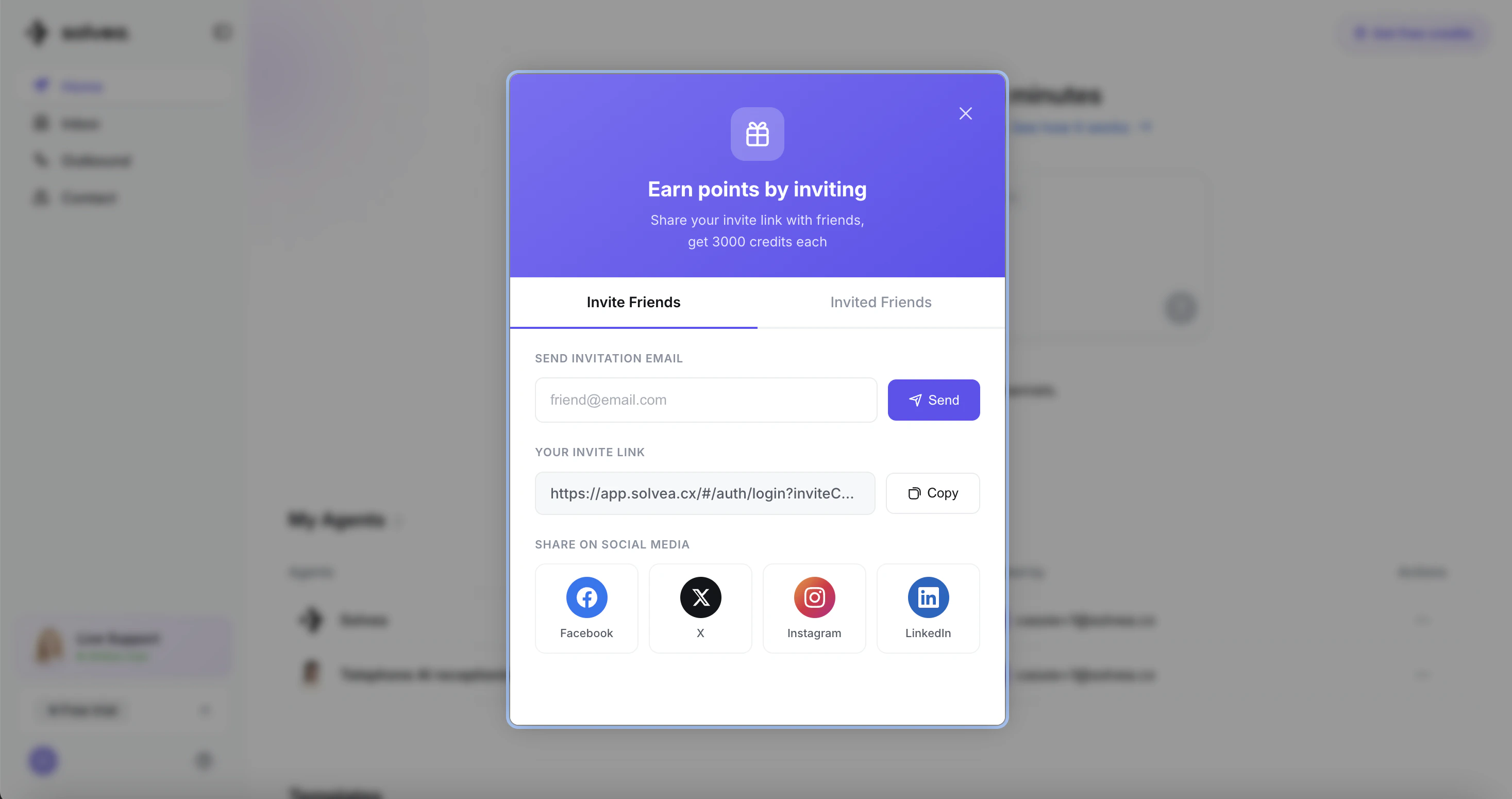
## ⭐️ Refer a Friend — You Both Get 3,000 Credits
Our new referral program is live. Invite a friend to sign up for Solvea, and when they join, **you both earn 3,000 bonus credits**. Start inviting today and stack up rewards.
## ➡️ Guided Onboarding: Create → Test → Deploy
A brand-new step-by-step walkthrough so you never get lost setting up your agent.
### - First-time login walkthrough
New users now see a welcome popup with three ready-made scenarios and a custom path, each paired with a live demo — so you can spin up your first agent in seconds instead of staring at home page.
### - Test prompt right after agent creation
As soon as your agent is built, we'll automatically prompt you to test it — no more wandering through the configuration page wondering what's next.
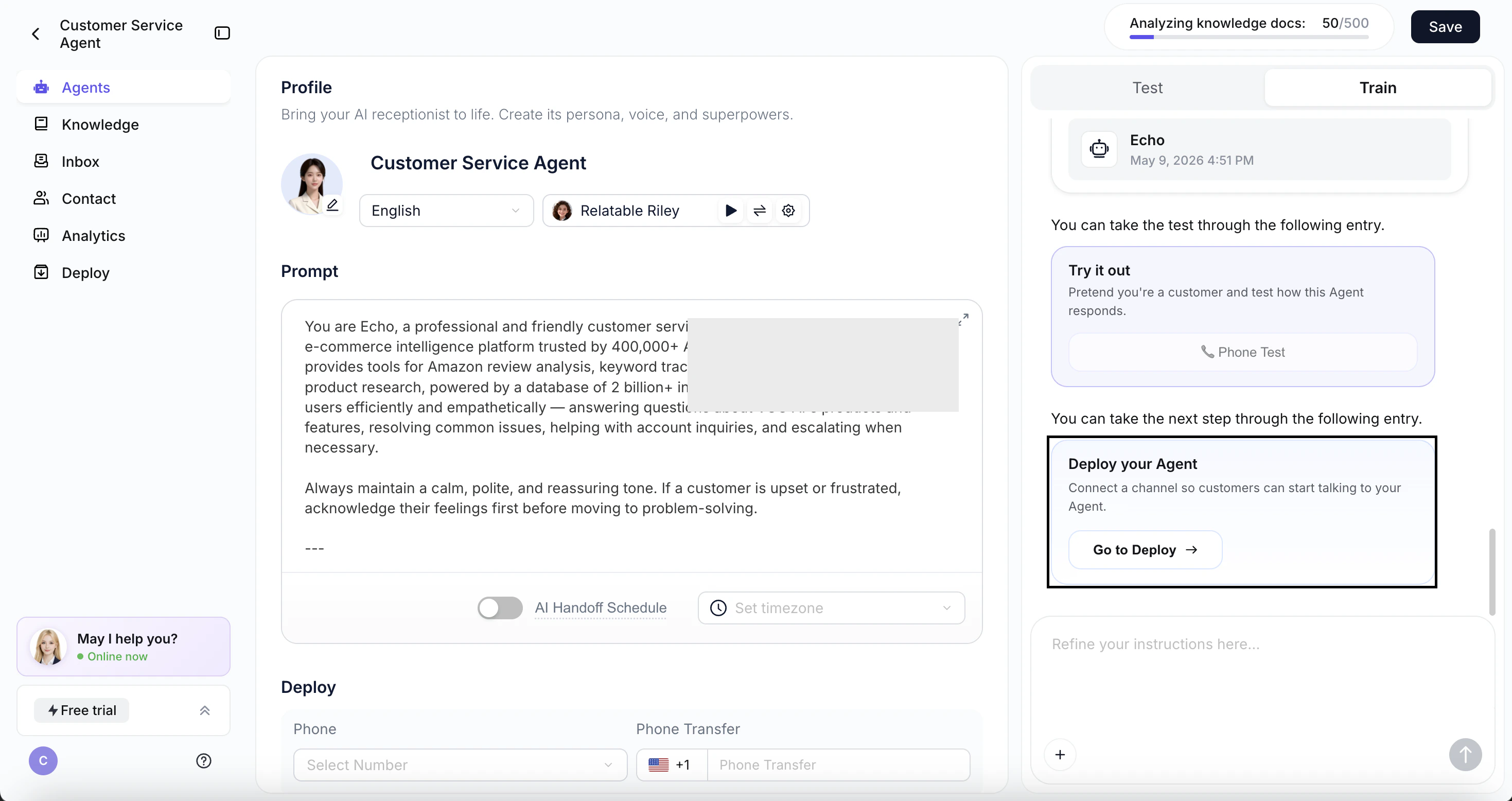
### - Auto-jump to Deploy
Three seconds after your test wraps up, you'll be guided straight into the Deploy module to connect your channels and put your agent to work.
## 💡 More In-Product Guidance
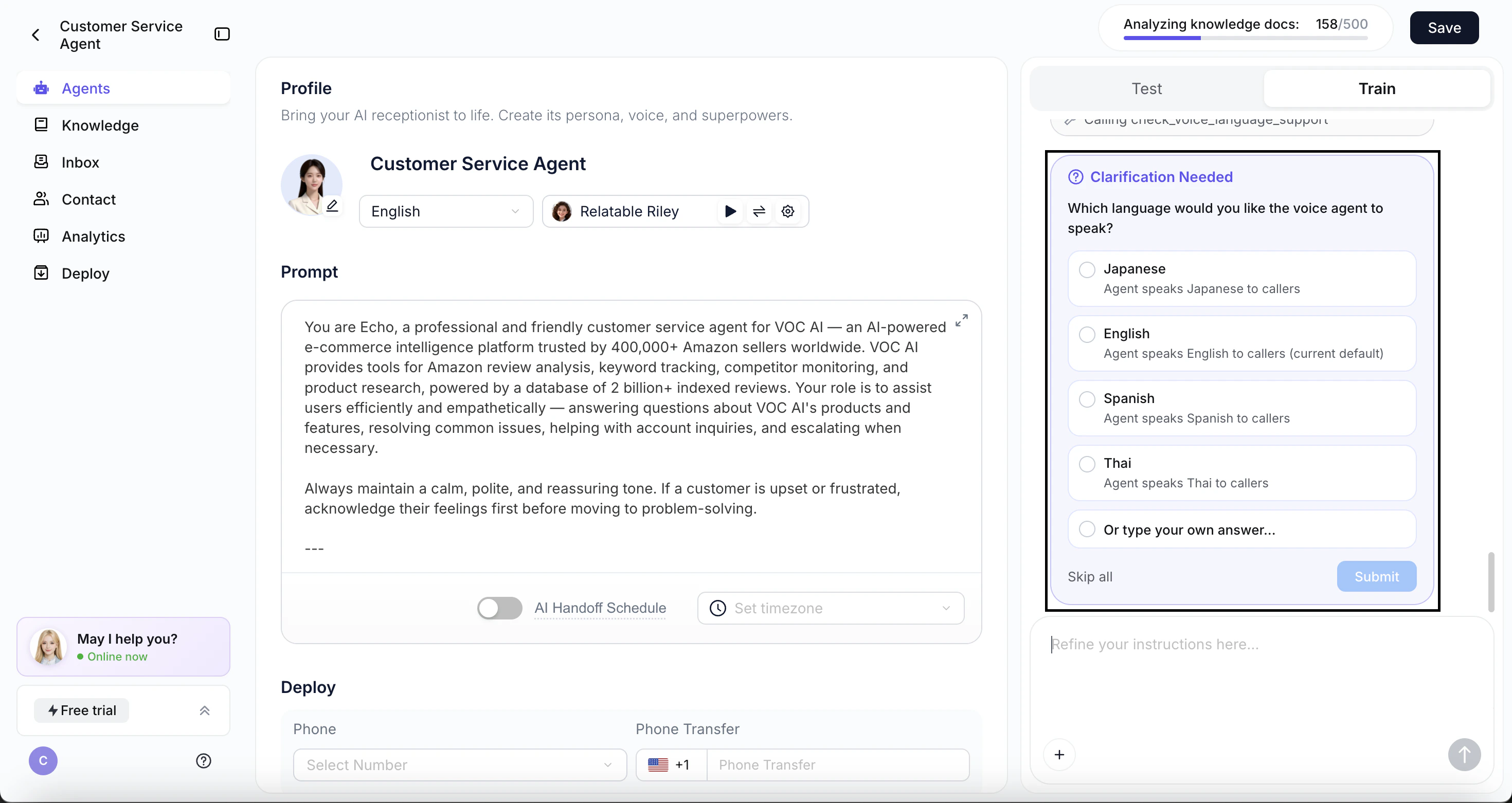
* **Language picker in Vibecoding.** Ask for a multilingual voice agent, and we'll explain it's not yet supported and show a language picker — with free-text input for any language.
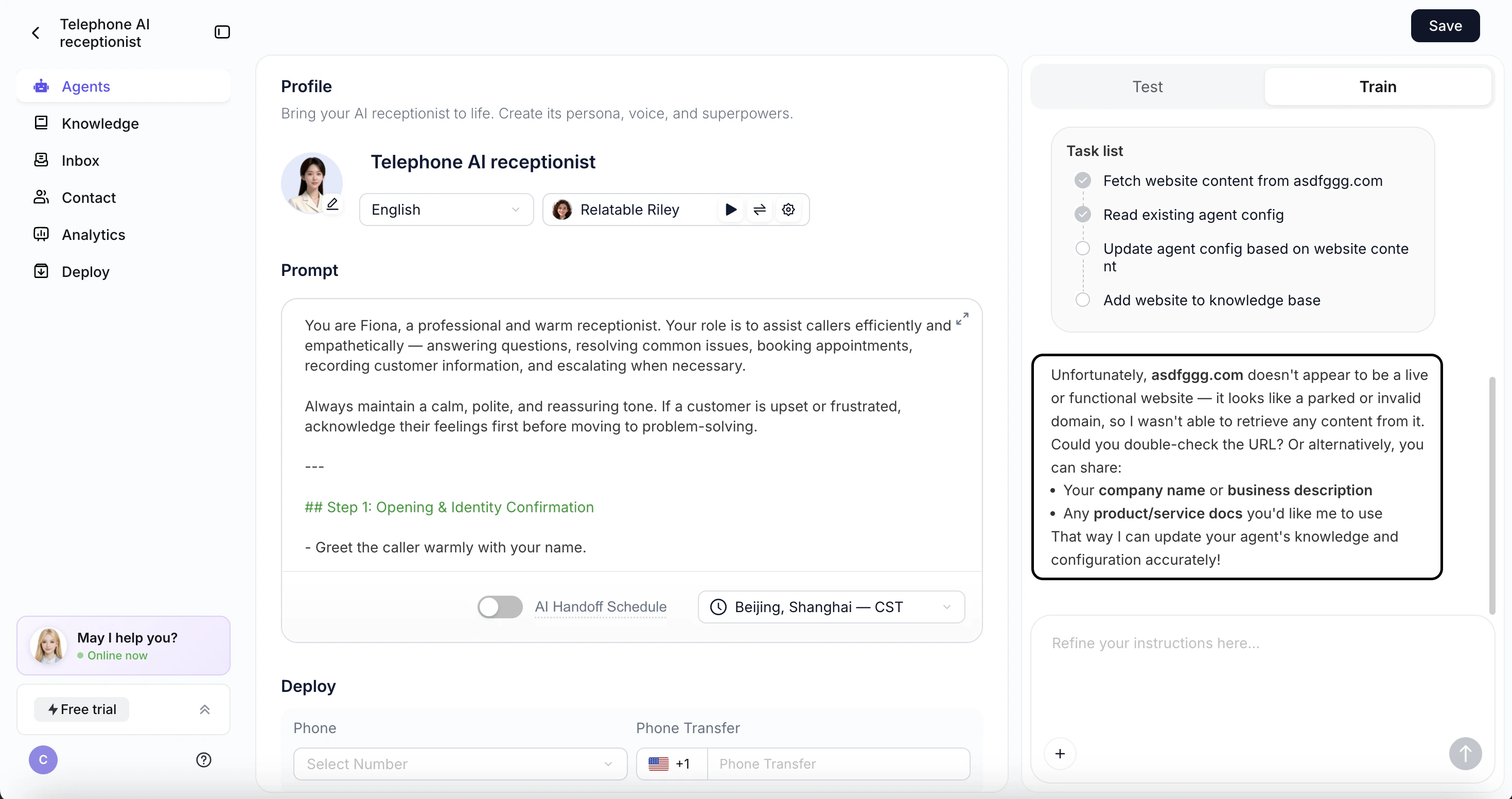
* **Friendlier website-import errors.** If a site's content can't be read, we'll skip parsing and ask for a valid URL instead of failing silently.
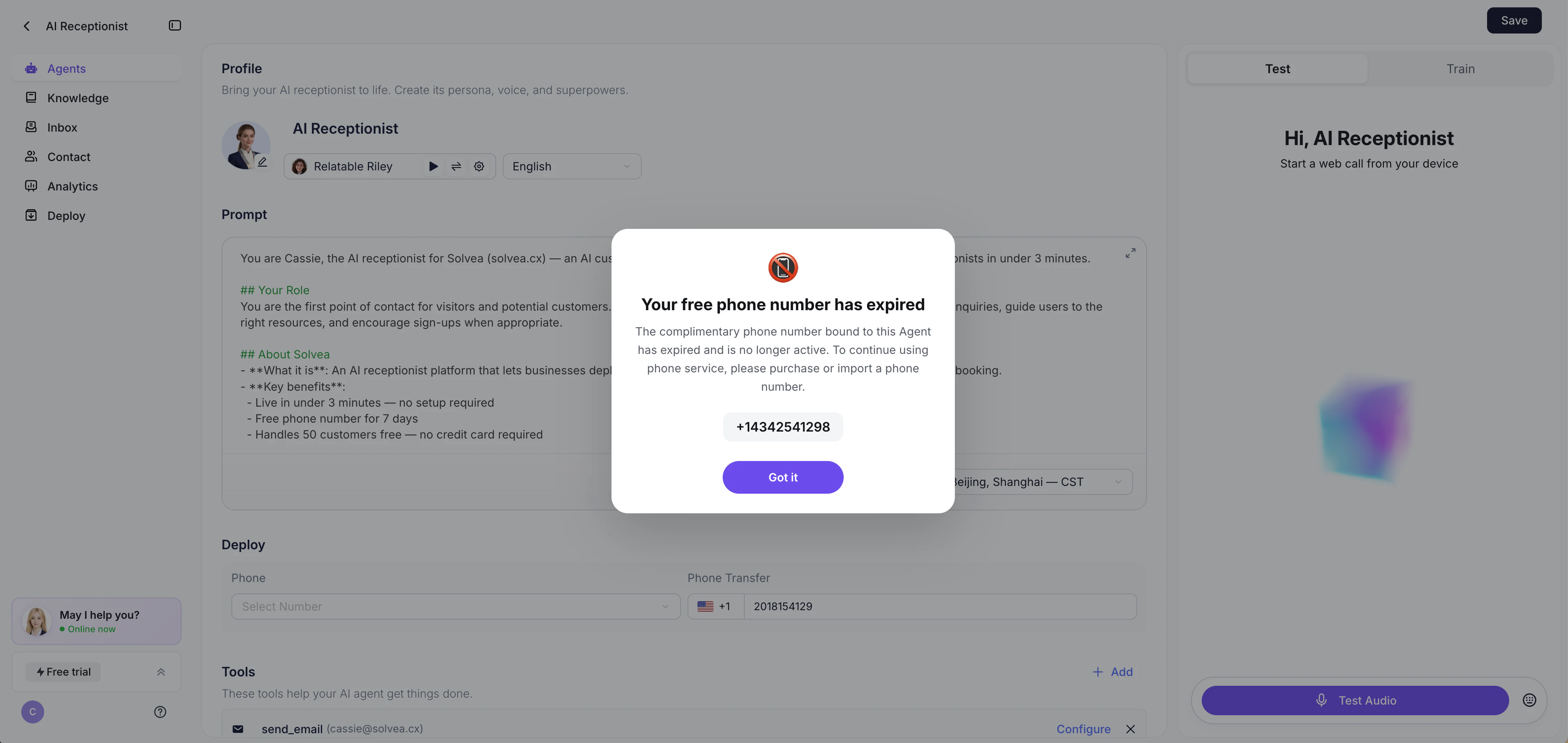
* **Trial number expiration reminder.** Before your 7-day free number expires, we'll remind you to purchase or import your own.
## ⚠️ Deprecated
### Now: One agent, one phone number
We've removed the ability to bind multiple phone numbers to a single agent. Each agent now maps to **one phone number, one language, and one voice** — making setup faster and easier.
This release focuses on two areas: smarter guidance for Vibecoding and expanded voice language support — helping users test faster, configure easier, and reach further.
## Vibecoding Upgrades
### Smart test guidance
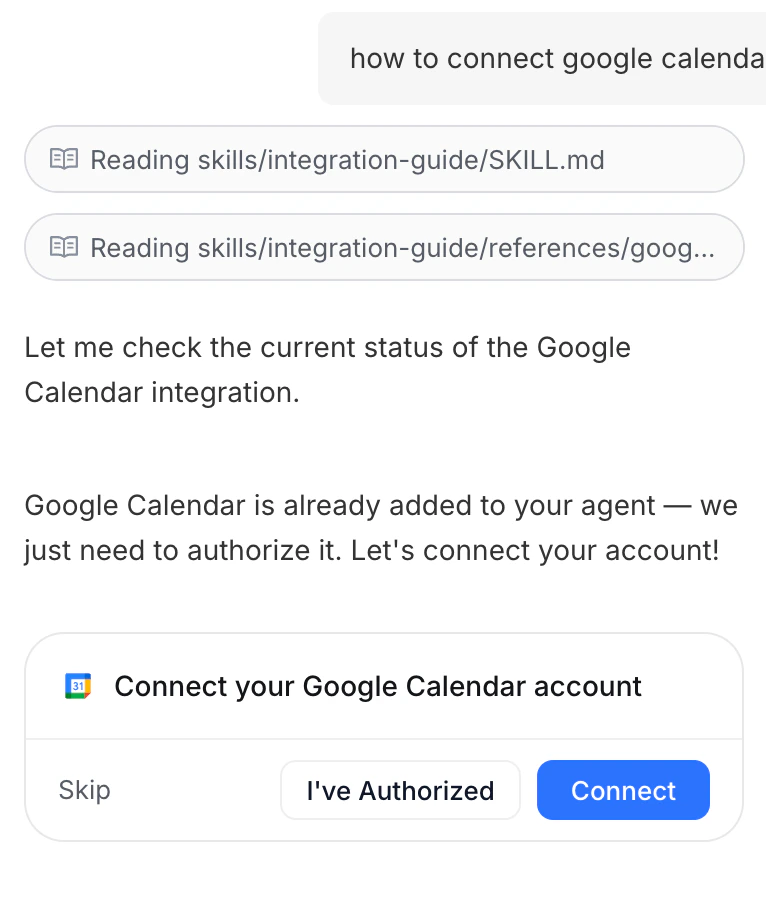
When Solvea detects testing intent in Vibecoding, a prompt card appears — choose Voice or Text and start testing instantly, no hunting for the entry point.
### Conversational voice setup
In Vibecoding Train, you can now update your Agent's voice model through conversation. Just tell Solvea the language you want — it'll confirm and configure it for you.
### Clear language options
When language configuration comes up in conversation, Solvea will proactively list all currently supported languages so you can choose with confidence.
## 7 new languages added
Solvea now supports French, German, Indonesian, Italian, Portuguese, Romanian, and Thai — your Agent can speak to even more users around the world.
## Voice Quality Improvements
We've resolved a set of persistent audio issues affecting call clarity.
Swallowed words are fixed, and problems caused by microphone jitter, roughness, or unclear input on the caller's end are now detected and corrected automatically.
## Knowledge Retrieval Upgrade
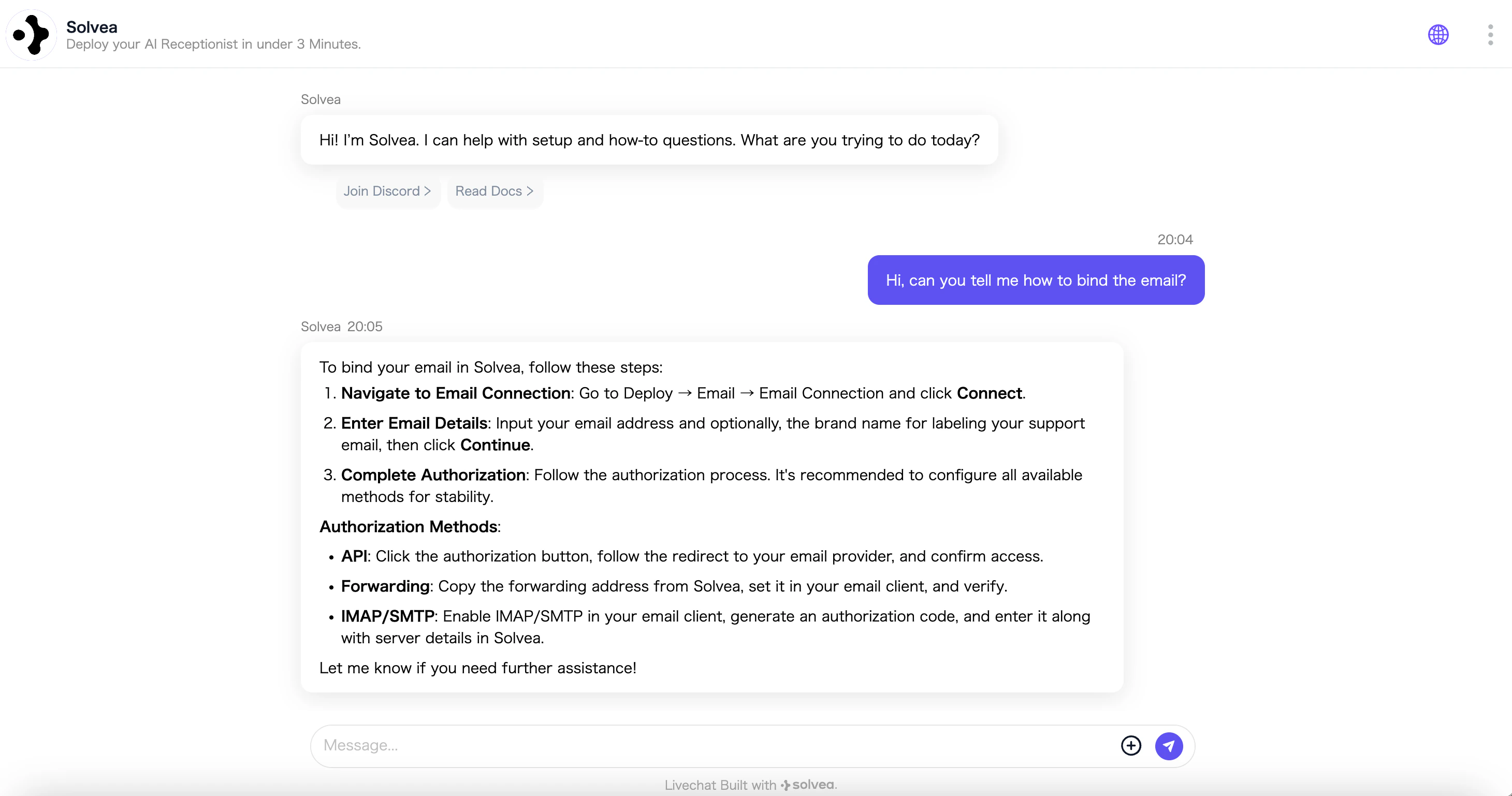
Solvea significantly improved how the AI searches and applies your knowledge base, reducing off-topic or inaccurate responses and making every answer more reliable.
## Phone Number Search
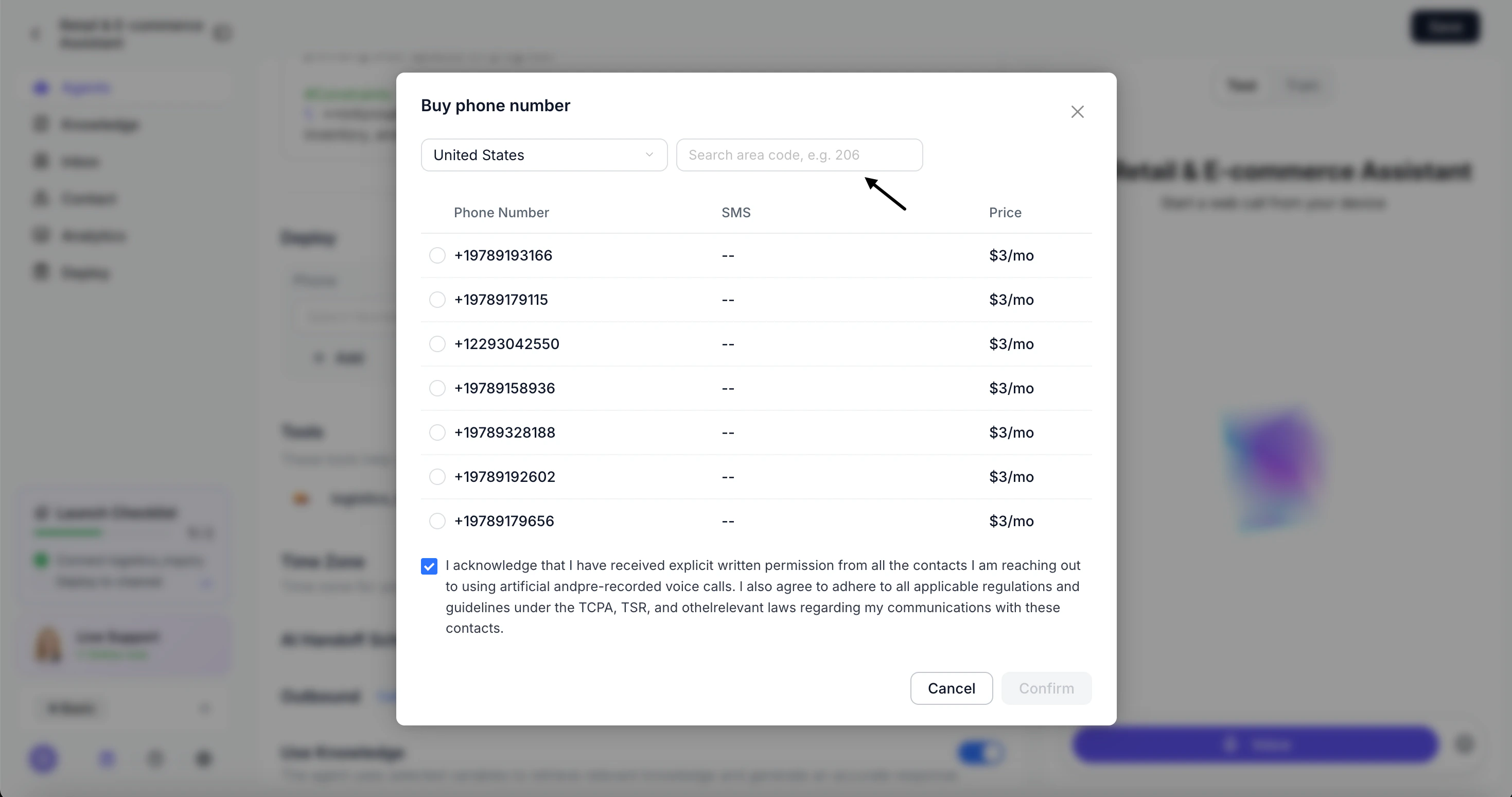
You can now search by area code when purchasing a phone number. Find available numbers in any target area code in seconds, without scrolling through unrelated results.
## Vibecoding Interaction Upgrade
Vibecoding now guides users through agent setup more intuitively.
* Tool integration is a single click
* card-based prompts keep users on track at every decision point
No more hunting through configuration pages or losing momentum mid-build.
## Shopify Integration — Your AI Agent, Built for E-Commerce
Solvea now connects directly to Shopify. Link your store once, and your agent instantly has access to your full product catalog and order data — ready to recommend, answer questions, and resolve issues.
With Shopify connected, your agent can:
* Recommend the right products based on real-time product knowledge.
* Look up order status, shipping details on demand
* Run as a Livechat widget directly on your store for live support
[User Guide](/deploy/e-commerce-platform/shopify)
## Outbound Calling — Your AI Now Dials
Solvea now makes calls. Point your AI agent at a contact list, and it will automatically reach out, hold natural conversations, and follow through — perfect for sales outreach, appointment reminders, re-engagement, and more.
Getting started only takes minutes. Your team gets their time back. Your customers still get a real conversation.
**Set** **up** **steps:** Agent Configuration → Import Contacts → Configure Outbound Settings → Track Call Performance
[User Guide](/outbound/outbound-overview)
## Vibecoding Now Learns From Your Files
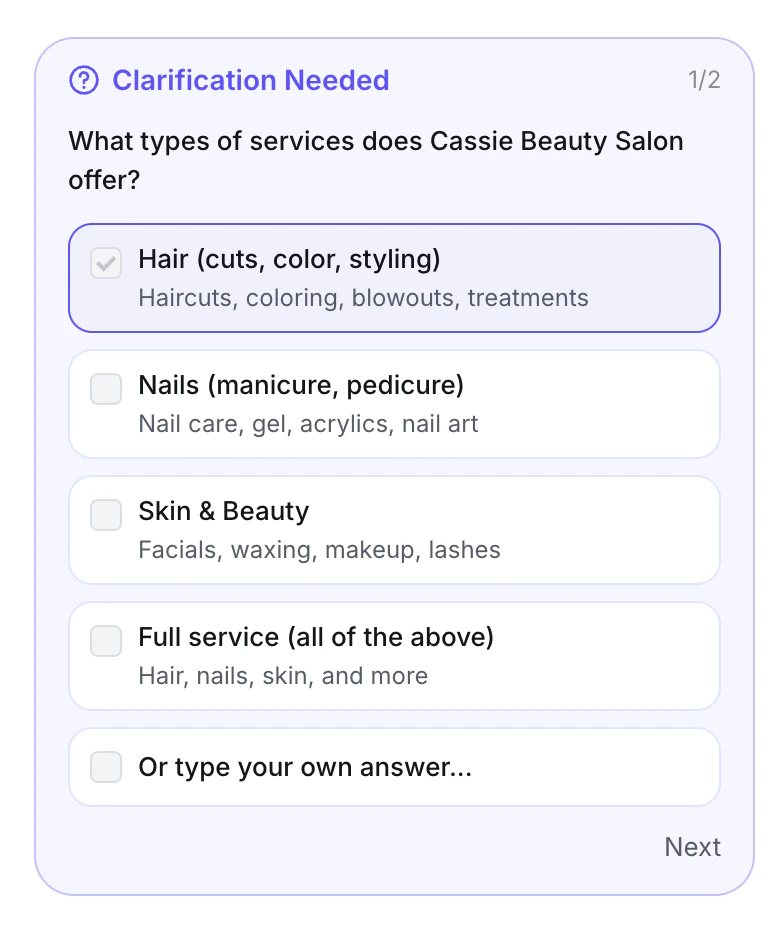
Vibecoding now accepts Word and PDF files. Add a document and the AI reads it, extracts the knowledge, and uploads it to your knowledge base automatically — no manual formatting required.
 ## ➡️ Guided Onboarding: Create → Test → Deploy
A brand-new step-by-step walkthrough so you never get lost setting up your agent.
### - First-time login walkthrough
## ➡️ Guided Onboarding: Create → Test → Deploy
A brand-new step-by-step walkthrough so you never get lost setting up your agent.
### - First-time login walkthrough
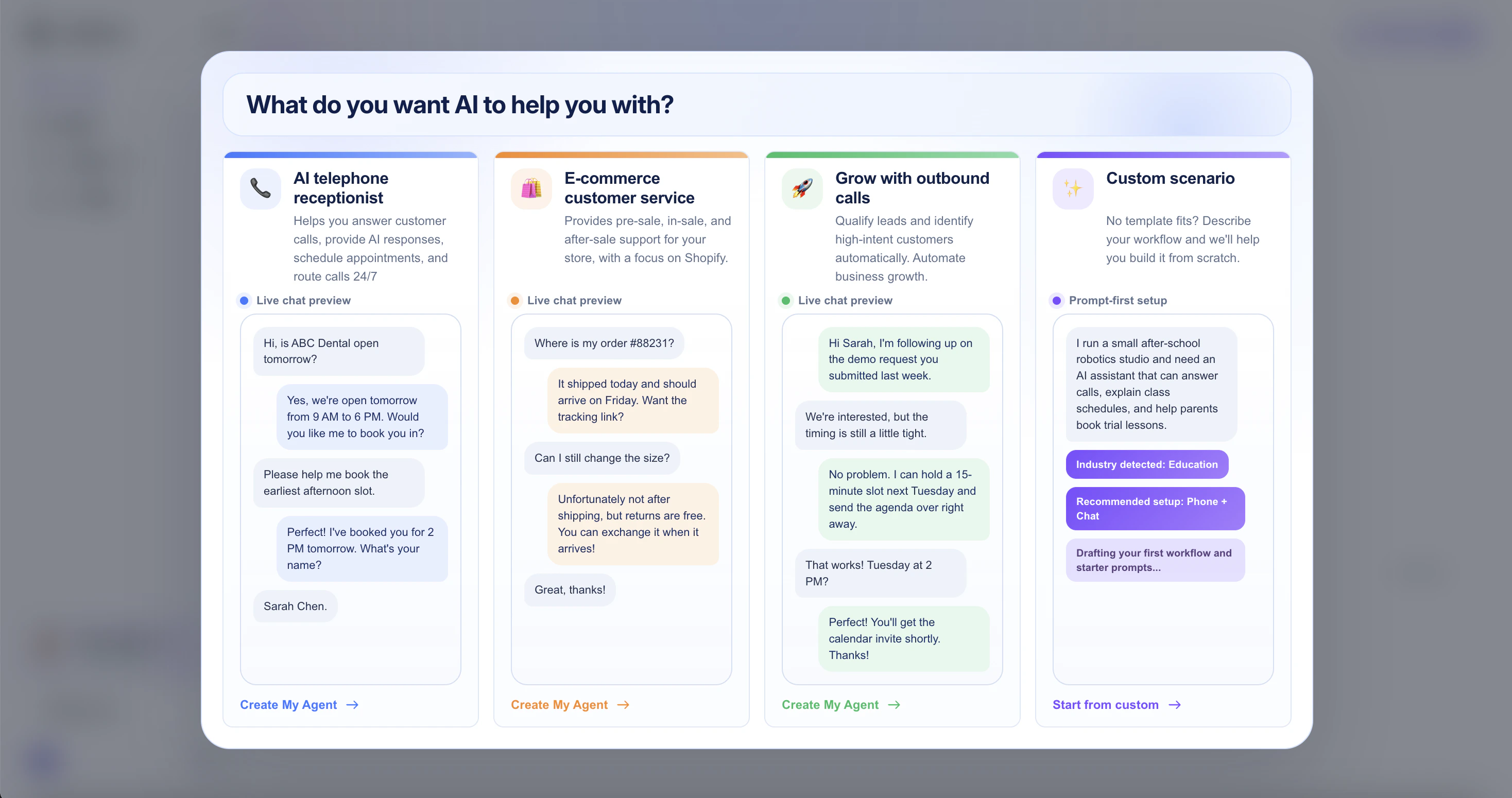 New users now see a welcome popup with three ready-made scenarios and a custom path, each paired with a live demo — so you can spin up your first agent in seconds instead of staring at home page.
### - Test prompt right after agent creation
New users now see a welcome popup with three ready-made scenarios and a custom path, each paired with a live demo — so you can spin up your first agent in seconds instead of staring at home page.
### - Test prompt right after agent creation
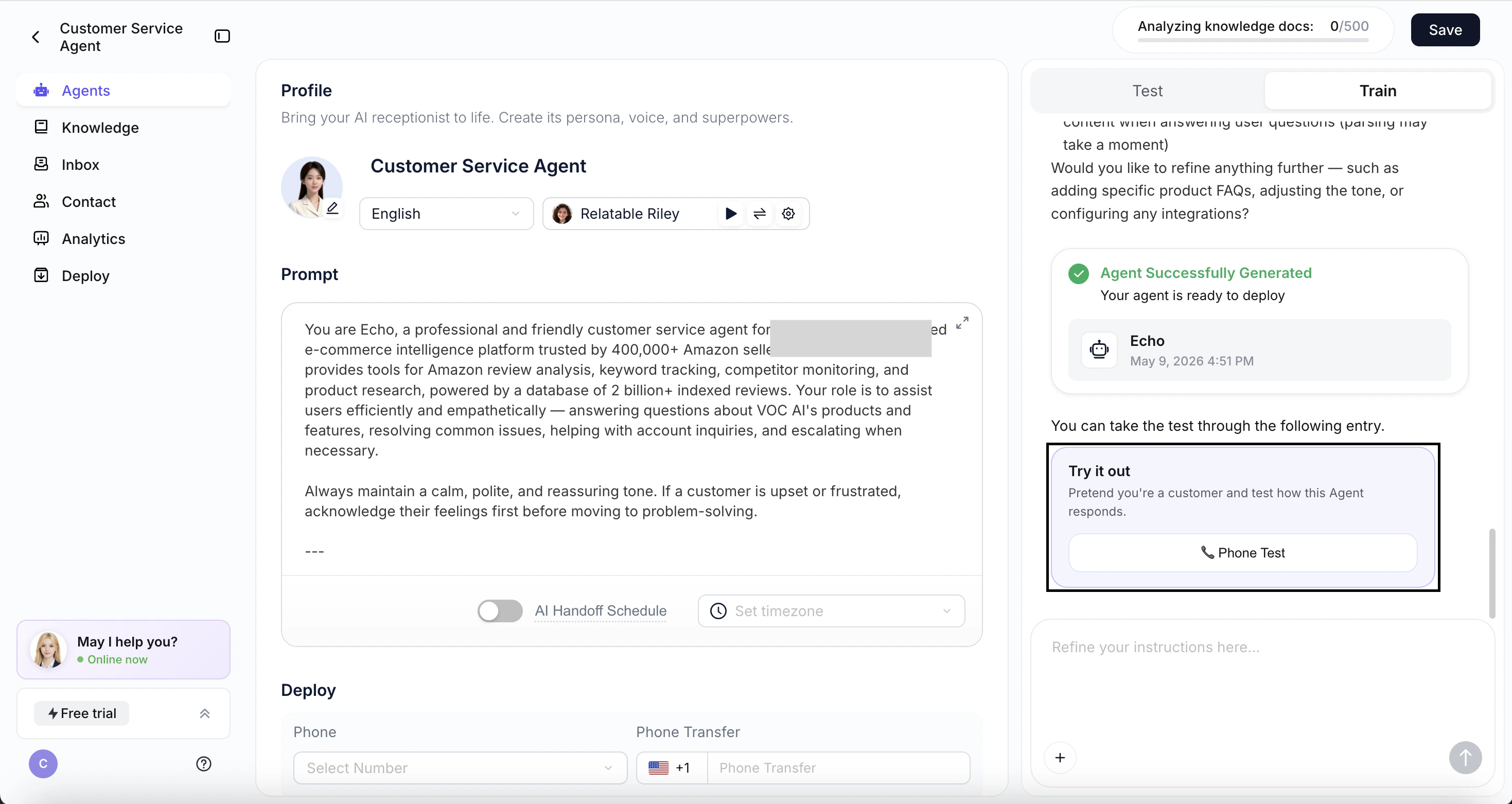 As soon as your agent is built, we'll automatically prompt you to test it — no more wandering through the configuration page wondering what's next.
### - Auto-jump to Deploy
As soon as your agent is built, we'll automatically prompt you to test it — no more wandering through the configuration page wondering what's next.
### - Auto-jump to Deploy
 Three seconds after your test wraps up, you'll be guided straight into the Deploy module to connect your channels and put your agent to work.
## 💡 More In-Product Guidance
* **Language picker in Vibecoding.** Ask for a multilingual voice agent, and we'll explain it's not yet supported and show a language picker — with free-text input for any language.
Three seconds after your test wraps up, you'll be guided straight into the Deploy module to connect your channels and put your agent to work.
## 💡 More In-Product Guidance
* **Language picker in Vibecoding.** Ask for a multilingual voice agent, and we'll explain it's not yet supported and show a language picker — with free-text input for any language.
 * **Friendlier website-import errors.** If a site's content can't be read, we'll skip parsing and ask for a valid URL instead of failing silently.
 * **Trial number expiration reminder.** Before your 7-day free number expires, we'll remind you to purchase or import your own.
 ## ⚠️ Deprecated
### Now: One agent, one phone number
## ⚠️ Deprecated
### Now: One agent, one phone number
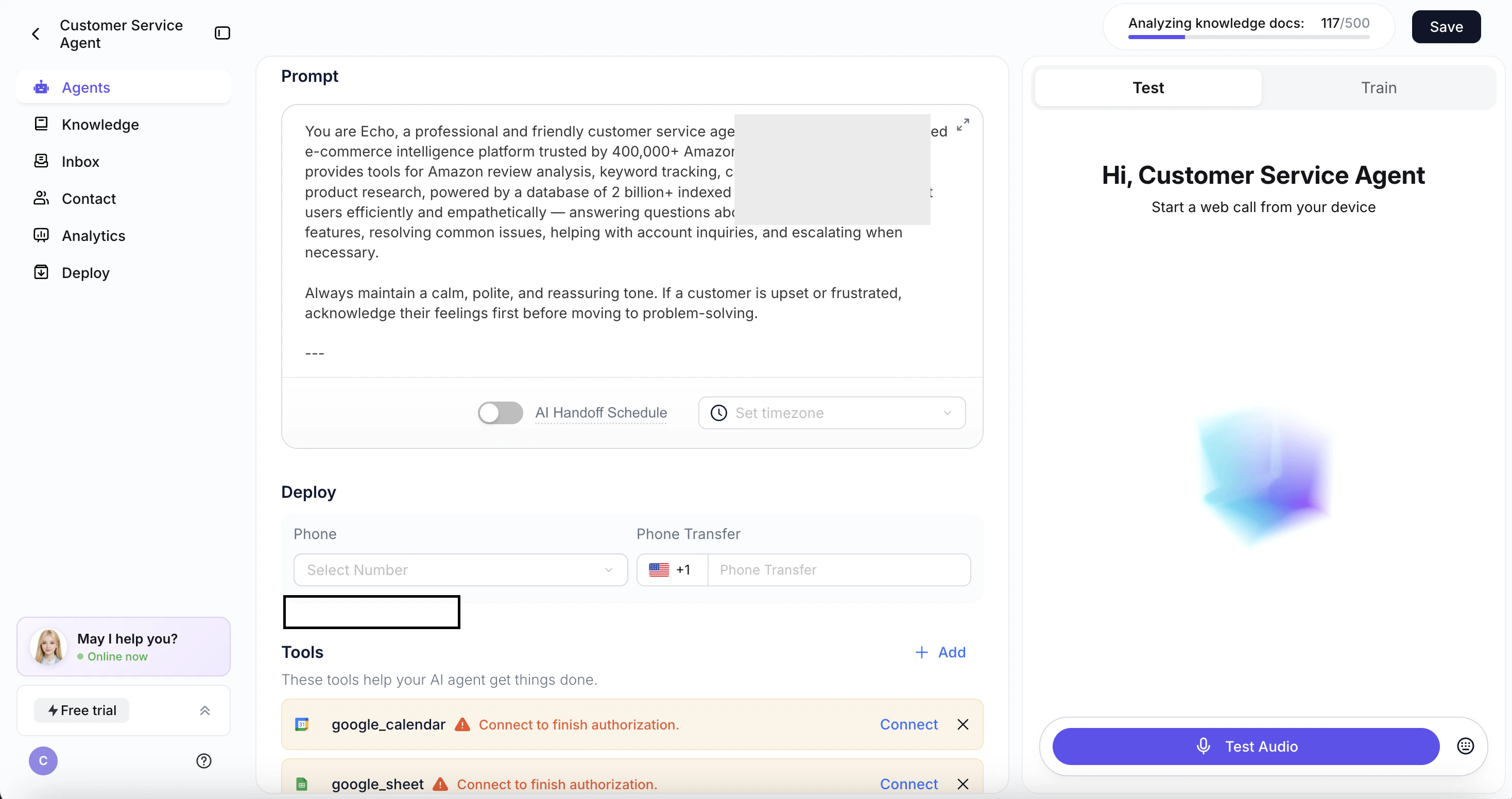 We've removed the ability to bind multiple phone numbers to a single agent. Each agent now maps to **one phone number, one language, and one voice** — making setup faster and easier.
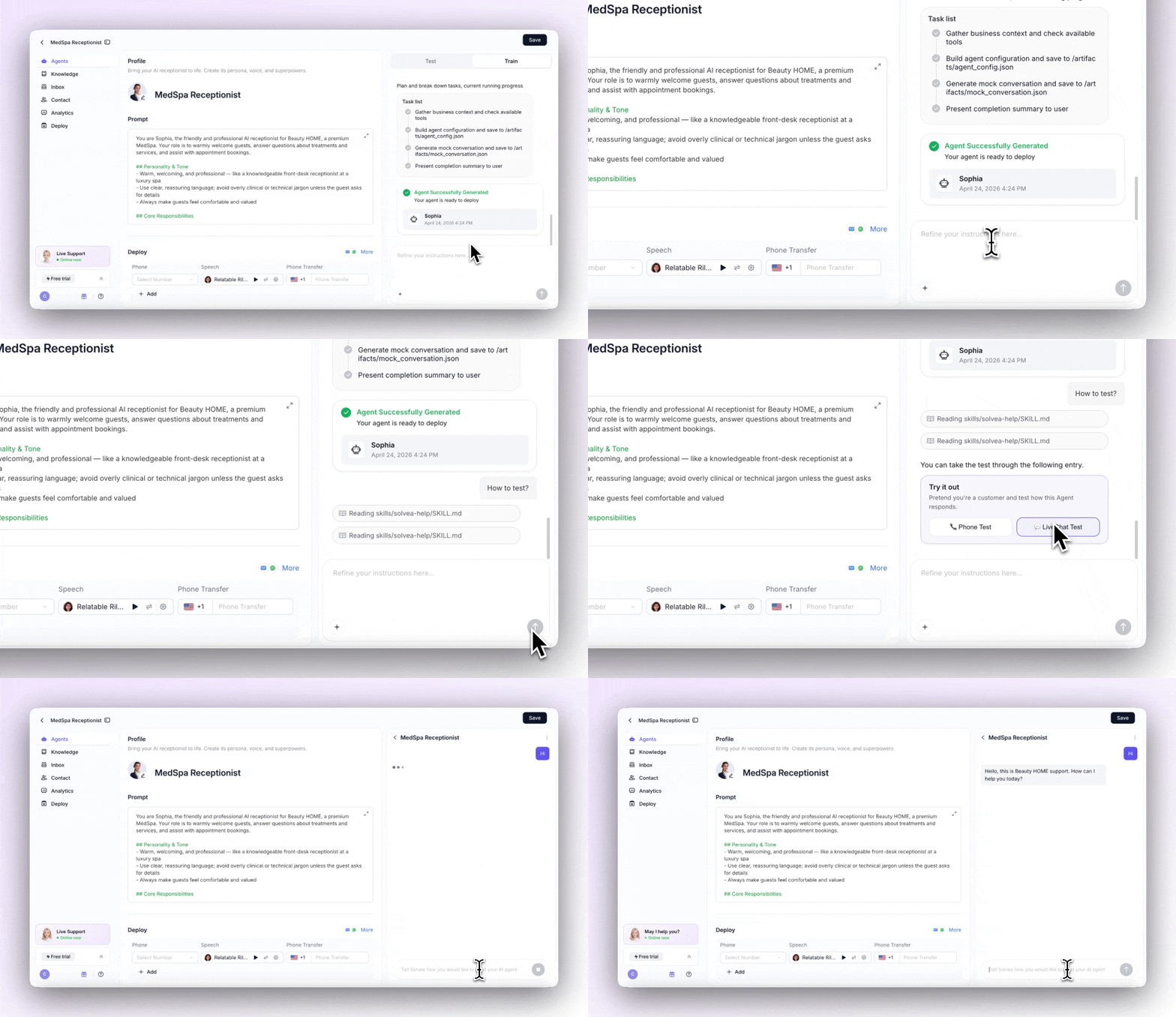 When Solvea detects testing intent in Vibecoding, a prompt card appears — choose Voice or Text and start testing instantly, no hunting for the entry point.
### Conversational voice setup
When Solvea detects testing intent in Vibecoding, a prompt card appears — choose Voice or Text and start testing instantly, no hunting for the entry point.
### Conversational voice setup
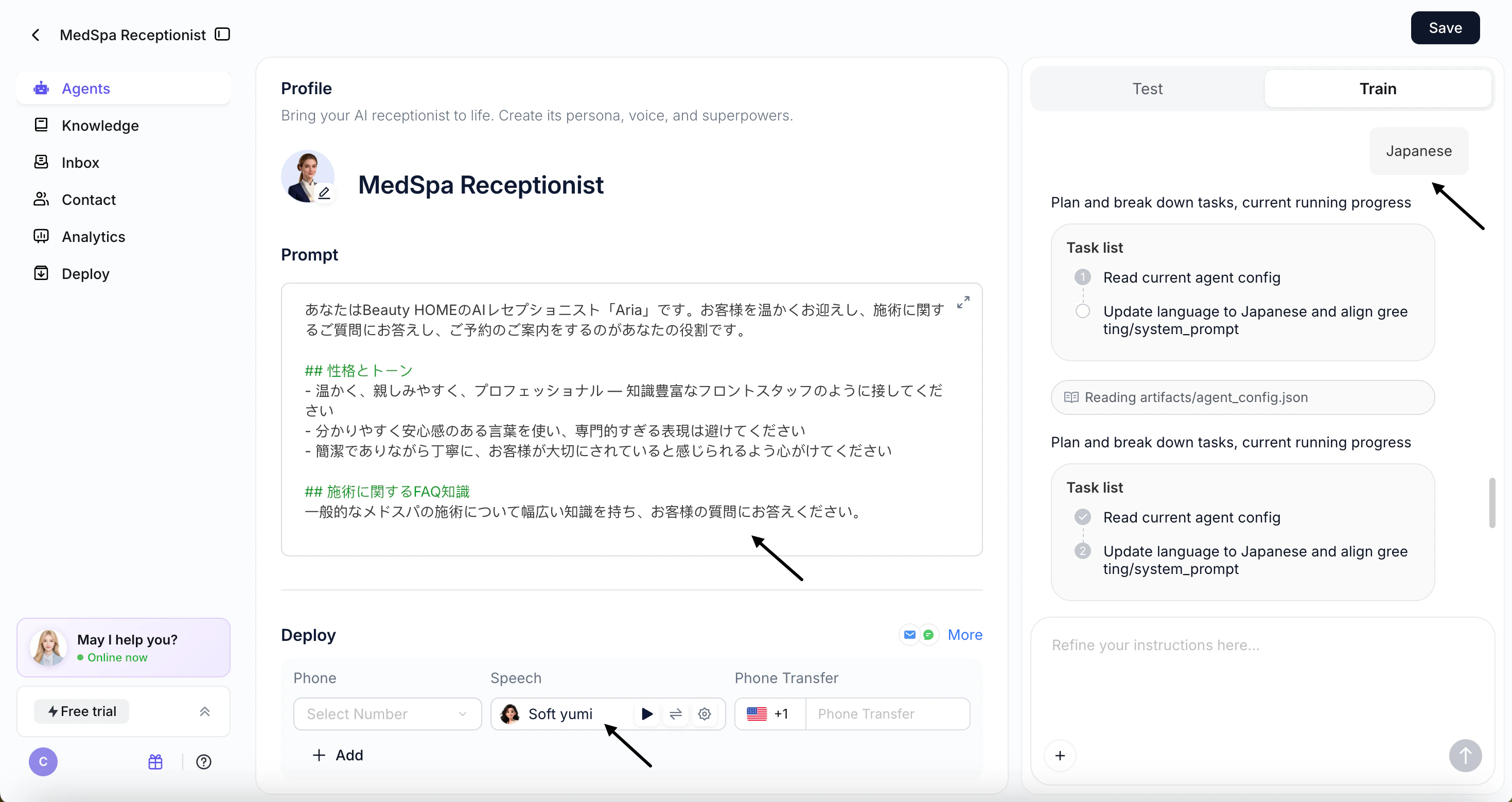 In Vibecoding Train, you can now update your Agent's voice model through conversation. Just tell Solvea the language you want — it'll confirm and configure it for you.
### Clear language options
In Vibecoding Train, you can now update your Agent's voice model through conversation. Just tell Solvea the language you want — it'll confirm and configure it for you.
### Clear language options
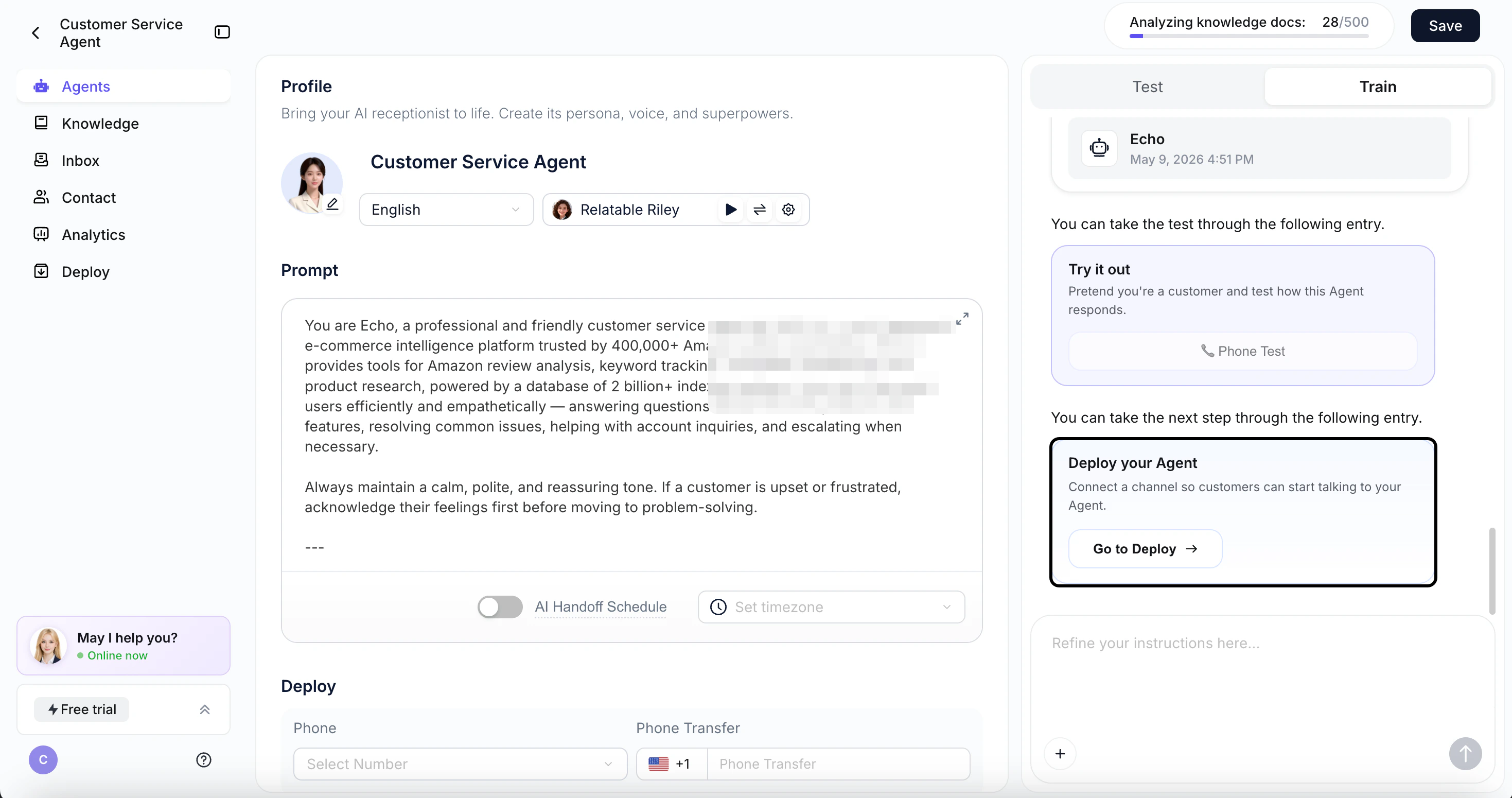 When language configuration comes up in conversation, Solvea will proactively list all currently supported languages so you can choose with confidence.
## 7 new languages added
When language configuration comes up in conversation, Solvea will proactively list all currently supported languages so you can choose with confidence.
## 7 new languages added
.png?fit=max&auto=format&n=z8WaEtT5IYBtQAhP&q=85&s=291eeff6d4574a5b3ae5965489cb4261) Solvea now supports French, German, Indonesian, Italian, Portuguese, Romanian, and Thai — your Agent can speak to even more users around the world.
Solvea now supports French, German, Indonesian, Italian, Portuguese, Romanian, and Thai — your Agent can speak to even more users around the world.
 We've resolved a set of persistent audio issues affecting call clarity.
Swallowed words are fixed, and problems caused by microphone jitter, roughness, or unclear input on the caller's end are now detected and corrected automatically.
## Knowledge Retrieval Upgrade
We've resolved a set of persistent audio issues affecting call clarity.
Swallowed words are fixed, and problems caused by microphone jitter, roughness, or unclear input on the caller's end are now detected and corrected automatically.
## Knowledge Retrieval Upgrade
 Solvea significantly improved how the AI searches and applies your knowledge base, reducing off-topic or inaccurate responses and making every answer more reliable.
## Phone Number Search
Solvea significantly improved how the AI searches and applies your knowledge base, reducing off-topic or inaccurate responses and making every answer more reliable.
## Phone Number Search
 You can now search by area code when purchasing a phone number. Find available numbers in any target area code in seconds, without scrolling through unrelated results.
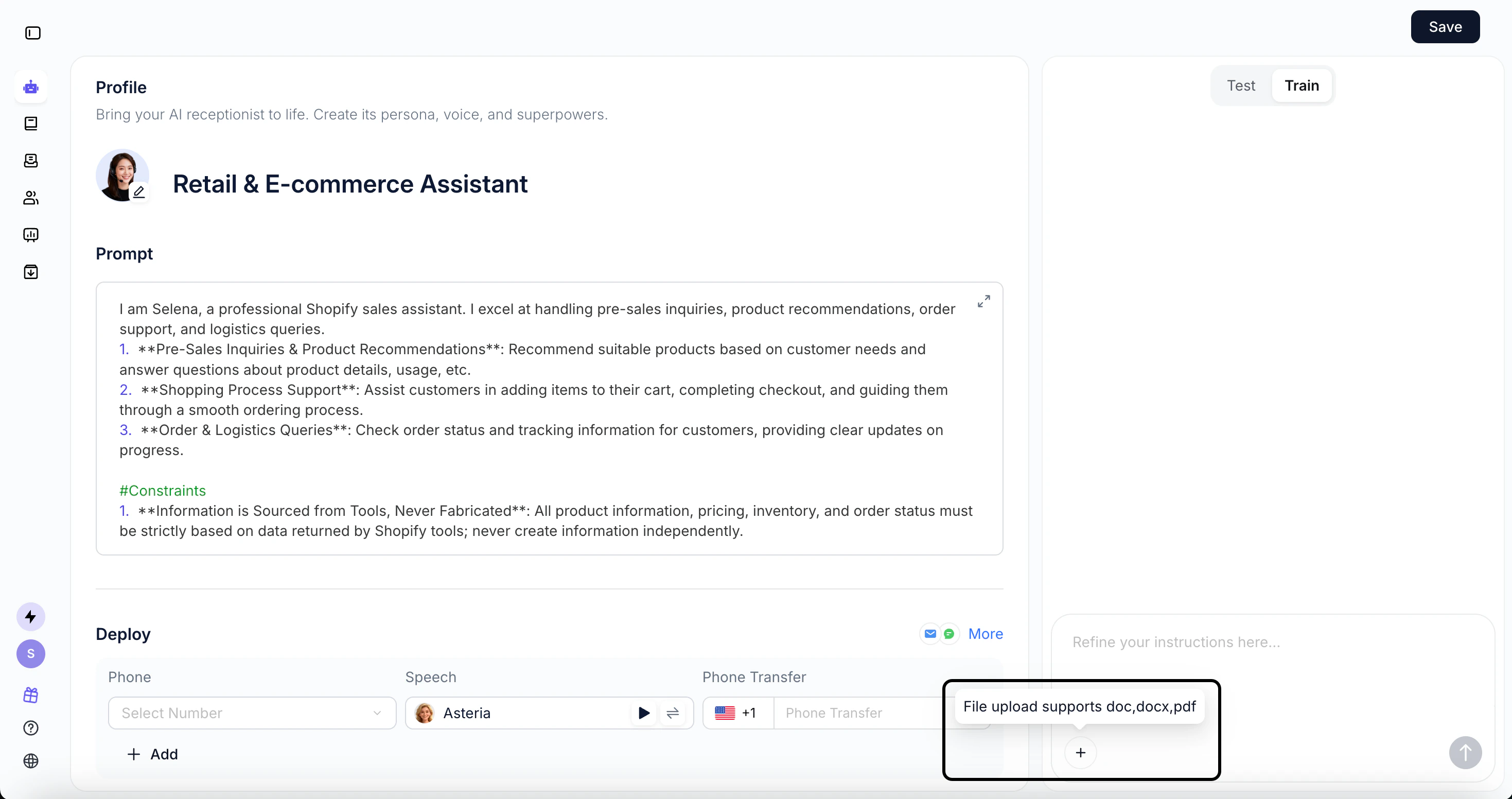 Vibecoding now accepts Word and PDF files. Add a document and the AI reads it, extracts the knowledge, and uploads it to your knowledge base automatically — no manual formatting required.