> ## Documentation Index
> Fetch the complete documentation index at: https://solvea.cx/docs/llms.txt
> Use this file to discover all available pages before exploring further.
# Statistics
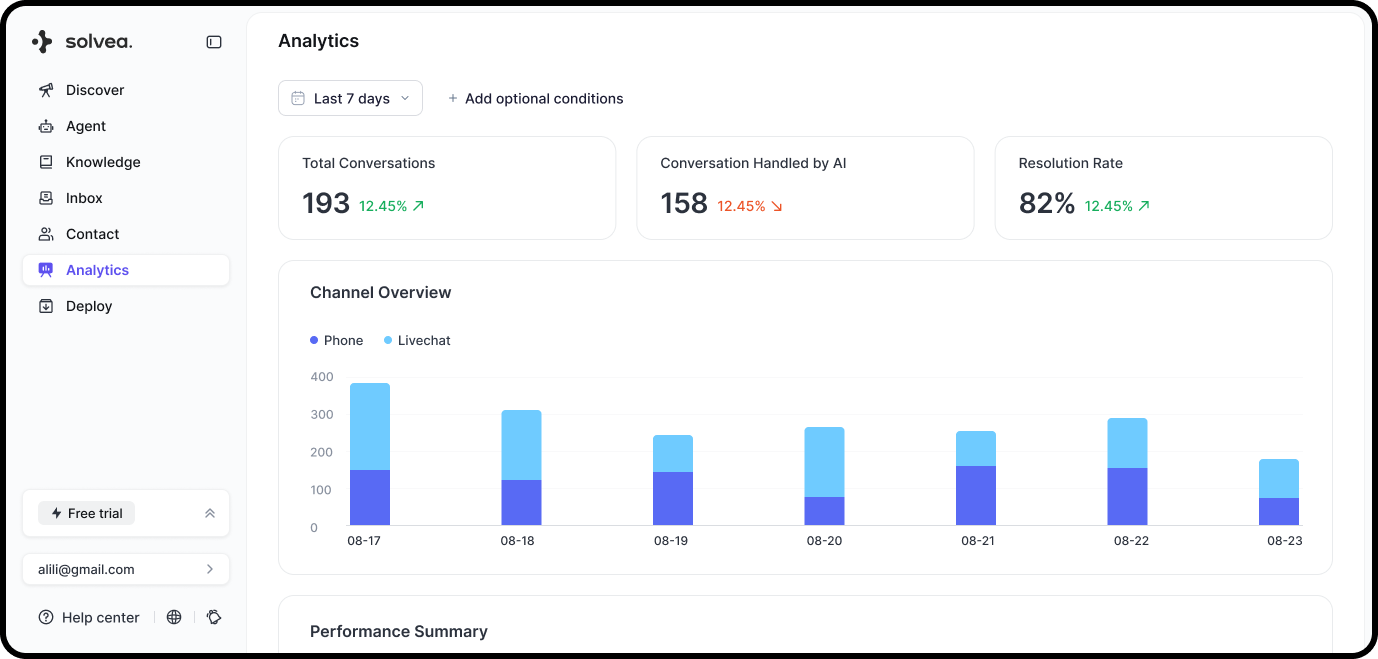
Statistics provide a high-level view of your Agent’s conversation volume and resolution performance.
 ## Time Range
Select a time range to view data (default: last 7 days).
All metrics are recalculated in real time based on the selected period.
## Overall Metrics
* **Total Conversations**\
The total number of customer conversations handled by the AI Agent during the selected period.
* **Conversations Handled by AI**\
The number of conversations resolved without being transferred to a human agent.
* **AI Resolution Rate**\
The percentage of conversations resolved by the AI Agent\
*(AI-handled conversations ÷ total conversations)*
## Channel Overview
Displays the number of conversations handled each day within the selected time range.\
Each bar represents the total daily volume, aggregated across all channels.
## Time Range
Select a time range to view data (default: last 7 days).
All metrics are recalculated in real time based on the selected period.
## Overall Metrics
* **Total Conversations**\
The total number of customer conversations handled by the AI Agent during the selected period.
* **Conversations Handled by AI**\
The number of conversations resolved without being transferred to a human agent.
* **AI Resolution Rate**\
The percentage of conversations resolved by the AI Agent\
*(AI-handled conversations ÷ total conversations)*
## Channel Overview
Displays the number of conversations handled each day within the selected time range.\
Each bar represents the total daily volume, aggregated across all channels.