> ## Documentation Index
> Fetch the complete documentation index at: https://solvea.cx/docs/llms.txt
> Use this file to discover all available pages before exploring further.
# My Agents
In Solvea, you can create multiple agents to support different business scenarios.
Each agent operates independently — with separate knowledge, channels, inbox, integrations, analytics, and contacts.
Bind different channels to different agents. All data modules (Knowledge, Integrations, Inbox, Analytics, Contacts) are isolated per agent and do not share data.
## View Your Agents
Once an agent is created, you can view all agents from the **Discovery → My Agents** section.
A maximum of **10 agents** are displayed in the list.
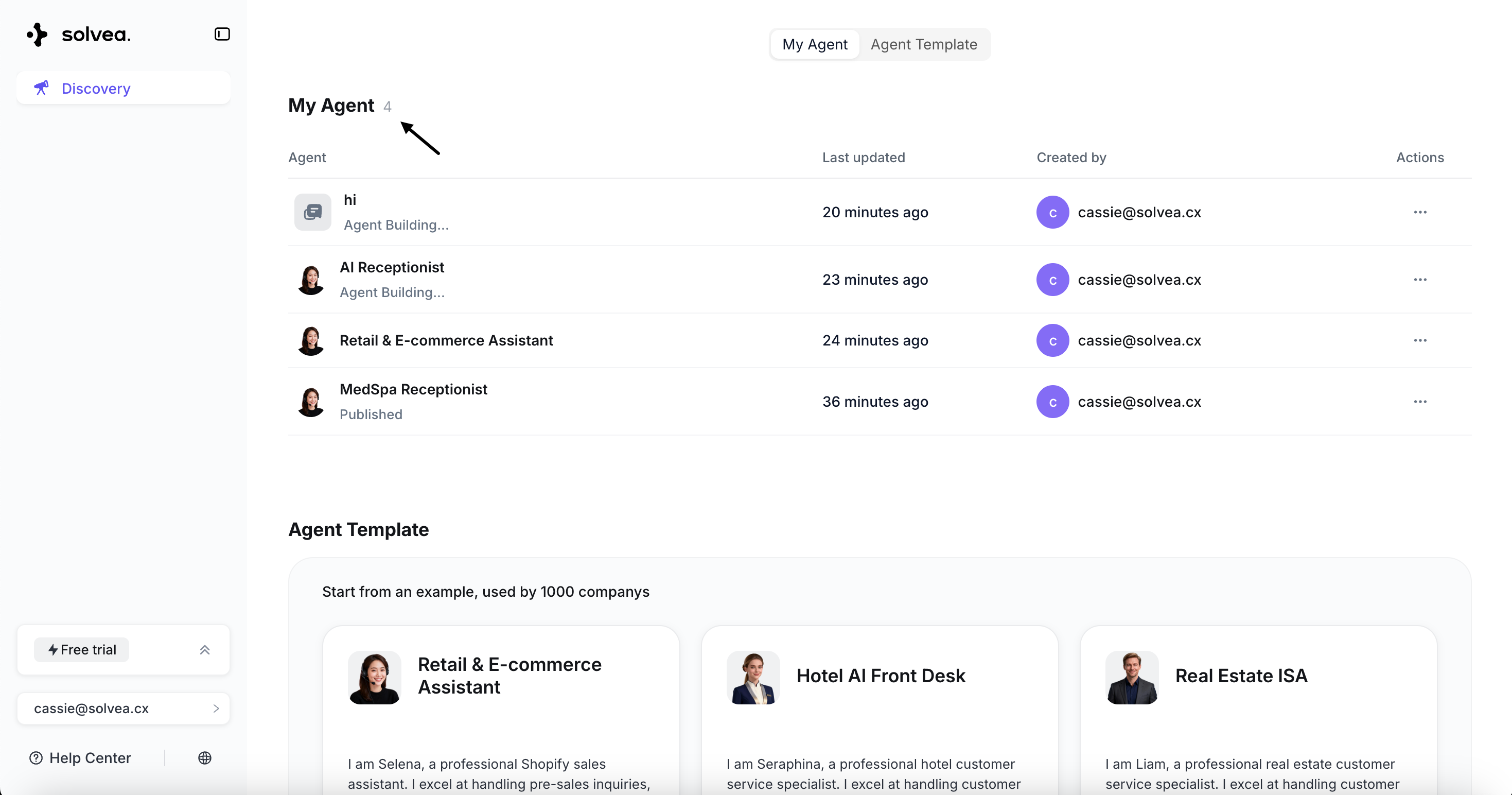 ## Agent List
Each agent card displays:
* **Agent Icon**
Different agent statuses have different icons.
Completed agent
Agent in generation
* **Last Updated Time**
* **Last Updated By**
* **Actions - Delete agent**
Deleting an agent permanently removes all associated data, including:
* Knowledge base
* Integrations
* Inbox records
* Analytics data
* Contacts
This action cannot be undone. Please back up important data before deletion.
## Agent List
Each agent card displays:
* **Agent Icon**
Different agent statuses have different icons.
Completed agent
Agent in generation
* **Last Updated Time**
* **Last Updated By**
* **Actions - Delete agent**
Deleting an agent permanently removes all associated data, including:
* Knowledge base
* Integrations
* Inbox records
* Analytics data
* Contacts
This action cannot be undone. Please back up important data before deletion.