












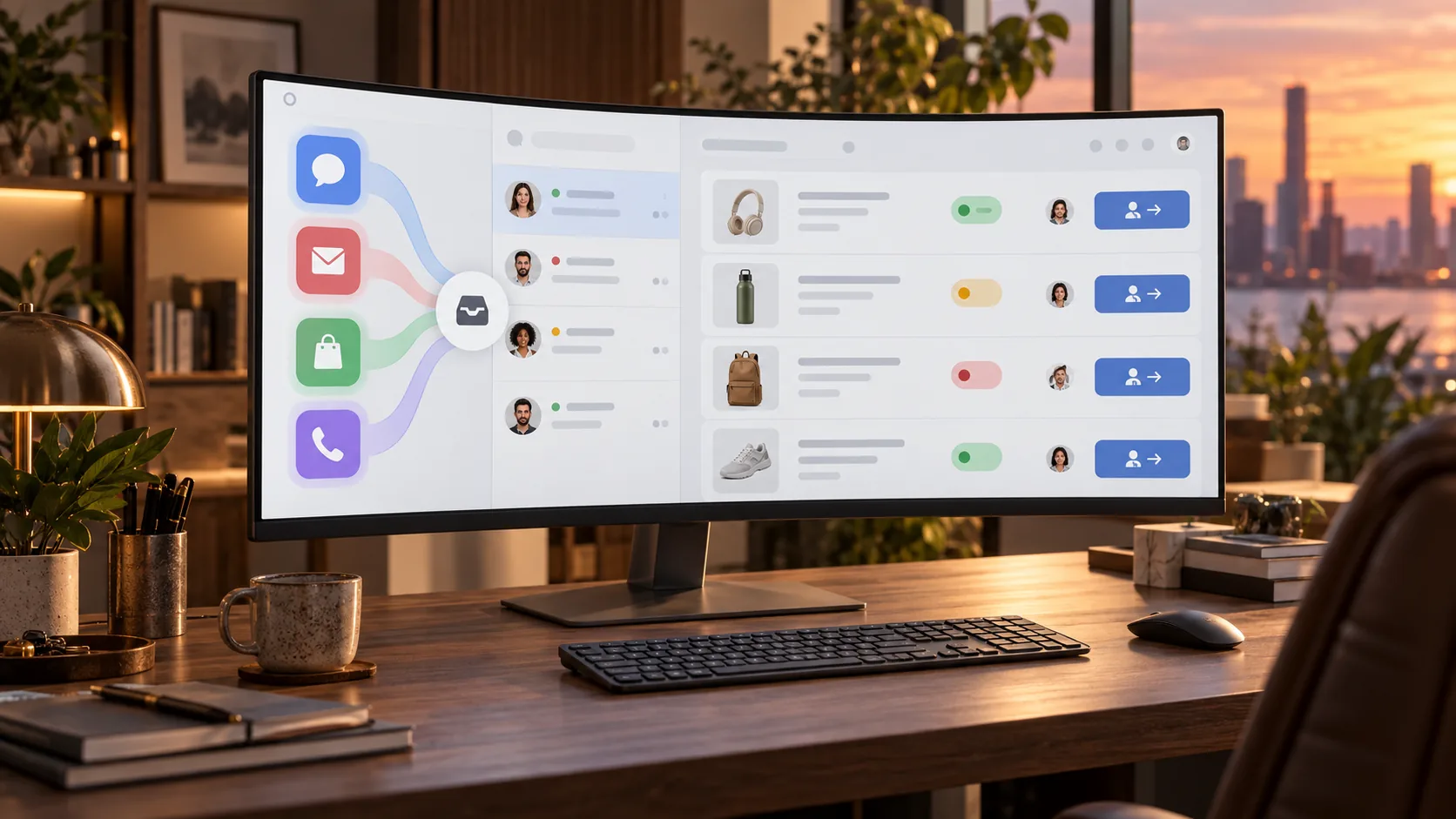
When one customer service team handles Amazon Buyer-Seller Messaging, Shopify order inquiries, WhatsApp after-sales messages and email tickets at the same time, the trouble usually is not “too many channels”. It is that each channel runs its own piece of the workflow.
It is a trap many teams fall into when rolling out global customer service automation: the front end looks connected to plenty of channels, but behind the scenes there are no shared triage rules, order context, knowledge base or human takeover criteria. So a customer sends an Amazon message in the morning, follows up by email in the afternoon and asks again on WhatsApp in the evening — and the team verifies the same issue three times.
So rather than another roundup of omnichannel tools, this article tackles a more practical question: when one team handles Amazon, Shopify, WhatsApp and email at once, how should the customer service automation workflow be designed so that bringing channels together does not create new chaos?
Why cross-channel teams need customer service automation even more
With a single channel, the problem is usually just slow responses. With multiple channels, it becomes broken context.
- Amazon messages tend to surface order, delivery and review risks first
- Shopify store inquiries are more likely to involve discounts, inventory, address changes and returns
- WhatsApp often picks up messages sent across time zones, order chasers and requests to hurry things along
- Email piles up with complex after-sales cases, attachments submitted as evidence and escalations that need a paper trail
Without a working automation workflow, the team ends up repeating four tasks every day:
- Re-identifying the customer and order
- Working out again which workflow the issue belongs to
- Digging through the knowledge base and history again
- Deciding again whether to hand off to a human agent
That is why the first thing cross-channel teams should design is not bot reply scripts, but a unified workflow backbone.
The short answer: unify these 5 layers first
Customer service automation that works in practice needs to connect at least these five layers:
| Layer | What to unify | What goes wrong without it |
|---|---|---|
| Channel intake | Amazon, Shopify, WhatsApp and email flow into one inbox | Agents juggle back ends, miss messages and double-assign cases |
| Identity & orders | Customer, order number, SKU, shipping status, contact history | Re-verifying every time the customer switches channels |
| Issue triage | Tagging rules for WISMO, returns, address changes, installation troubleshooting, compensation disputes and more | The same issue follows different SOPs in different channels |
| Actions | Automatically track shipments, collect information, check eligibility and generate next steps | Automation stops at “can reply” and never actually resolves anything |
| Human takeover | When to escalate to a human, what information to hand over, who closes the case | Automation takes care of the simple issues, but the complex ones get even messier |
Think of this as the overall workflow for cross-channel customer service automation: consolidate channels first, then unify context, then unify triage — and only then tackle automated handling and human escalation.
Step 1: bring Amazon, Shopify, WhatsApp and email into one inbox
The most common mistake cross-channel teams make is treating “multichannel integration” as “adding a few more plug-ins”. The first step in customer service automation should be bringing every channel's messages into one workspace instead of leaving them scattered.
The principle here is simple:
- Amazon messages should not become a black box that only the marketplace operations team understands
- Shopify order inquiries should not live only inside the store's customer service plug-in
- WhatsApp should not become a separate firefighting channel for the night shift
- Email should no longer serve as the catch-all for every unclassified issue
Only when entry points are unified can downstream automation share customer context.
Step 2: unify customer identity, orders and history
Step 2 is the most critical layer of customer service automation — and the one most often overlooked. Many systems connect multiple channels, yet every time a customer switches channels, they still have to repeat their order number, SKU and background.
That directly hurts the customer experience.
For cross-channel customer service automation, this means:
- If an Amazon customer gave their order number in the first message, no one needs to ask for it again by email
- A Shopify customer who first asks in on-site chat can carry the context over to WhatsApp later
- If the customer has already submitted the return reason and required attachments, the human agent taking over does not need to ask again
If customer service automation can't carry context across channels, it's still just “several auto-responders”, not a real workflow system.
Step 3: route tickets by issue type, not by channel
When building cross-channel automation, many teams default to assigning staff by channel:
- Agent A handles Amazon
- Agent B handles Shopify
- Agent C handles WhatsApp
- Agent D handles email
This works at low volume, but as volume grows, it locks knowledge and experience inside each channel.
A more reliable approach is to design automated triage rules that route by issue type, not by channel. A typical first-level cross-channel triage might look like this:
| First-level triage | Typical source channels | Automated actions | Human backup recommended? |
|---|---|---|---|
| Shipping/WISMO | Amazon, WhatsApp, email | Track shipments, explain milestones, collect exception details | Yes, for exceptions |
| Return and exchange eligibility | Shopify, email, WhatsApp | Check the return window, collect order and reason, explain next steps | Yes, for policy exceptions |
| Address change/order cancellation | Shopify, Amazon, email | Check fulfillment status, verify whether changes are possible | Yes, for orders about to ship |
| Installation compatibility/basic troubleshooting | Amazon, WhatsApp, email | Query the knowledge base, run standard troubleshooting steps | Yes, after repeated failed attempts |
| Compensation disputes/highly emotional complaints | All channels | Collect information first, then escalate | Required |
The benefit: issues of the same type follow similar SOPs regardless of which channel they come from, instead of the channel dictating how they are handled.
Step 4: let automation “decide and act”, not just “write replies”
Cross-channel automation can easily stall at a shallow stage: the system writes replies that look good, but people still have to look up orders, find the rules, collect information and decide what to do next.
At that stage, it is easy to overestimate what automation is delivering.
Useful e-commerce customer service automation should cover at least these actions:
- Automatically identify the customer's source channel and order context
- Automatically determine which SOP the issue falls under
- Automatically trigger shipment tracking or order status lookups
- Automatically collect the fields needed for returns and exchanges
- Automatically suggest the next action or escalation conditions
On Amazon, Buyer-Seller Messaging comes with its own platform limits and risk control requirements.
In other words, the overall cross-channel workflow can be unified, but individual actions still need to reflect each channel's specifics.
Step 5: start automation with shipping and returns
For a team starting global customer service automation today, the first scenarios should not be the most complex ones, such as compensation disputes, but the most repetitive: shipping and returns.
Aosom's public case study offers solid validation: according to its page, omnichannel ticket integration and fine-grained knowledge management pushed the AI resolution rate for shipping inquiries to 50%+. It is a signal that, in cross-channel customer service, shipping is a large area that lends itself naturally to standardization.
So we recommend keeping the first wave of automation focused on:
- Shipment status inquiry
- Explaining delays and shipping exceptions
- Return windows and eligibility checks
- Explaining what information and attachments are required
- Address changes and pre-shipment modifications
Get these high-frequency SOPs running smoothly first. Only then can customer service automation actually reduce ticket load across channels, rather than just adding another layer of auto-replies.
What not to hand to cross-channel automation on day one
Not every issue is suited to automation on day one.
These types of issues are better left human-led:
- High-value compensation and liability disputes
- Cases involving fraud, account security or risk control decisions
- Highly emotional complaints that have escalated on social media
- Sequential operations across multiple systems that require human review in between
- Gray-area issues without a stable policy yet
The test is not “Is this issue important?” but:
- Are the rules stable?
- Can the required data be read?
- Is the cost of an error manageable?
- Are the thresholds for escalating to a human defined?
If these conditions are not met yet, forcing the issue into an automated workflow just shifts the complexity from agents onto customers.
A global customer service automation workflow you can put into practice
To boil everything above down into a rollout sequence, we recommend this framework:
- Unified entry: bring Amazon, Shopify, WhatsApp and email into one inbox first
- Unified identity: link customers, orders, SKUs, shipping and contact history
- Unified triage: route by issue type, such as shipping, returns, address changes, troubleshooting and disputes
- Unified actions: turn order lookups, information collection, eligibility checks and next-step prompts into rules
- Unified takeover: agree on which points require a handoff to a human agent and what information must accompany it
- Unified review: track resolution rate, handoff rate and repeat-contact rate by issue type, not just response time by channel
That is what a customer service automation system that actually works looks like. It is not about “connecting more channels” — it is about “running more channels on the same service logic”.
Conclusion: the real problem in cross-channel service is not the number of channels, but the lack of a shared workflow
When one team handles Amazon, Shopify, WhatsApp and email at the same time, effective e-commerce customer service automation does not start by making every channel faster. It starts by making sure they all work within the same workflow.
For global teams, the real differentiator is not having more auto-replies. It is:
- Whether entry points are unified
- Whether context is shared
- Whether triage is based on issue type
- Whether automation executes high-frequency SOPs
- Whether complex issues have a clear path to human takeover
With all five layers in place, customer service automation goes from “a patchwork of channel tools” to “a customer service operating system”.
To decide which layer to tackle first, the most direct next step is not adding more channels. It is reviewing the top 5 issue types that recurred across channels over the last 30 days, then testing against real business workflows whether they suit automation. To map this workflow to your own Amazon, Shopify, WhatsApp and email setup, you can book a real-scenario demo on the contact page.
FAQ
Why do cross-channel teams need e-commerce customer service automation even more?
Because the biggest cost of working across channels is not message volume — it is repeated verification, repeated explanations and repeated assignment. Customer service automation pulls these repetitive tasks back into one unified workflow.
Which scenarios should customer service for global brands automation start with?
We recommend starting with shipping inquiries, return and exchange eligibility, address changes and basic troubleshooting. These issues are highly repetitive, have relatively clear boundaries and are easier to turn into executable rules.
Do Amazon, Shopify, WhatsApp and email need to be handled by the same person?
Not necessarily, but ideally they should run in the same workflow system. Cross-channel automation works better when work is divided by issue type rather than siloed by channel.
When is a handoff to a human agent required?
When an issue involves high-value compensation, liability disputes, clear emotional escalation, risk control and security, or gray-area policies, hand it off to a human agent promptly — along with the existing order, contact history and any information already collected.